Mostrando entradas con la etiqueta ROSA. Mostrar todas las entradas

miércoles, 5 de junio de 2013

Mandriva 2013...What it might look like

Because of all the problems that Mandriva experienced, many people have assumed that the distro is quite dead by now.  However, the foundation OpenMandriva has been busy gathering infrastructure, collecting historical releases, organizing teams and basically, doing everything that they must not to let the distro that freed many from Redmond's OS disappear.

There have been tense moments (both externally and internally) and lines had to be drawn, a process that aimed at being constructive, but resulted a painful one nonetheless.

Decisions were made and not everyone was pleased.   The list includes a name for the foundation, its identifying visual signs, the official release of the distro and, more recently, the name of the distribution.  For some, it was Moondrake, for others, Mandriva; today, we know it has been called OpenMandriva (just like the foundation).

Although not many people talked about this, there was an official alpha released and I decided to install it to a VM to see what it offers.  These are my findings:

Installation
Same installer that we have known (I was relieved to see the infamous "crazy penguin"!) and there were no problems there.  However, one new feature is that it puts GRUB 2 on your system to boot it up.

Login Screen
A bit more elegant and polished than the one on Mandriva 2011

Desktop
The ROSA SimpleWelcome, Rocket Bar, etc, seem to have come to stay.  They are more polished, though.
Default wallpaper ("Moondrake")
A Wallpaper I added to test different elements
The ROSA SimpleWelcome.  It covers your wallpaper
A broom appears if you want to clean your recently accessed files (convenient)
The applications tab.  Not many programs here yet

Time Frame
This includes the new characteristics that the ROSA distribution sports.  Now it has to sections (My Local Documents and Social Networking Sites) that become ready for use after you activate Nepomuk.

Nepomuk did a great job at picking the files I used
When I first saw the ROSA stuff in Mandriva 2011, I did not like it.  However, the Timeframe eventually made me like the concepts because it is a beautiful and convenient way to navigate your documents.  This version is improved; the Timeframe looks cleaner as you can play with the drop down menu for My Local Documents.

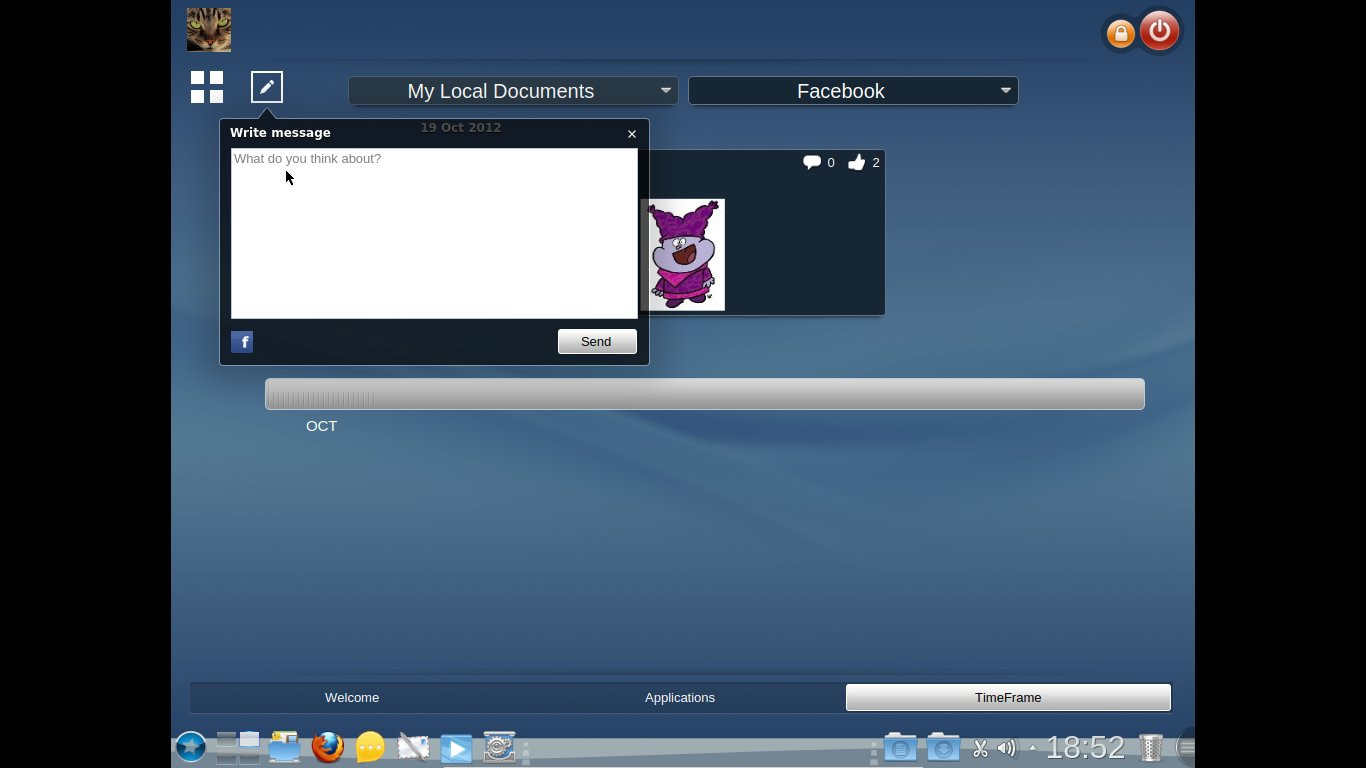
The second part, however, is not something I like but I know many people who would fall in love with it: Social Networking.  I have never been a fan of social networking sites.  However, I set up a Facebook account that I have and never use to see how Timeframe would work with it.  The process was quite simple.
You just click on the corresponding icon to get started
The last silliness someone shared jumps in front of your eyes
You can share your own silliness, too!
I must say that OpenMandriva worked very well with all the ROSA stuff.  Of course, this is not a review (it's not wise to review Alphas!), but a simple exploration of a curious Linux user who is still saving a partition for a distro that he cannot abandon... Too many good memories, I guess.

After all, I became a Linux user thanks to Mandriva.  I hope the OpenMandriva team can manage to save the distro that showed me that a different computer paradigm is possible.

miércoles, 13 de junio de 2012

Mandriva finally died! Well, sort of...

Many Linux users have already proclaimed Mandriva deceased and buried it. But is this old Linux distro quite dead?  Well, yes.  Sort of.  Mandriva became a zombie!

Bernie, the zombie that moved only to the sound of music

That is, at least, what some developers have implied with the release of the Mandriva 2012 Tech Preview: they code-named it "Bernie Lomax", the famous character of the comedy "Weekend at Bernie's".

I know that Tech Previews are not targeted to end-users but, stung by curiosity, I gave the DVD a test drive.  I must confess that the distro, just like Bernie in the sequel of the movie mentioned above, still moves, dances, and even fights!

Let me share my impressions.

First, the DVD booted flawessly when I installed to a virtual machine.  However, I had to give it more disk space than the average 8GB because the DVD included a lot of packages (it asks you if you want an office workstation, a gaming PC, etc).  I chose a KDE desktop install.


Installation screen: language selection


The installer is the same that was included in the Mandriva Desktop 2011.  The artwork, however, has changed: there was a bunch of friendly-looking penguins that kept me company along the way until the installation process was complete and the machine rebooted.


From that moment, my question was if Mandriva would follow the line established with the 2011 release (ROSA SimpleWelcome, launcher, Time Frame) or if it would go back to the 2010 feel, now donned by Mageia.  The answer came soon enough.  When I say "soon", I mean it: the desktop became operational much faster than with the 2011 and the latest ROSA releases.
The log in screen
The ROSA launcher getting ready to dance


Once the desktop loaded, I opened Mandriva Control Center to give this Linux distro release wannabe my mandatory test: Japanese IME capability.  I had chosen iBus as the IME during the installation, but I had to download Anthy and some other packages from the repositories.  "Bernie Lomax" passed the test; it can handle Japanese input with iBus+LibreOffice perfectly.

A となりのトトロ background image I used in Mandriva 2012 TP
I have to say that although the ROSA stuff is not my cup of tea, when I saw its responsiveness here, I found it more appealing.

So there you have it: Mandriva is still moving after being proclaimed dead.  Now we have to see if the corpse finally rots or if a new, more vigorous distro is reborn from its ashes, like a phoenix.

domingo, 13 de mayo de 2012

Busy weekend with Mageia, LibreOffice, and Liberté

After an intense week, I decided to forget about work this weekend and have some time for my hobby, software testing.  So, I downloaded Mageia 2 RC, LibreOffice 3.4.5, and a Linux distro that I had never heard of: Liberté 2012.1.

Mageia 2 RC
I upgraded my Mageia 2 Beta 3 VirtualMachine and... absolutely nothing happened.  Before some hasty conclusions, I mean NOTHING BAD happened; all my software works, even the Japanese IME with iBus. I guess I will wait until they release the final version to try it on real hardware and to see if my netbook works better with Mageia 2 or if I should keep the previous release.

LibreOffice
I had a previous version, so I upgraded it to have the cool OpenGL effects.  However, I was impressed the most by the great PDF editing feature: with an office suite that can edit PDFs as easily as any other ODF document, MSOffice looks like a real software dinosaur.

The only drawback is that I have not figured out how to enable SCIM to work with it, so I must keep OpenOffice in my Mandriva 2010.2 box to type in Japanese.

Liberté
I must confess that I felt a little anxious about downloading a distro that is so anonymous that even its origin remains undisclosed in DistroWatch.  However, as it is 210MB, I gave it a try.  It enabled Tor and booted without any problem.  Web browsing is done with Gnome Browser.  Liberté includes Abiword for document production and Pidgin as the IM client.  There was no GIMP for image-editing software, which is logical because the purpose of this distro is private communication.  The best part for me is that this distro boots an IME in live mode that includes Anthy for Japanese writing and it works flawlessly with Abiword.  Vive la Liberté !

In my humble opinion, the three of them are promising.

Now I'm downloading the final release of ROSA Marathon...

domingo, 29 de abril de 2012

A quick look at ROSA Marathon EE RC

It's no secret; Mandriva S.A. faced difficult times and improving the company's poor interaction with the community is the latest goal they have established.  In the meantime, developers, users, and forum admins have gone (Farewell, Germ, and thanks for all of your work!).

As a Mandriva user, I am concerned because I would not like this beautiful distro to disappear.  However, I haven't heard of a new Mandriva release soon.  Mageia and ROSA, the two divergent lines of the continuity of Mandriva Linux, are buzzing with activity.  For the ones who are not informed, while Mageia 1 kept the line of Mandriva 2010.2, ROSA is intending to keep the line of Mandriva Desktop 2011.

When Mageia 2 Beta 3 made its appearance in the Linux landscape, I tested it and was satisfied by its new look and use of KDE.  In addition, the Japanese IME was working flawlessly, so I was very pleased there even if multimedia needed some tweaking to run properly.

ROSA, on the other hand, has unveiled its new release candidate of Marathon EE (EE is the version including non-free stuff, like the extinct Mandriva ONE). I downloaded, gave it a run in Live mode, and this is what I found:

ROSA presents some animated bars as the Live environment is becoming ready to launch.  After a while of waiting (the wait was shorter than with Mandriva Desktop 2011, I must say), you are greeted by this desktop:


It is very responsive for a Live CD and the Spanish localization is very good.  The most obvious change is the indicator of the KDE desktop.  When you clic on the ROSA button, you see the well-too familiar ROSA launcher and SIMPLE WELCOME found also in Mandriva 2011:


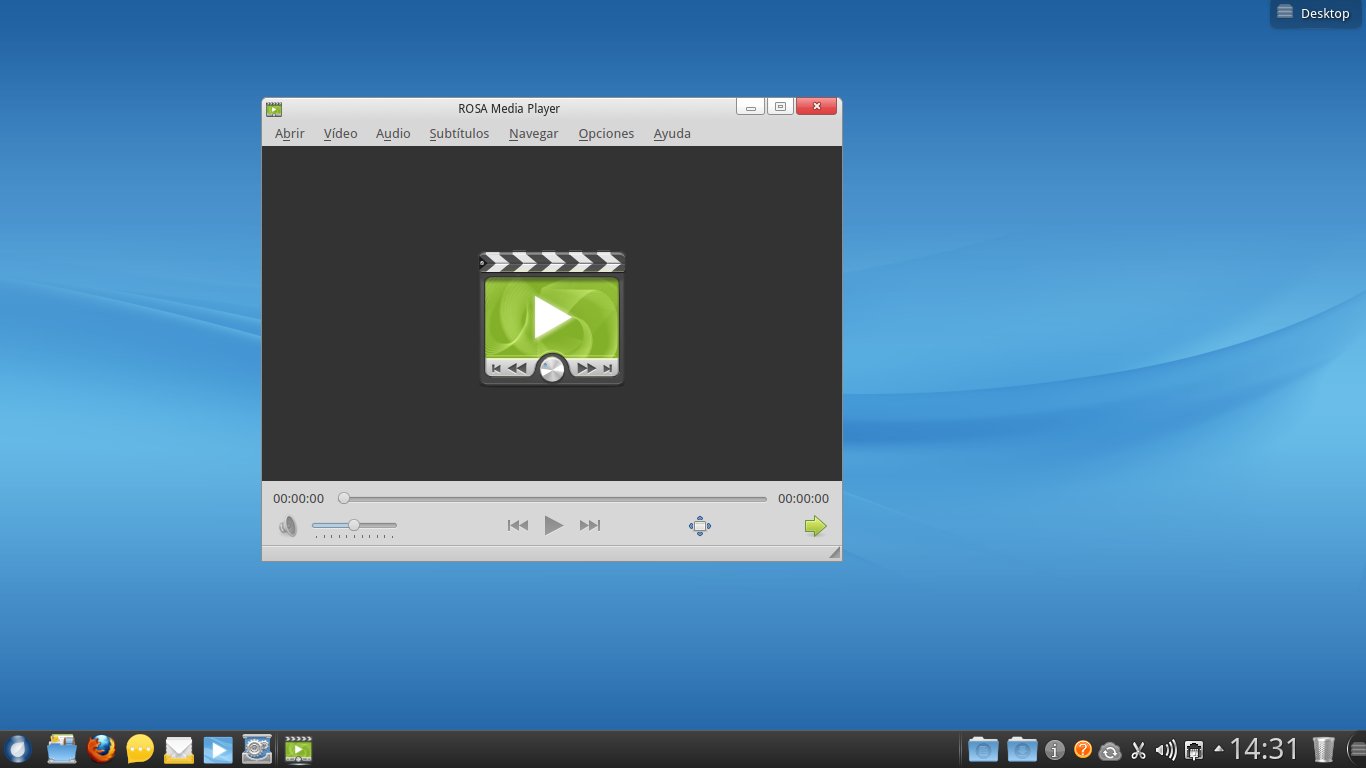
You have a ROSA sync icon, but I noticed the lack of software for a distro this size.  I mean, you get a full LibreOffice suite, but in graphics or multimedia, the options are scarce.  However, the ROSA player is promising:


The ROSA player works well with mpg and avi video but, when playing mp4's or flv's, there was no sound although it displayed the video.  This was curious because YouTube worked fine out of the box.

ROSA Marathon EE also recognizes and mounts all the partitions on the hard drive in Live mode.

On a different note, the Mandriva influence is visible.  For example, to configure the system, you type MCC (Mandriva Control Center), not RCC, and the ROSA control center opens:


You can also see the "M" in the icon ;-)

Overall, I think that this is a heavy system, but it is beautiful and usable for newbies.  ROSa is beggining to capture some attention in the world of Linux, too, as seen by its quick moving up in the DistroWatch chart.  I wonder if there is a ROSA community, though.

Now I will wait for the Mageia 2 RC to run a comparison.

domingo, 8 de abril de 2012

Ready to run? ROSA Marathon is here!

Yesterday, DistroWatch.com made it public that the beta 1 of ROSA Marathon is available for testing. This distro is a new fork of Mandriva.

Interestingly, after one day of being released, ROSA is now in the 11th position, trailing Mageia (#8 in DistroWatch).

In the Mandriva forums users speculated that ROSA is the future of Mandriva. Since the company has not provided any fresh information (except for the "interesting news" without details in a forum post last March 8th), one cannot help but wonder.

Anyway, I downloaded the .iso and, sure enough, ROSA Marathon beta1 is like the twin sister of Mandriva Desktop 2011. Of course, this is no coincidence because the developers at ROSA Labs worked with the Mandriva devs to launch the last Mandriva product there is today. However, the resemblance is absolute: this distro's booting sequence shows no difference at all (well, the logo is different), ROSA has a ROSA Control Center that is identical to Mandriva's (the icon is even the same!) and, to be honest, the only different features I saw were:
1. More polished icons (ROSA logo as a launcher)
2. The ROSA player

I admit that I did not use it much because the interface is not my cup of tea, so I'll give it another run later.

My First 12 Days with Mageia 10: How to enable repos with dnf5

Well, 12 days have passed since I migrated all of my desktop, laptop, and portable work system to Mageia 10. I have not used the work system...