The University where I worked determined that it was in the best interests of the institution (and the students) to migrate to LibreOffice. This happened in 2011, but the process was slow.
In the school where I work, the migration stalled, mainly because of the resistance of professors.
An email from the direction of the school made my day today. It read that the migration was in process and that all computers in the labs (and the laptops) had been migrated to LibreOffice.
I cannot be happier.
Mostrando entradas con la etiqueta migration. Mostrar todas las entradas
Mostrando entradas con la etiqueta migration. Mostrar todas las entradas
jueves, 12 de junio de 2014

viernes, 29 de marzo de 2013
The World IS Changing...Ask Robots
Today, I read how the United Space Alliance, a NASA contractor, started a migration from Windows to Linux here. The article includes this interesting comment by Keith Chuvala:
"We migrated key functions from Windows to Linux because we needed an operating system that was stable and reliable – one that would give us in-house control. So if we needed to patch, adjust or adapt, we could.”
This makes one wonder why they did not opt by the "great" security of Windows 8.
But more than that, I wonder why it is easier for space specialists to migrate key operations to Linux than it is for my colleagues at the university to type documents in an office suite other than Microsoft Office. Shouldn't it be the other way around? You know, the United Space Alliance is migrating key operations as in "if this crashes, the space station crashes" or, better yet, "if this fails, the shuttle goes to the Sun instead of Mars".
However, I realized that not all is lost. If professors aren't flexible to change, ironically, robots are: there will be a conference on robotics and several robotics workshops at my university (this sounds like science fiction in my country). Remarkably, I read this:
What? Are they implying something there?
Well, R2, the first robonaut, runs on Linux according to the article on the United Space Alliance... Maybe we are on the right track down here at the university where I work after all.
This reminds me of a comic strip I saw in 2009, when I migrated to Linux. It's Tira ECOL #393: "Robotito con Windows (tm)". You can see the original (in Spanish) here.
Note: Colgarse (lit. "to hang oneself up")= to crash :P
"We migrated key functions from Windows to Linux because we needed an operating system that was stable and reliable – one that would give us in-house control. So if we needed to patch, adjust or adapt, we could.”
This makes one wonder why they did not opt by the "great" security of Windows 8.
But more than that, I wonder why it is easier for space specialists to migrate key operations to Linux than it is for my colleagues at the university to type documents in an office suite other than Microsoft Office. Shouldn't it be the other way around? You know, the United Space Alliance is migrating key operations as in "if this crashes, the space station crashes" or, better yet, "if this fails, the shuttle goes to the Sun instead of Mars".
However, I realized that not all is lost. If professors aren't flexible to change, ironically, robots are: there will be a conference on robotics and several robotics workshops at my university (this sounds like science fiction in my country). Remarkably, I read this:
"Para los talleres es importante llevar su computadora, preferiblemente con Ubuntu o Debian instalado." (It is important to bring your own computer to the workshops, preferably with Ubuntu or Debian installed).
What? Are they implying something there?
Well, R2, the first robonaut, runs on Linux according to the article on the United Space Alliance... Maybe we are on the right track down here at the university where I work after all.
This reminds me of a comic strip I saw in 2009, when I migrated to Linux. It's Tira ECOL #393: "Robotito con Windows (tm)". You can see the original (in Spanish) here.
 |
| Translated from Tira ECOL #393 |
viernes, 21 de diciembre de 2012
Migration stories 3: Good Bye, Mandriva 2010.2!
MIGRATION STORIES, part 3
While my wife's migration was very successful, mine was not a smooth process. But I know that is bound to happen when you change OSs.
A. Mandriva 2011
The day was yesterday. I've been using Mandriva 2010.2 (Xmas) as the main OS of my desktop. However, now that I finally reconciled with the Rosa SimpleWelcome, stack folders and rocket launcher, I decided that I wanted to try Mandriva 2011 as the replacement. To this end, I looked for my Mandriva 2011 DVDs. The Mandriva 2011 Desktop Live DVD has given my some performance issues in the past, so I settled for the PowerPack edition.
Inspired by my recent success with Mageia 2, I decided that I was not going to format my /home partition.
But this time the change did not go as smoothly as I had expected; I got a message indicating that one installation transaction was not complete. I continued with the process anyway and, after installing the new distro, I saw that Mandriva 2011 would boot in a sluggish way. I assumed that it was because of the indexing of all the files I had accumulated in two years, but I knew something had gone wrong. First, for indexing, the user has to activate Nepomuk once the desktop loads and I hadn't gotten to my desktop yet. Second, once the log in was complete, there was a bad problem with the graphical server: I had no visible desktop. It seems that my previous user configuration (Kwin effects) and the new one were overlapping, so the Rocket bar was a real mess.
I gave it another try wiping everything this time. That solved the problem of the misbehaving graphical server. I tested sound, video, and the printer; everything seemed fine. That was until I tried to activate the desktop effects: Mandriva 2011 would not refresh the desktop, so it was basically impossible to work. I checked the graphical server and found out that, despite the proprietary drivers for my video card were installed, the card was not working correctly. So, that was my option: Mandriva 2011 was fully operational without desktop effects...which I happen to be very fond of.
I tried the whole thing again using the Mandriva 2012 TP "Bernie Lomax". Of course, I know that using such a system as one's production OS is far from advisable, but I wanted to see it running on real hardware. It ran beautifully, but the problem with the effects persisted.
B. Mageia 2
Since Mandriva 2011 was not working with me, I placed a Mageia 2 installation DVD on the tray and began the installation. As usual, this distro did everything it was meant to and in a matter of 45 minutes Mandriva 2011 had been replaced by Mageia 2.

I tested the effects. They were working, but not to their full power. For example, when one manually rotates the cube, it gets stuck. Grrr.
 But some effects looked better than no effects, I concluded. However, I discovered one unexpected problem: the multifunctional printer. My Epson Stylus TX200 was recognized as a printer, but not as a scanner.
Mandriva 2011 had no problems seeing it and configuring. Mageia, on the other hand, lacked the drivers for scanning with it. So, I had to go online to hunt for the appropriate drivers from the manufacturer's page. That is not a great deal, but it reminded me of my Windows times.
Finally, I got the scanner working and looked at my new Mageia 2 desktop. I still felt some nostalgia for the gone-too-soon Mandriva 2011 system...
And then I installed Mandriva 2011 back using another partition. You see, that's the beauty of Linux: you can work with multiple systems if you feel like it.
So, right now I'm using the following OSs:
Desktop: Mageia 2, Mandriva 2011PowerPack, Pardus 2011
Laptop: PCLinuxOS, Mageia 2, Mandriva 2011 Desktop
Netbook: Mandriva 2010.2, Mepis 11, Mageia 2, Mandriva 2011 Desktop, and Pardus 2011.
I'm still waiting to see Mageia 3 and the new iterations of Mandriva and Pardus. I just gave Rosa Desktop Fresh a run and I must say that it is very good, by the way.
While my wife's migration was very successful, mine was not a smooth process. But I know that is bound to happen when you change OSs.
A. Mandriva 2011
The day was yesterday. I've been using Mandriva 2010.2 (Xmas) as the main OS of my desktop. However, now that I finally reconciled with the Rosa SimpleWelcome, stack folders and rocket launcher, I decided that I wanted to try Mandriva 2011 as the replacement. To this end, I looked for my Mandriva 2011 DVDs. The Mandriva 2011 Desktop Live DVD has given my some performance issues in the past, so I settled for the PowerPack edition.
Inspired by my recent success with Mageia 2, I decided that I was not going to format my /home partition.
But this time the change did not go as smoothly as I had expected; I got a message indicating that one installation transaction was not complete. I continued with the process anyway and, after installing the new distro, I saw that Mandriva 2011 would boot in a sluggish way. I assumed that it was because of the indexing of all the files I had accumulated in two years, but I knew something had gone wrong. First, for indexing, the user has to activate Nepomuk once the desktop loads and I hadn't gotten to my desktop yet. Second, once the log in was complete, there was a bad problem with the graphical server: I had no visible desktop. It seems that my previous user configuration (Kwin effects) and the new one were overlapping, so the Rocket bar was a real mess.
I gave it another try wiping everything this time. That solved the problem of the misbehaving graphical server. I tested sound, video, and the printer; everything seemed fine. That was until I tried to activate the desktop effects: Mandriva 2011 would not refresh the desktop, so it was basically impossible to work. I checked the graphical server and found out that, despite the proprietary drivers for my video card were installed, the card was not working correctly. So, that was my option: Mandriva 2011 was fully operational without desktop effects...which I happen to be very fond of.
I tried the whole thing again using the Mandriva 2012 TP "Bernie Lomax". Of course, I know that using such a system as one's production OS is far from advisable, but I wanted to see it running on real hardware. It ran beautifully, but the problem with the effects persisted.
B. Mageia 2
Since Mandriva 2011 was not working with me, I placed a Mageia 2 installation DVD on the tray and began the installation. As usual, this distro did everything it was meant to and in a matter of 45 minutes Mandriva 2011 had been replaced by Mageia 2.

I tested the effects. They were working, but not to their full power. For example, when one manually rotates the cube, it gets stuck. Grrr.
Mandriva 2011 had no problems seeing it and configuring. Mageia, on the other hand, lacked the drivers for scanning with it. So, I had to go online to hunt for the appropriate drivers from the manufacturer's page. That is not a great deal, but it reminded me of my Windows times.
Finally, I got the scanner working and looked at my new Mageia 2 desktop. I still felt some nostalgia for the gone-too-soon Mandriva 2011 system...
And then I installed Mandriva 2011 back using another partition. You see, that's the beauty of Linux: you can work with multiple systems if you feel like it.
So, right now I'm using the following OSs:
Desktop: Mageia 2, Mandriva 2011PowerPack, Pardus 2011
Laptop: PCLinuxOS, Mageia 2, Mandriva 2011 Desktop
Netbook: Mandriva 2010.2, Mepis 11, Mageia 2, Mandriva 2011 Desktop, and Pardus 2011.
I'm still waiting to see Mageia 3 and the new iterations of Mandriva and Pardus. I just gave Rosa Desktop Fresh a run and I must say that it is very good, by the way.
jueves, 20 de diciembre de 2012
Migration Stories, Part 2
Some Windows users that I know (not power users in any sense) state that they do not migrate to Linux because, as they say, "the OS is different". Of course, they never consider that they had to adapt from XP to Vista and then to 7...(One wonders what they will say after buying a computer with Windows 8).
They also claim familiarity problems about the software that they use to create documents, chat, or, in extreme cases, to log into their Facebook accounts (?!).

Basically, all these arguments can be reduced to a sigle issue: adaptation.
However, I believe that there is more to it. Adaptation, in the case of using a computer, requires an act of will; the user must be willing to abandon the comfort zone and begin to learn. This challenge, far from reducing one's productivity, increases it in the long run because intellectual numbing does not make you a better worker. It only gives you an illusion of efficiency.
I have two cases to support my observations.
1. A tale of a PC and a phone
My mother, who is in her sixties, took Windows courses hoping not to be left behind in the digital divide. However, much to her distress, very little that she learned was applicable once MS Office 2007 replaced MS Office 2003. The learning curve was pronounced thanks to the Ribbon interface, but, in truth, her real problem was viruses: she was terrified to use the computer because it got infected thanks to her friends' USB drives, emails, etc.
When my brother Megatotoro replaced Windows XP with Pardus 2009, she started using the computer freely. Then she bought a new, more powerful machine and now uses Pardus 2011. I haven't heard any usability complaints from her. In fact, she proudly tells me of her new records in the games she likes.
In addition, she recently bought a new cell-phone after having used the same one for almost 15 years. This new phone has Android, which replaces the old, familiar buttons with-- a tactile interface!
Yes, she got freaked out a little. However, I'm sure her determination and her previous experience switching OSs will help her master her droid.
2. A laptop and its OS
My wife loved her Toshiba Satellite laptop running Mandriva 2009 but she got a bit sad when she asked me about using Skype to have video conferences with friends.
I told her that, even if she had to forget about Skype, there was still Google Talk for that particular purpose. The problem was that Google Talk did not run in her old OS. The solution: migrating to Mageia 2.
This is no trivial change: after booting and updating, you have a new version of KDE (4..8.5), different icons, different names for things and there's even that Activities thingy that obviously did not exist in KDE 4.1.2....
Yesterday, I saw her working with her laptop, a rather familiar sight, so I went into my office to read. After an hour had passed, I remebered that she was using a completely new OS!
I stepped quickly into the room where she was to offer assistance. Interestingly, all the normal body cues that manifest human frustration were absent from her; she seemed to glide as she was working and turned to me with a smile when she noticed my stare.
---------------------------------------------------------
From these two experiences, I conclude that adaptation is not the problem. The real issue at stake is the lack of will to adapt; both my wife and my mother learned how to use their devices because they wanted to use them. And they wanted it badly. It had nothing to do with the complexity/ applications/ interfaces.
I guess that also explains why my brother and I, two heavy Windows users, migrated to Linux so successfully by ourselves, despite no one ever introduced the OS to us or helped us ease the transition.
They also claim familiarity problems about the software that they use to create documents, chat, or, in extreme cases, to log into their Facebook accounts (?!).

Basically, all these arguments can be reduced to a sigle issue: adaptation.
However, I believe that there is more to it. Adaptation, in the case of using a computer, requires an act of will; the user must be willing to abandon the comfort zone and begin to learn. This challenge, far from reducing one's productivity, increases it in the long run because intellectual numbing does not make you a better worker. It only gives you an illusion of efficiency.
I have two cases to support my observations.
1. A tale of a PC and a phone
My mother, who is in her sixties, took Windows courses hoping not to be left behind in the digital divide. However, much to her distress, very little that she learned was applicable once MS Office 2007 replaced MS Office 2003. The learning curve was pronounced thanks to the Ribbon interface, but, in truth, her real problem was viruses: she was terrified to use the computer because it got infected thanks to her friends' USB drives, emails, etc.
When my brother Megatotoro replaced Windows XP with Pardus 2009, she started using the computer freely. Then she bought a new, more powerful machine and now uses Pardus 2011. I haven't heard any usability complaints from her. In fact, she proudly tells me of her new records in the games she likes.
In addition, she recently bought a new cell-phone after having used the same one for almost 15 years. This new phone has Android, which replaces the old, familiar buttons with-- a tactile interface!
Yes, she got freaked out a little. However, I'm sure her determination and her previous experience switching OSs will help her master her droid.
2. A laptop and its OS
My wife loved her Toshiba Satellite laptop running Mandriva 2009 but she got a bit sad when she asked me about using Skype to have video conferences with friends.
I told her that, even if she had to forget about Skype, there was still Google Talk for that particular purpose. The problem was that Google Talk did not run in her old OS. The solution: migrating to Mageia 2.
This is no trivial change: after booting and updating, you have a new version of KDE (4..8.5), different icons, different names for things and there's even that Activities thingy that obviously did not exist in KDE 4.1.2....
Yesterday, I saw her working with her laptop, a rather familiar sight, so I went into my office to read. After an hour had passed, I remebered that she was using a completely new OS!
I stepped quickly into the room where she was to offer assistance. Interestingly, all the normal body cues that manifest human frustration were absent from her; she seemed to glide as she was working and turned to me with a smile when she noticed my stare.
---------------------------------------------------------
From these two experiences, I conclude that adaptation is not the problem. The real issue at stake is the lack of will to adapt; both my wife and my mother learned how to use their devices because they wanted to use them. And they wanted it badly. It had nothing to do with the complexity/ applications/ interfaces.
I guess that also explains why my brother and I, two heavy Windows users, migrated to Linux so successfully by ourselves, despite no one ever introduced the OS to us or helped us ease the transition.
sábado, 15 de diciembre de 2012
Migration season has started
After finishing with all the work this term, including written reports, oral reports in meetings, and two rather risky academic presentations in a Congress (described here by Megatotoro), I can take some free time at last.
Of course, after the crazy rush, I ended a little weak. But my wife made me an offer I could not refuse: she has been using Mandriva 2009.2 on her Toshiba satellite laptop all this time and wanted me to help her migrate it to a more updated system.
I remember that I had unsuccessfully tried to install Mandriva 2010 Adelie, 2010.1 Farman, and 2010.2 Christmas. There were some issues with the graphic server.
She asked me to try Mageia 2. Unfortunately, when I booted this distro from a USB drive,I hit the same problem.
Then, it occurred to me that I had not tried Mageia 1. I know Mageia 1 has already gone EOL, but I decided to give it a try anyways.
It worked. Mageia 1 picked up everything: wi-fi, function keys, graphic server, sound, and effects. But the best part was that my wife's user-defined desktop preferences stayed after installing because I did not format the home partition.
I am going to try to run an upgrade to Mageia 2 later.
UPDATE: Mageia 1 offered me the possibility to upgrade to Mageia 2. Although I normally prefer to do clean installs, I accepted and, after a couple hours, my wife was using her brand new Mageia 2 OS.
What comes next is to decide on a system to migrate my desktop. But I will wait a bit longer because I want to try the next Mandriva release.
Of course, after the crazy rush, I ended a little weak. But my wife made me an offer I could not refuse: she has been using Mandriva 2009.2 on her Toshiba satellite laptop all this time and wanted me to help her migrate it to a more updated system.
I remember that I had unsuccessfully tried to install Mandriva 2010 Adelie, 2010.1 Farman, and 2010.2 Christmas. There were some issues with the graphic server.
She asked me to try Mageia 2. Unfortunately, when I booted this distro from a USB drive,I hit the same problem.
Then, it occurred to me that I had not tried Mageia 1. I know Mageia 1 has already gone EOL, but I decided to give it a try anyways.
It worked. Mageia 1 picked up everything: wi-fi, function keys, graphic server, sound, and effects. But the best part was that my wife's user-defined desktop preferences stayed after installing because I did not format the home partition.
I am going to try to run an upgrade to Mageia 2 later.
UPDATE: Mageia 1 offered me the possibility to upgrade to Mageia 2. Although I normally prefer to do clean installs, I accepted and, after a couple hours, my wife was using her brand new Mageia 2 OS.
What comes next is to decide on a system to migrate my desktop. But I will wait a bit longer because I want to try the next Mandriva release.
sábado, 1 de octubre de 2011
On the University migration to Free Software
 Megatotoro described here how the recently announced University migration to free software made a big splash in national newspapers and even on TV news. The idea is to start by replacing MS Office suites by free software equivalents (Open Office.org/Libre Office) and, eventually, dump Windows and implement Linux.
 I visited the online page of one of those newspapers to see the coverage and the comments I read were, for the most part, very encouraging and positive. Of course, the public is congratulating the University for the initiative of saving a LOT OF MONEY (that was used to pay MS licenses) through the use of Free Software and to invest this growing amount on improving the campus and on resources available to students.
Today, I had the opportunity to speak to the Dean of the Faculty where both Megatotoro and I work and somehow the conversation steered to Linux. To my surprise, she said: "So you use Linux? That's where we are heading!". Her position was one of embracing change rather than one of fear or discomfort.
Her words are certainly consistent with some actions that the University took:
1. A Free repository was enabled, so scholars and researchers can upload their works and share them with national and international communities for free
2. Several University dependencies have taken measures to guarantee access to their services from different platforms, Linux included.
3. There is a cluster of servers called ESPEJOS (mirrors) that basically lets people download linux distros and other free software from everywhere.
4. The ICT programs are required to teach courses on Free Software.
When the reporters asked the MS representative that handles government issues in the region how Microsoft was affected by this, her words were more an evasion than an answer. She said that Microsoft is “commited to work on interoperability”, and that “this implies more opportunities for developers and more technological innovation and market competition for enterprises and governments, and users”.
Yes, interoperability, she said. For crying out loud! It's thanks to Microsoft that their own proprietary formats do not work properly with other office suites (sometimes, not even their own!)
The interesting outcome of all this is that many comments from the public are urging the government to imitate this step the University took. Of course, our country is not rich and sending all that money to Microsoft instead of investing it on our students or services makes little sense.
I'm sure Microsoft will try to react to this. I was told that, last time, they had a terrible flop trying to license a specialized software for statistics in Windows...It was embarrassing because, during the demo, it crashed, just like on this memorable video...
Maybe that episode prompted the migration :-)
sábado, 27 de noviembre de 2010
It's not the same hearing a thunder and seeing lightning!

Last week, the Dean called for a Faculty meeting in which the only topic was, to the dismay of those who claim Linux is dead, Free Software!
With this meeting, it's the second time in two months that professors hear about the existence of something that is not Windows and the University's ongoing plan to migrate to open source.
I wanted to post about that, but I was preparing my yearly report for the Professor Assembly and, therefore, had no time... but it occurred to me that I would use the chance to contribute by showing all professors how a computer running on Linux works. So, although they had a Vista 7 Starter laptop ready for the reports, I asked permission to use my modest netbook running Mandriva.
All my colleagues displayed their reports using the Vista 7 laptop and one professor suffered the embarrassment of MS PowerPoint 2007 not responding as she expected. I cannot say that was an "atypical behavior": all of us have seen something like that happen time and again. I felt bad for her due to the fact that she told me that she slept till late because she invested a lot of time to create a beautiful PowerPoint presentation for the occasion.
When my turn came, I had my netbook ready and woke it up from hibernation (Yes! It DOES work in Mandriva 2010.1), unplugged the VGA cable from the laptop and plugged it to my netbook. As a good OS should behave, Mandriva picked up the signal and let me configure the display in a matter of five seconds. The picking up of the signal made me a little anxious because, prior to the meeting, they had to change the projector because 7 Starter did not let them change the display size of the screen (How about that!) and I had everything ready with the previous device.
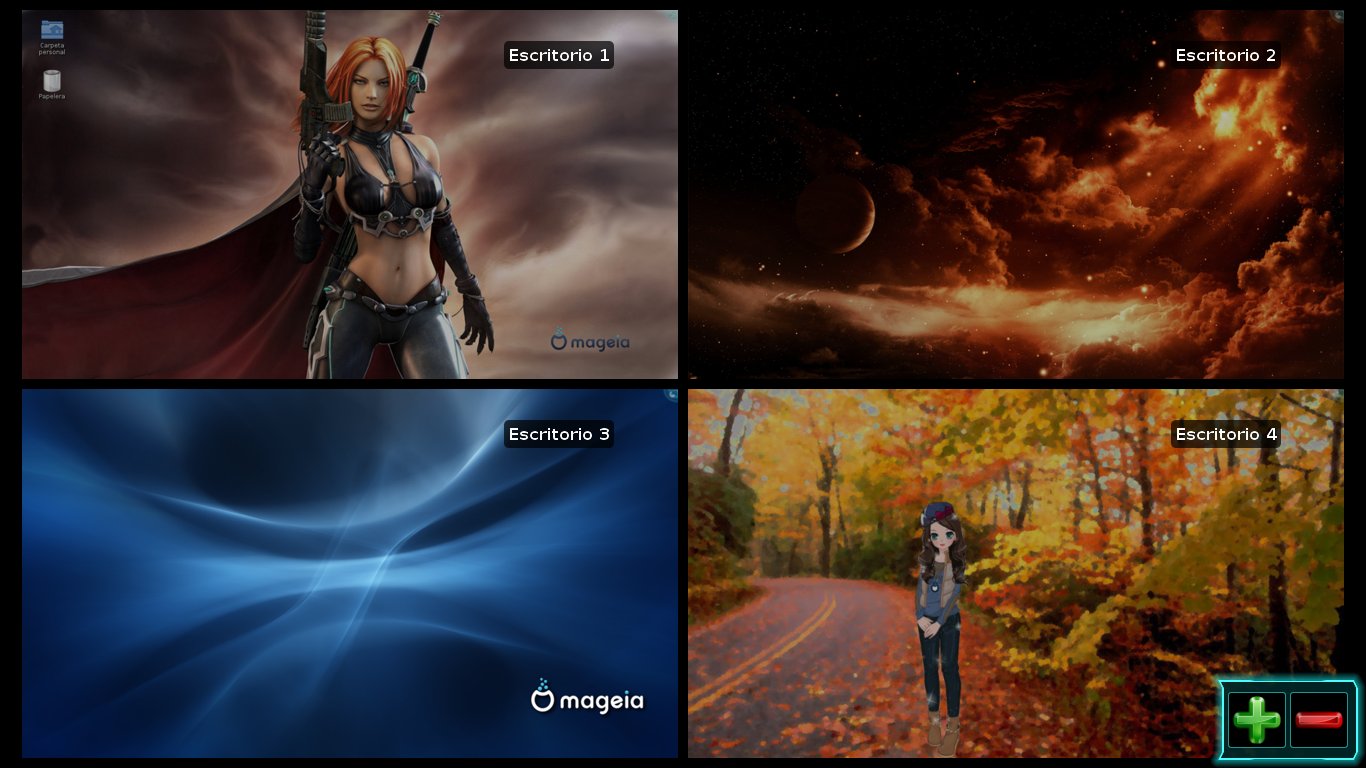
However, my Linux OS did not let me down and all the people laughed when they saw my Cosmic Cat wallpaper on my desktop # 1.

Of course, they gasped when I turned to desktop #2 and my presentation, made using Open Office, was there, ready. The beautiful OpenGL transitions made the ones in PowerPoint look like sorry excuses, especially after I said "This is the free software that the Dean is trying to promote", moved to different desktops to display other information, and returned to the presentation via Kwin Cube.
After my presentation, which went without any problem (wasn't Open Office "unprofessional" according to the MS video?), the professor who was embarrassed by MS Office 2007 borrowed my netbook to play with it for a while and loved the behavior of Linux.
Yes, seeing is believing. Now, my colleagues have seen a computer running open source software in the most demanding of contexts... and it neither got stuck, nor was difficult to operate. Oh, and it didn't blow up, either. Can you guess what software was proven to be unreliable?
For many of them, the thunder might not be as impressive as lightning. Now they have seen the truth: Linux can run flawlessly on a netbook and they were impressed. Many people are becoming aware that they can work in a more beautiful way by using Linux than by settling down with an OS that gives them the same problems year after year.
domingo, 24 de octubre de 2010
Tux and the Sixth Sense: I See Dead Linux!
 "DESKTOP LINUX IS DEAD!!"
It was so comforting to read those features asserting the unquestionable death of the Penguin OS on desktop computers at last. Windows is growing; Linux is disappearing. That's the way it should be. Linux can stay on servers, mainframes, supercomputers, highly important systems, where it belongs, not inside computers used by plain people. After all, why would regular users want an OS that runs on supercomputers sitting on their home/work systems?
When I read the first article about the death of Linux desktop, a shock of unbelief went through my spine. Could it be true? Could the dreams of glory of these obnoxious Penguin lovers be shattered as broken glass by the supremacy of the Redmond empire that we love so much?
More posts came up; all of them reinforced the idea of how Linux plummeted. Hence, a smile of satisfaction appeared in my face as I tasted the wine brewed from victory.
However, something happened which began to unsettle me.
IS LINUX DEAD?
In my city, I had only seen a Linux computer in the wild: it was a bothering little aubergine desktop in a small restaurant. Except for that one, all of the computers that I have seen for public use were nice and friendly Windows systems. So, I expected the owner to come to his senses in a two-month period...Yet, the Ubuntu computer is still there after four months. It's one example of unexplainable phenomena in the world.
Then, I recall that only two professors used Linux netbooks in the Faculty of the University where I work. Those systems were like a pair of little insects; I knew their owners had to switch to Windows soon. But they never did. As a matter of fact, I realized that there is another professor that is running Linux on her netbook and now wants to put it on her laptop as well...And there's a dual boot desktop in one of the offices, too. Every time I see it, the machine is running Linux.
Does that mean that Linux on the desktop is still alive and kicking? No, that's simply not possible! The articles were very solid and convincing. There must be something wrong here.
Let me take a look at numbers again:
From 1 Ubuntu desktop, 1 Mandriva netbook, and 1 Mepis netbook, it has gone to 1 Ubuntu desktop, 1 Mandriva desktop, 2 Mandriva netbooks, 1 Mepis netbook, and 1 Mepis desktop in a five month period.
Slowly, unrest took hold of me as I attended an event in the Faculty last Friday. It was a speech about Open Source!
They are announcing an institutional migration to Linux!
From 4,000 licenses the University paid to Microsoft two years ago, they went down to 500 this year. With the additional budget, the University has managed to acquire new equipment for students. The madness has gone to some regional centers, where they have already substituted their Windows systems. The University is also promoting open culture with a repository called Kérwá. As if all this were not enough, the University has a mirror server for ... (the horror!) Ubuntu, Debian, Fedora, and there is even an institutional customized version of Open Office!
My colleagues who went to the talk also want to migrate to Linux and Open Office! Didn't they see the beautiful video Microsoft produced explaining why you shouldn't? Or how the grades of students are affected negatively if they use Open Office instead of MS Office for their assignments?
Maybe people are actually reading the EULAs and they do not like the idea that you become a serf of Microsoft (a Microserf!)....I mean, if you neither own MS Office nor the proprietary formats (.doc, docx, etc) in which you save the files, how can you claim that the documents you produced are yours?...Could that be the reason explaining why professors and researchers here are gradually abandoning beautiful MS Office and its fair price? Or is it that they read the EULA and discovered that its terms are threatening their productivity?
But the story does not end there... Why should students of a Language School want to install Linux? They are simple users, not engineers! Linux is for GEEKS, not for normal people! Are they so geeky after all? What's wrong with them?? LINUX IS DEAD!!
I have suddenly realized that I must have paranormal powers... Yes, I have the Sixth Sense! Aaaargh!
Wanna know a secret...?
I see dead LINUX!
jueves, 7 de octubre de 2010
Simply Mepis 8.5 challenge: the first four days
I decided that it was time for me to test SimplyMepis 8.5, so that I could have a closer impression of this efficient Linux distribution to write a non-technical review. As I promised, I have been running SimplyMepis consistently for four days now and these are my first findings:
DAY 1: Access to networks and browser customization
Mepis magic was a perfect match for Mandriva magic concerning picking up networks, both wired and wireless. I had to do absolutely nothing: just click to see the available networks and then click again to pick one Actually, I am typing this post from Mepis, using a wireless connection down here in campus four days after the experiment started. I downloaded my favorite add-ons for Firefox and customized it.
DAY 2: Desktop configuration and package installation
I had anticipated that, being a Mandriva user, the lack of an orchestrator of all the processes in Mepis could bother me a little. After all, Mandriva Control Center has become an innovation that some other Linux distributions aspire to emulate. However, my previous training with Linux Mint enabled me to use Synaptic without a great effort. Visually, there was a difference between downloading packages with Synaptic and doing it with MCC, but it was nothing to be traumatized about. I tried to customize the KDE desktop a little. I noticed some unresponsiveness of the desktop cube, but that was nothing I ignored, so I counted it as a minor bother. What actually became a major headache was the placement of four different wallpapers on each side of the cube. Everytime I booted the computer, the wallpaper images would play hide and seek with me. Sometimes, the images I selected went to a different cube side; some other times, they would be replaced at random and I would get a solid light blue wallpaper instead. I was also familiar with that behavior because Mandriva 2010 (Adelie) was shipped with the same KDE environment and, consequently, would show the same Kproblem...after several trials, I think that the four wallpapers have finally stabilized.
Package installation went fine. I installed Cheese! for the cam (it can take snapshots, but I do not get cam image) and then tried to install aMSN. That was a real problem because it would not finish installing a dependency, so used Kopete.
DAY 3: More installation and configuration
I tried installing aMSN again and it turns out that a Debian server might have been down because the installation went smoothly. Aside from that, there is not much to say because the computer is working perfectly.
DAY 4: General use
I have used SimplyMepis for my everyday work (typing letters, checking email, sending documents, opening video/audio files) and it has met all my needs magnificiently. I hardly find any problem other than my Mandriva customary behavior. Well, and maybe the visual impact was also a minor concern when I started. However, I am used to seeing the Mepis dark blue by now.
To sum up, my experience as a Mandriva user handling Mepis is satisfactory up to this point. SimplyMepis is not simply a disappointment. I think that it rivals Mandriva in its KDE handling...maybe a simplified experience than the one I am used to with Mandriva, but Mepis had given me little to complain about.
What's next? The following days I will try a multimedia class. This will let me assess the video display and the sound quality.
DAY 1: Access to networks and browser customization
Mepis magic was a perfect match for Mandriva magic concerning picking up networks, both wired and wireless. I had to do absolutely nothing: just click to see the available networks and then click again to pick one Actually, I am typing this post from Mepis, using a wireless connection down here in campus four days after the experiment started. I downloaded my favorite add-ons for Firefox and customized it.
DAY 2: Desktop configuration and package installation
I had anticipated that, being a Mandriva user, the lack of an orchestrator of all the processes in Mepis could bother me a little. After all, Mandriva Control Center has become an innovation that some other Linux distributions aspire to emulate. However, my previous training with Linux Mint enabled me to use Synaptic without a great effort. Visually, there was a difference between downloading packages with Synaptic and doing it with MCC, but it was nothing to be traumatized about. I tried to customize the KDE desktop a little. I noticed some unresponsiveness of the desktop cube, but that was nothing I ignored, so I counted it as a minor bother. What actually became a major headache was the placement of four different wallpapers on each side of the cube. Everytime I booted the computer, the wallpaper images would play hide and seek with me. Sometimes, the images I selected went to a different cube side; some other times, they would be replaced at random and I would get a solid light blue wallpaper instead. I was also familiar with that behavior because Mandriva 2010 (Adelie) was shipped with the same KDE environment and, consequently, would show the same Kproblem...after several trials, I think that the four wallpapers have finally stabilized.
Package installation went fine. I installed Cheese! for the cam (it can take snapshots, but I do not get cam image) and then tried to install aMSN. That was a real problem because it would not finish installing a dependency, so used Kopete.
DAY 3: More installation and configuration
I tried installing aMSN again and it turns out that a Debian server might have been down because the installation went smoothly. Aside from that, there is not much to say because the computer is working perfectly.
DAY 4: General use
I have used SimplyMepis for my everyday work (typing letters, checking email, sending documents, opening video/audio files) and it has met all my needs magnificiently. I hardly find any problem other than my Mandriva customary behavior. Well, and maybe the visual impact was also a minor concern when I started. However, I am used to seeing the Mepis dark blue by now.
To sum up, my experience as a Mandriva user handling Mepis is satisfactory up to this point. SimplyMepis is not simply a disappointment. I think that it rivals Mandriva in its KDE handling...maybe a simplified experience than the one I am used to with Mandriva, but Mepis had given me little to complain about.
What's next? The following days I will try a multimedia class. This will let me assess the video display and the sound quality.
viernes, 1 de octubre de 2010
OS representations and the choice of migration
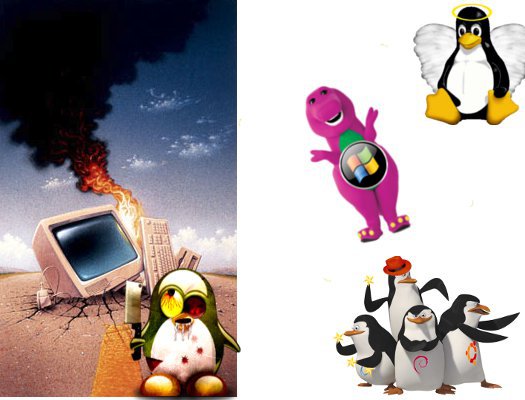 I have noticed that there are several representations of Linux and Windows that are used to dissuade people from migrating. Unfortunately, an uninformed migration normally ends up in disappointment and, as a result, hurt people resort to disqualifying depictions again in a never-ending circle. I decided to list some of those representations here as a reminder of the fanboy spirit that rests upon the pedestal of prejudice.
1. Windows, the Imaginary Friend
Many users, blind because Windows constitutes their only experience with an OS, simply reject the opportunity to try Linux. Their perception of satisfaction has been dulled by years of exposure to the same problems, to the point that they just accept those shortcomings as "natural". These people are not to be blamed, though. After all, when one is immersed into a paradigm, rarely is it that one questions the nature of the experience one is going through. So, as major security flaws and abusive policies become the air these people breathe, they consider themselves satisfied if they can obtain an "additional feature for free". I cannot but think of MS Security Essentials because these people fall for deals like those you see in TV offers ("If you buy the hair styler now, you get, completely free, the power cord!") or they are even willing to pay to unlock OS features that were previously given to them (wallpapers or language packs in Windows 7 Starter, anyone?). Yet, they think Windows is their loving friend...A friend that rips them off time and again...But they are happy!
2. Linux, the Deadly Monster
MS evangelists do train people to bluntly reject Linux. This is not a myth; I had an encounter with one of those brain-washed professionals once and she tried to disqualify Linux even though Windows made her look like a fool during her presentation.
When you mention the word "Linux" to these individuals, they cringe and gnaw wildly. It is true that they have no practical reason or criterion to badmouth the penguin, but they do it just the same because it is part of their creed. I suppose that they sing:
"Mine eyes have seen the glory,
of good, old Microsoft.
It is trampling out the kernel
where the Linux code is stored..."
or something like that before they are sent to the world. These people are self-deluded and become irritated if they see Linux succeed in public...especially if Windows failed at performing the same task.
3. Linux, the Redeemer
"Break the shackles of tyranny! Go Linux!," cry out certain people for whom Linux has become the solution for computer problems, social injustice, environmental disasters, and metaphysical concerns. They are the Linux equivalent of the MS evangelists I described above.
Let us be realistic: yes, Linux can give solutions to a number of computer-based concerns and it can make your computer more appealing and practical once you know how to work with it. However, if you believed that Linux is the promised land, then remember there was a long pilgrimage on rough desert terrain to get there. This applies particularly well to Windows users who simply grabbed an Ubuntu Live CD and installed Canonical's distro thinking that it would magically read all hardware (something that Windows cannot do, either, unless you have the drivers) and, after banging their heads on walls, they curse ALL Linux distributions today...or Mandriva users who update to Cooker and wonder why the computer is not working as it was before...Yes, believe it or not, there are people who actually do that and later blame Linux!
4. Linux, My Bodyguard
For these beginner Linux users, Linux represents an all-mighty fortress that stands impenetrable. Consequently, they engage in all sorts of risky on line behavior. While it is a fact that Linux is more secure than Windows is, the hubris of these tragic heroes gradually leads them to their destruction...or to the bitter realization that a great many of the attacks a computer can suffer are fostered by a careless user.
Fanboys always wage wars based on prejudice. Regardless of the OS you like, an open mind will help you fly over the clouds of ignorance and, eventually, you can make a conscious choice about whether or not your OS satisfies your needs or if a migration is the solution to your computer woes or the beginning of them.
sábado, 24 de julio de 2010
On Variety and Linux
 Ernest Hemingway once said that one cat just leads to another. Somehow, the same happens with Linux: rarely is it that penguin lovers only try one distribution. Of course, the enormous variety of distributions can be frightening to beginners but, once they get over this initial reaction of confusion or fear, if they decide to learn, they benefit from the vast assortment that Linux provides. Yes, one Linux leads to another. Once you try several Linux distributions, you pick your favorite one and, in the process, you learn to navigate several other OSs. Today, that is TRULY A GOOD THING.
Of course, it has been argued that it is this same variety that scares potential migrants away from the free operating system. This idea is true up to a certain extent. First, Windows hegemony has been grounded on a myth that is beginning to fall: people once believed that the learning curve of a different-than-Windows OS was high. We know that Linux can be as friendly as any other OS. I have seen cases of computer users who made no progress in Windows, but once they got Linux, they felt more at ease when using their computers. On the other hand, Windows XP users have refused to adopt Vista 7 because they are also afraid of the learning curve. So, this idea that Linux is difficult to use is slowly fading away.
The other situation that is contributing to overthrow fear of options is fueled by Microsoft itself. Users who like to customize their systems have become frustrated with the rigidity of Windows 7 Starter or certain well-known problems that the latest MS OS displays, such as the auto-arrange Windows feature. In other words, the less-is-best policy that MS enforces does not seem to satisfy users anymore. Therefore, as users grow more experienced, they abandon this sense of fear of destroying the system if they tweak here and there. Hence, they demand OPTIONS. Options are the threshold of FREEDOM, one of the ideas that the Penguin OS champions.
Of course, recalcitrance is high. Some blame Ubuntu's flops for migrants that go back to Windows. However, even so, there are people who resist going back because of what Microsoft is doing (check the case of the restaurant manager here).
The stagnant adoption of Windows 7 and the possibility of Ballmer paying for it with his job prove that MS's hegemony is cracking up. The world is changing and Linux users are presently more prepared to face the advent of a new paradigm. Why? Well, in a post-globalized world, plurality is perceived as an opportunity, not as a disadvantage. Linux users can handle MORE than one operating system. One day, to get a job, having that ability will be as important as speaking a foreign language is.
In the OS World Championship, I'm rooting for Mandriva (FRANCE). Yet, I am typing this post from Linux Mint (Ireland)...And I love using Mepis (USA) and feel very comfortable with Pardus (Turkey). Yes, diversity ensures survival.
lunes, 5 de julio de 2010
Popularity... or Performance?
 Since Microsoft is not being very nice to XP users, I decided to check on some issues a person can have when migrating from dear old XP onto the shiny 7 OS.
This is what I discovered:
1. Remember that you must run a clean install, which means that your HD has to be erased. Some people are saying that this lack of upgrading compatibility is Microsoft's revenge on you for rejecting Vista.
2. Under 7, some users have reported problems with XP compatibility mode. This means that some of your programs might crash.
3. Make sure you can locate ALL of your drivers for Windows 7. So get ready for a good driver hunt...
4. If you have a laptop, CONSIDER THE BATTERY ISSUE.
Regarding #4, I even read there a post of a person instructing users on how to check the status of the battery first... using UBUNTU LINUX!
Can MS go any lower??
miércoles, 30 de junio de 2010
Want your files? Use the Force!
You are a computer user who is fed up with Windows. You heard about the marvels of Linux, you were impressed when someone actually ran this Linux Distro-thing from a CD, and your eyes glittered upon seeing the multiple desktops, the Compiz/Kwin effects, and the quantity of programs included in the OS. So, you are sure that you want it. With conviction, you ask your friend to install Linux and, in the process, several strange questions begin to hit you as karate chops. The most memorable, without any doubt, is:
-Do you want a dual boot?
(Dual, as in...two?) Dumbfounded, you ask yourself what "a dual boot" is while the image of a cat wearing, well, a pair of boots, pops up in your mind.
The Linux Jedi looks at the question marks in your eyes and, knowing that you are no Anakin Skywalker, decides that it is better to introduce you to the Way of the Penguin gradually. So now you know that you will be able to start your computer using either Windows or Linux by means of a special Kung-Fu move called "GRUB" and, after seeing the penguin in your system, Obi-Wan goes away until he becomes a lost dot in the distance. You are there, concentrating, left on your own to master every technique that you heard you were capable of and, to be honest, you can hardly wait.
YOUR FIRST TRIAL
You mastered the GRUB; Linux is right there on your screen. With your chest full of satisfaction, you decide that you want to practice some familiar saber moves. You browse the Web--by using Firefox, Chrome, or Konqueror-- and you see this wonderful picture of Tux that you want to keep. Thus, you download it and, a proud Padawan, you close the browser to look for your new image on your desktop, following your Windows training... WAIT A MINUTE! The file is missing! There's NOTHING on your desktop. With a little uneasiness, you think of a solution: to open "my computer" to look for your picture somewhere else...so you open the menu to discover that there is nothing like a "my computer" icon. With a paralyzing fear, you see the way-too-familiar face of Bill Gates on the screen. He is wearing a very appropriate Darth Vader helmet and extends his hand to you as he utters gravelly:
"I am YOUR FATHER"...
This is pretty much how I felt when I tried to locate my files in Mandriva the first time I used it, a year ago. As a desperate Luke, I ran away from Vader and stumbled on the home partition. Of course, I had absolutely no clue of what /home/ meant. I navigated the folder DOCUMENTS to see, well, nothing. So I went up a couple of levels. I found this red folder labeled ROOT and I said to myself "AHA! Now we are talking!" After opening several cryptic directories there (in which I found some funny-looking files with strange names and lots of empty folders with stranger names), I was completely baffled by this arcane puzzle. My Windows experience was that folders had to contain something. Why did Linux create so many empty directories? "Why is Linux so difficult?", I thought.
 Then it hit me. LINUX IS NOT WINDOWS. If I wanted to locate anything, I had to understand the file structure of the system.
For those migrating Windows users that might feel like I did, this compass summarizes the basics.
WHERE TO GO?
1. ROOT (/)
Represented by / , this directory is YOUR SYSTEM. Do not do anything here until you know how to use your light saber appropriately, Jedi in training.
2. HOME (/home/you)
This is where your personal files are found in Linux. When you work in Linux, your documents, downloads, music, and videos will be stored here, inside a folder with your session name.
3. ETC (/etc)
Here, you will find system files that you will probably have to tweak to get certain things done in Linux. Again, stay away from this folder until you can handle the powerful light saber (konsole).
4. Media (/media)
This is important. If you plug in a USB drive, use a DVD, etc, your files will be found here. Your Windows partition is also mounted here, which means that you can access your Microsoft Office documents from this folder. But be careful; if you delete them in Linux, don't expect to find them in the Windows recycle bin.

With a little practice, you will be able to find your way in the Linux file structure and you will understand why it is so convenient. Then you will love Linux and you are going to see that, for computer standards, it is truly like using the Force!
-Do you want a dual boot?
(Dual, as in...two?) Dumbfounded, you ask yourself what "a dual boot" is while the image of a cat wearing, well, a pair of boots, pops up in your mind.
The Linux Jedi looks at the question marks in your eyes and, knowing that you are no Anakin Skywalker, decides that it is better to introduce you to the Way of the Penguin gradually. So now you know that you will be able to start your computer using either Windows or Linux by means of a special Kung-Fu move called "GRUB" and, after seeing the penguin in your system, Obi-Wan goes away until he becomes a lost dot in the distance. You are there, concentrating, left on your own to master every technique that you heard you were capable of and, to be honest, you can hardly wait.
YOUR FIRST TRIAL
You mastered the GRUB; Linux is right there on your screen. With your chest full of satisfaction, you decide that you want to practice some familiar saber moves. You browse the Web--by using Firefox, Chrome, or Konqueror-- and you see this wonderful picture of Tux that you want to keep. Thus, you download it and, a proud Padawan, you close the browser to look for your new image on your desktop, following your Windows training... WAIT A MINUTE! The file is missing! There's NOTHING on your desktop. With a little uneasiness, you think of a solution: to open "my computer" to look for your picture somewhere else...so you open the menu to discover that there is nothing like a "my computer" icon. With a paralyzing fear, you see the way-too-familiar face of Bill Gates on the screen. He is wearing a very appropriate Darth Vader helmet and extends his hand to you as he utters gravelly:
"I am YOUR FATHER"...
This is pretty much how I felt when I tried to locate my files in Mandriva the first time I used it, a year ago. As a desperate Luke, I ran away from Vader and stumbled on the home partition. Of course, I had absolutely no clue of what /home/ meant. I navigated the folder DOCUMENTS to see, well, nothing. So I went up a couple of levels. I found this red folder labeled ROOT and I said to myself "AHA! Now we are talking!" After opening several cryptic directories there (in which I found some funny-looking files with strange names and lots of empty folders with stranger names), I was completely baffled by this arcane puzzle. My Windows experience was that folders had to contain something. Why did Linux create so many empty directories? "Why is Linux so difficult?", I thought.
 Then it hit me. LINUX IS NOT WINDOWS. If I wanted to locate anything, I had to understand the file structure of the system.
For those migrating Windows users that might feel like I did, this compass summarizes the basics.
WHERE TO GO?
1. ROOT (/)
Represented by / , this directory is YOUR SYSTEM. Do not do anything here until you know how to use your light saber appropriately, Jedi in training.
2. HOME (/home/you)
This is where your personal files are found in Linux. When you work in Linux, your documents, downloads, music, and videos will be stored here, inside a folder with your session name.
3. ETC (/etc)
Here, you will find system files that you will probably have to tweak to get certain things done in Linux. Again, stay away from this folder until you can handle the powerful light saber (konsole).
4. Media (/media)
This is important. If you plug in a USB drive, use a DVD, etc, your files will be found here. Your Windows partition is also mounted here, which means that you can access your Microsoft Office documents from this folder. But be careful; if you delete them in Linux, don't expect to find them in the Windows recycle bin.

With a little practice, you will be able to find your way in the Linux file structure and you will understand why it is so convenient. Then you will love Linux and you are going to see that, for computer standards, it is truly like using the Force!
sábado, 19 de junio de 2010
No One Takes Linux Seriously Until...

Find the computer that works in the picture above.
Yes, nobody takes Linux seriously until you are face to face with the Blue Screen of Death, your system refuses to start, or maybe it does, but then it goes into a never ending loop of booting. I have never experienced anything like this in Linux. All those critical moments become particularly nerve-racking when you depend on your computer for turning in a vital assignment, when you are waiting for an important document file, or the day in which you must retrieve information that happens to be stored only inside your HD.
WHAT TO DO: LIVE CDs
You want to give Linux a chance but you are afraid of "not understanding it"? Well, remember that you can RUN the Linux OS from a CD or DVD without installing anything to your computer! All you have to do is put it on the CD/DVD tray and run it. It's as simple as that. Of course, you must remember that the performance is going to be a bit slower, but this way you can learn about Linux without committing to a full migration until you are ready for it.
If you practice with a Live CD of your favorite distro, next time your Windows computer crashes, you will be ready to operate it temporarily using Linux. A colleague of mine (who happens to break his computer from time to time with the aid of the most destructive viruses I've ever seen) started his computer, checked his email, and browsed the Web this way for almost a month before we could restore his Windows XP. I personally don't recommend surviving on a Live CD for so long, but it was his choice and Linux was up to the job.
If you practice, you will use your knowledge about Linux for your personal advantage in a crisis.
OK, I started the system with a Live CD...
Now, how do I get my file?

First, if you want to rescue a fle, you must have a USB stick to save the file to it. You must be familiar with Windows Explorer (not the browser, the file manager). Well, in Linux, there are several file managers, like Dolphin. Open Dolphin from the system tools menu and, to the left, you will see the different partitions on your HD. Explore them to find the Windows partition and then locate the folder where your file is. Once you see it, right click on it and copy it to a USB drive. If it is a document file and you want to work with it, Open Office will open it and you can change it. Just be careful and make sure you save it to your USB drive.
WARNING: This process works particularly well in Mepis. You get a desktop environment similar to Windows (KDE), which facilitates things for Windows users. You can also do it from Ubuntu Live CD, but you must take into account that this distro uses a desktop environment that is more like Mac (Gnome). Don't panic, the bar is up, not down, but you'll get used to it. Mandriva might not let you open the Windows partition from a Live CD, but you can do this if you have a dual boot (Windows/Mandriva). Some other distros may not come with an office suit (like Vinux), so check first.
Suscribirse a:
Entradas (Atom)
-
 A few days ago, thanks to one student, I realized that something funny was happening with my Linux netbook. He said that it was weird that I...
 -
 That's right. My desktop, which runs Windows, is infected and I blame Linux. As it normally happens in these cases, this new infection ...