I remember that the only thing withholding my complete migration to Linux was the lack of a printer that worked with Mandriva 2010. Back then, I had a Canon iP1000 and had to use Windows XP every time I needed to print something.
Then, the ink cartridges got real expensive and I got fed up. I ended up buying an Epson Stylus TX200 all-in-one that Mandriva 2010 would pick up without major issues.
When Mageia 1 was released, I continued using the printer/copier/scanner happily. However, as Mageia turned 2, I discovered that the drivers for the TX200 scanner were there, but the printer was not operational.
I tracked down the missing drivers and installed them manually. End of the problem.
With Mandriva 2011 I never had problems with the printer. Unfortunately, the computer would become so slow that using it was becoming reminiscent of Windows and I had to remove this distro from my computer.
Mageia 3, oddly, activated the printer without any hassle... but the scanner was a different story. I again installed the drivers manually to no avail. After a battle of an hour, the system would not see the scanner and I gave up.
The following thing I knew was that Mageia 3 detected the same scanner twice. Fine with me as long as it worked, really. And it did.
With OpenMandriva Lx 2013 I was not that lucky: the scanner works, but I could never managed to get a printed line from the printer.
Today, I remembered that I had not configured the printer for PCLinuxOS, which also shares a partition on my desktop computer. Without knowing what to expect, I went to to the PCLOS control center/Hardware/Configure printers and saw that the only thing there was a CUPS printer. I turned the Stylus on with some anxiety.
A printer icon appeared immediately on the notification area. Before I could click on it, the Stylus TX200 printer had been added to the available printers in the control center.
In disbelief, I printed a text page, which came out perfect.
I went to configure scanner and PCLOS detected the Stylus TX200 in less than 3 seconds.
So, by far, PCLinuxOS was the distro that picked up the printer faster and more easily for a non-technical user like me. I mean, had I been using Windows, I would have had to install the drivers. That implies placing the DVD on the tray, following the instructions on the screen and rebooting. With PCLinuxOS, it was a matter of turning the printer on (to get the printer working) and clicking once (to enable the scanner).
And some people out there still claim that Linux is more complicated than Windows!
Mostrando entradas con la etiqueta mandriva 2011. Mostrar todas las entradas
Mostrando entradas con la etiqueta mandriva 2011. Mostrar todas las entradas
lunes, 24 de marzo de 2014

lunes, 25 de febrero de 2013
Typying in Japanese with Firefox: SCIM in Mandriva 2011/Mageia 2
Yesterday, I shared how to get SCIM to behave correctly to handle Japanese typying in PCLinuxOS 2013.02. Thanks to that discovery, I learned the way to enable SCIM when using Firefox in Mandriva 2011/Mageia 2.
First of all, let me say that while iBus does the same and can be installed fairly easy in both Mandriva 2011 and Mageia 2, the problem is that it ruins the keyboard accents in Spanish for those people who work in that language with LibreOffice. Therefore, SCIM is a better option.
I am running Firefox 19.0 at the moment, but this trick works with previous versions of the browser and future ones, too (Aurora and Nightly).
To activate Japanese IME (SCIM) in Mandriva 2011 or Mageia 2, the following packages are needed:
1. Japanese fonts (Use MCC to get them)
2. Scim (and all of its dependencies)
3. Canna (and its dependencies)
4. Anthy (and its dependencies)
5. UIM (make sure that the bridging packages are included)
Once all the packages are installed,open the terminal Konsole and use SU to log in as root with your password.
Then go to /etc/sysconfig by using
cd..
cd..
cd etc
cd sysconfig
once there, activate Kwrite by typying
export $ (dbus-launch)
kwrite
The idea is to modify a file called i18n.
When Kwrite is functional, using the open icon, and locate the file i18n to open it. Once it is displayed, append the following lines to the end of the file and save it.
GTK_IM_MODULE=scim
QT_IM_MODULE=scim
XIM_PROGRAM="scim -d"
XMODIFIERS=@im=SCIM
Close the terminal and then go to usr/share/X11/xdm
Once there, open Konsole and type su and the system will ask you for your root password. Enter it and then type
export $ (dbus-launch)
then type kwrite (to start Kwrite and edit a file)
Once Kwrite appears, open the file Xsession with it. You have to append the following lines before the line that starts with exec
export XMODIFIERS=@im=xim
export GTK_IM_MODULE=scim-bridge
export QT_IM_MODULE=xim
export XIM_PROGRAM="scim -d"
Save and log out and back in to your session. That's the end of the show. From now on, your browser will accept Japanese input for searches, or searches in other languages (Korean, Thai, etc) as long as you have the fonts for those languages installed.
The good thing about this method is that it also enabled SCIM for LibreOffice 4 (which is not in the official repositories of Mandriva/Mageia yet).
First of all, let me say that while iBus does the same and can be installed fairly easy in both Mandriva 2011 and Mageia 2, the problem is that it ruins the keyboard accents in Spanish for those people who work in that language with LibreOffice. Therefore, SCIM is a better option.
I am running Firefox 19.0 at the moment, but this trick works with previous versions of the browser and future ones, too (Aurora and Nightly).
To activate Japanese IME (SCIM) in Mandriva 2011 or Mageia 2, the following packages are needed:
1. Japanese fonts (Use MCC to get them)
2. Scim (and all of its dependencies)
3. Canna (and its dependencies)
4. Anthy (and its dependencies)
5. UIM (make sure that the bridging packages are included)
Once all the packages are installed,open the terminal Konsole and use SU to log in as root with your password.
Then go to /etc/sysconfig by using
cd..
cd..
cd etc
cd sysconfig
once there, activate Kwrite by typying
export $ (dbus-launch)
kwrite
The idea is to modify a file called i18n.
When Kwrite is functional, using the open icon, and locate the file i18n to open it. Once it is displayed, append the following lines to the end of the file and save it.
GTK_IM_MODULE=scim
QT_IM_MODULE=scim
XIM_PROGRAM="scim -d"
XMODIFIERS=@im=SCIM
Close the terminal and then go to usr/share/X11/xdm
Once there, open Konsole and type su and the system will ask you for your root password. Enter it and then type
export $ (dbus-launch)
then type kwrite (to start Kwrite and edit a file)
Once Kwrite appears, open the file Xsession with it. You have to append the following lines before the line that starts with exec
 |
| SCIM working with Firefox in Mandriva 2011 |
export XMODIFIERS=@im=xim
export GTK_IM_MODULE=scim-bridge
export QT_IM_MODULE=xim
export XIM_PROGRAM="scim -d"
Save and log out and back in to your session. That's the end of the show. From now on, your browser will accept Japanese input for searches, or searches in other languages (Korean, Thai, etc) as long as you have the fonts for those languages installed.
The good thing about this method is that it also enabled SCIM for LibreOffice 4 (which is not in the official repositories of Mandriva/Mageia yet).
 |
| SCIM working with LibreOffice 4 in Mageia 2 |
lunes, 24 de diciembre de 2012
A problem with iBus in Mageia 2 and Mandriva 2011
I just found an interesting problem in the way Mageia 2 handles typing Asian languages with iBus, the Input Method Editor (IME) that is configured easily during the installation of the distro.
For work reasons, I need my computers to be able to handle Japanese (and for fun, Korean and Thai). You can do this with iBus (a more modern IME) or SCIM. I chose iBus because you can install it during the installation process of Mageia.
I had not seen this situation before because I have installed iBus only to computers that have an English keyboard. However, since my main desktop computer has a Spanish keyboard, when I opened LibreOffice, I discovered that iBus was preventing the keyboard to display the accents ("tildes") of Spanish and those of French.
After using the SU command and inputting my root password, I wrote this in the terminal:
cd /etc/sysconfig
export $(dbus-launch)
kwrite
Then, when the graphical interface of kwrite came up, I opened the file i18n and found these entries related to iBus:
GTK_IM_MODULE=ibus
QT_IM_MODULE=ibus
XIM_PROGRAM="ibus-daemon -d -x"
XMODIFIERS=@im=ibus
I played with them a bit and the only thing I achieved was to break the IME, which slowed down the session start in Mageia. Therefore, I tried to install automatically good old SCIM from the locale administrator in the Mageia Control Center. It told me that there was no scim-tables packages, but I restarted the session anyway to find that SCIM was, effectively, not working
No problem. I went to the file i18n in /etc/sysconfig again and saw that the following lines had been changed to make SCIM work instead of iBus:
GTK_IM_MODULE=scim
QT_IM_MODULE=xim
XIM_PROGRAM="scim -d"
XMODIFIERS=@im=SCIM
The problem was the second line. It has to read
QT_IM_MODULE=scim
so I changed it.
The next step was to remove the libreoffice-kde4 integration package. After doing that, SCIM started to work and I could type the correct Spanish accents.
Mandriva 2011 shows the same problem with iBus if you have a Spanish keyboard. However, although the locale manager installs SCIM with the missing scim-tables package, it took me more time to get SCIM to work. It so happened that Mandriva did not install several important dependencies (scim-bridge-gkt, scim-bridge-qt4) and libreoffice-gnome, which were needed for the IME to work (provided you remove the package libreoffice-kde4).
For work reasons, I need my computers to be able to handle Japanese (and for fun, Korean and Thai). You can do this with iBus (a more modern IME) or SCIM. I chose iBus because you can install it during the installation process of Mageia.
I had not seen this situation before because I have installed iBus only to computers that have an English keyboard. However, since my main desktop computer has a Spanish keyboard, when I opened LibreOffice, I discovered that iBus was preventing the keyboard to display the accents ("tildes") of Spanish and those of French.
After using the SU command and inputting my root password, I wrote this in the terminal:
cd /etc/sysconfig
export $(dbus-launch)
kwrite
Then, when the graphical interface of kwrite came up, I opened the file i18n and found these entries related to iBus:
GTK_IM_MODULE=ibus
QT_IM_MODULE=ibus
XIM_PROGRAM="ibus-daemon -d -x"
XMODIFIERS=@im=ibus
I played with them a bit and the only thing I achieved was to break the IME, which slowed down the session start in Mageia. Therefore, I tried to install automatically good old SCIM from the locale administrator in the Mageia Control Center. It told me that there was no scim-tables packages, but I restarted the session anyway to find that SCIM was, effectively, not working
No problem. I went to the file i18n in /etc/sysconfig again and saw that the following lines had been changed to make SCIM work instead of iBus:
GTK_IM_MODULE=scim
QT_IM_MODULE=xim
XIM_PROGRAM="scim -d"
XMODIFIERS=@im=SCIM
The problem was the second line. It has to read
QT_IM_MODULE=scim
so I changed it.
The next step was to remove the libreoffice-kde4 integration package. After doing that, SCIM started to work and I could type the correct Spanish accents.
Mandriva 2011 shows the same problem with iBus if you have a Spanish keyboard. However, although the locale manager installs SCIM with the missing scim-tables package, it took me more time to get SCIM to work. It so happened that Mandriva did not install several important dependencies (scim-bridge-gkt, scim-bridge-qt4) and libreoffice-gnome, which were needed for the IME to work (provided you remove the package libreoffice-kde4).
viernes, 21 de diciembre de 2012
Migration stories 3: Good Bye, Mandriva 2010.2!
MIGRATION STORIES, part 3
While my wife's migration was very successful, mine was not a smooth process. But I know that is bound to happen when you change OSs.
A. Mandriva 2011
The day was yesterday. I've been using Mandriva 2010.2 (Xmas) as the main OS of my desktop. However, now that I finally reconciled with the Rosa SimpleWelcome, stack folders and rocket launcher, I decided that I wanted to try Mandriva 2011 as the replacement. To this end, I looked for my Mandriva 2011 DVDs. The Mandriva 2011 Desktop Live DVD has given my some performance issues in the past, so I settled for the PowerPack edition.
Inspired by my recent success with Mageia 2, I decided that I was not going to format my /home partition.
But this time the change did not go as smoothly as I had expected; I got a message indicating that one installation transaction was not complete. I continued with the process anyway and, after installing the new distro, I saw that Mandriva 2011 would boot in a sluggish way. I assumed that it was because of the indexing of all the files I had accumulated in two years, but I knew something had gone wrong. First, for indexing, the user has to activate Nepomuk once the desktop loads and I hadn't gotten to my desktop yet. Second, once the log in was complete, there was a bad problem with the graphical server: I had no visible desktop. It seems that my previous user configuration (Kwin effects) and the new one were overlapping, so the Rocket bar was a real mess.
I gave it another try wiping everything this time. That solved the problem of the misbehaving graphical server. I tested sound, video, and the printer; everything seemed fine. That was until I tried to activate the desktop effects: Mandriva 2011 would not refresh the desktop, so it was basically impossible to work. I checked the graphical server and found out that, despite the proprietary drivers for my video card were installed, the card was not working correctly. So, that was my option: Mandriva 2011 was fully operational without desktop effects...which I happen to be very fond of.
I tried the whole thing again using the Mandriva 2012 TP "Bernie Lomax". Of course, I know that using such a system as one's production OS is far from advisable, but I wanted to see it running on real hardware. It ran beautifully, but the problem with the effects persisted.
B. Mageia 2
Since Mandriva 2011 was not working with me, I placed a Mageia 2 installation DVD on the tray and began the installation. As usual, this distro did everything it was meant to and in a matter of 45 minutes Mandriva 2011 had been replaced by Mageia 2.

I tested the effects. They were working, but not to their full power. For example, when one manually rotates the cube, it gets stuck. Grrr.
 But some effects looked better than no effects, I concluded. However, I discovered one unexpected problem: the multifunctional printer. My Epson Stylus TX200 was recognized as a printer, but not as a scanner.
Mandriva 2011 had no problems seeing it and configuring. Mageia, on the other hand, lacked the drivers for scanning with it. So, I had to go online to hunt for the appropriate drivers from the manufacturer's page. That is not a great deal, but it reminded me of my Windows times.
Finally, I got the scanner working and looked at my new Mageia 2 desktop. I still felt some nostalgia for the gone-too-soon Mandriva 2011 system...
And then I installed Mandriva 2011 back using another partition. You see, that's the beauty of Linux: you can work with multiple systems if you feel like it.
So, right now I'm using the following OSs:
Desktop: Mageia 2, Mandriva 2011PowerPack, Pardus 2011
Laptop: PCLinuxOS, Mageia 2, Mandriva 2011 Desktop
Netbook: Mandriva 2010.2, Mepis 11, Mageia 2, Mandriva 2011 Desktop, and Pardus 2011.
I'm still waiting to see Mageia 3 and the new iterations of Mandriva and Pardus. I just gave Rosa Desktop Fresh a run and I must say that it is very good, by the way.
While my wife's migration was very successful, mine was not a smooth process. But I know that is bound to happen when you change OSs.
A. Mandriva 2011
The day was yesterday. I've been using Mandriva 2010.2 (Xmas) as the main OS of my desktop. However, now that I finally reconciled with the Rosa SimpleWelcome, stack folders and rocket launcher, I decided that I wanted to try Mandriva 2011 as the replacement. To this end, I looked for my Mandriva 2011 DVDs. The Mandriva 2011 Desktop Live DVD has given my some performance issues in the past, so I settled for the PowerPack edition.
Inspired by my recent success with Mageia 2, I decided that I was not going to format my /home partition.
But this time the change did not go as smoothly as I had expected; I got a message indicating that one installation transaction was not complete. I continued with the process anyway and, after installing the new distro, I saw that Mandriva 2011 would boot in a sluggish way. I assumed that it was because of the indexing of all the files I had accumulated in two years, but I knew something had gone wrong. First, for indexing, the user has to activate Nepomuk once the desktop loads and I hadn't gotten to my desktop yet. Second, once the log in was complete, there was a bad problem with the graphical server: I had no visible desktop. It seems that my previous user configuration (Kwin effects) and the new one were overlapping, so the Rocket bar was a real mess.
I gave it another try wiping everything this time. That solved the problem of the misbehaving graphical server. I tested sound, video, and the printer; everything seemed fine. That was until I tried to activate the desktop effects: Mandriva 2011 would not refresh the desktop, so it was basically impossible to work. I checked the graphical server and found out that, despite the proprietary drivers for my video card were installed, the card was not working correctly. So, that was my option: Mandriva 2011 was fully operational without desktop effects...which I happen to be very fond of.
I tried the whole thing again using the Mandriva 2012 TP "Bernie Lomax". Of course, I know that using such a system as one's production OS is far from advisable, but I wanted to see it running on real hardware. It ran beautifully, but the problem with the effects persisted.
B. Mageia 2
Since Mandriva 2011 was not working with me, I placed a Mageia 2 installation DVD on the tray and began the installation. As usual, this distro did everything it was meant to and in a matter of 45 minutes Mandriva 2011 had been replaced by Mageia 2.

I tested the effects. They were working, but not to their full power. For example, when one manually rotates the cube, it gets stuck. Grrr.
Mandriva 2011 had no problems seeing it and configuring. Mageia, on the other hand, lacked the drivers for scanning with it. So, I had to go online to hunt for the appropriate drivers from the manufacturer's page. That is not a great deal, but it reminded me of my Windows times.
Finally, I got the scanner working and looked at my new Mageia 2 desktop. I still felt some nostalgia for the gone-too-soon Mandriva 2011 system...
And then I installed Mandriva 2011 back using another partition. You see, that's the beauty of Linux: you can work with multiple systems if you feel like it.
So, right now I'm using the following OSs:
Desktop: Mageia 2, Mandriva 2011PowerPack, Pardus 2011
Laptop: PCLinuxOS, Mageia 2, Mandriva 2011 Desktop
Netbook: Mandriva 2010.2, Mepis 11, Mageia 2, Mandriva 2011 Desktop, and Pardus 2011.
I'm still waiting to see Mageia 3 and the new iterations of Mandriva and Pardus. I just gave Rosa Desktop Fresh a run and I must say that it is very good, by the way.
miércoles, 13 de junio de 2012
La historia de la falla del disco duro de Eimi
 |
| Eimi se levantó y se robó una de mis revistas...(cortesía de Megatotoro) |
 |
| "Mamá" versus "Papá" ¡Ah no, Eimi! |
Estabámos mirando algunos videos de YouTube cuando la computadora repentinamente se reinició y el sistema operativo no quiso arrancar. Resulta ser que hubo un cambio de corriente y algunos de los sectores del disco duro se tostaron. Sí, fue mi culpa por no haber sustituido la vieja UPS.
Por suerte, pude reinstalar el sistema en otra partición en menos de 20 minutos...era la partición de Windows, pero Eimi no va a echar de menos ese sistema operativo, estoy seguro. :-)
The story of Eimi's HD failure
|
| Eimi got up and snatched one of my magazines... (courtesy of Megatotoro) |
|
| "Mamá" vs "Papá" C'mon, Eimi! |
We were watching some YouTube clips when the computer rebooted and the OS refused to launch. It turns out that there was a power surge and some sectors of the HD fried. Yes, it was my fault because I forgot to replace the old PSU unit.
Luckily, I could reinstall the system to a different partition in less than 20 minutes...that was the Windows partition, but Eimi will not miss that OS, I'm sure :-)
miércoles, 16 de noviembre de 2011
Mandriva 2011 PowerPack: A quick image tour
As I promised, I bought the PowerPack version of Mandriva to test it. I installed it to a virtual machine because my main goal is not to check for performance, but to see what Mandriva 2011 PowerPack offers that you do not get in Mandriva Desktop 2011. Eventually, I'll install it to my testing laptop but, for the time being, a virtual machine will do.

The installation process is basically the same that one finds in previous Powerpack versions. However, this time, the DVD waits a bit before it boots. That gives newbies some time to read the instructions on the screen, which is good.
The installation process also has a main difference: this PowerPack version offers you more customization of the computer instead of simply bloating it up with all kinds of software. So, you get to choose whether or not to install games, multimedia programs, documentation, or if you want to install your own packages. It also gives you desktop options: KDE, Gnome 2.32, or LXDE. Why not Gnome 3? Well, I suppose that since KDE comes with the ROSA SimplyWelcome as default, they chose to avoid some duplicity.
For the summary, if you define a country, you can also choose to install IMEs to type Chinese, Korean, Japanese, etc. I chose iBUS. After the selection, the installer downloaded the necessary packages. This is convenient, but it is also offered in the free Mandriva Desktop 2011 version. You create your account and choose your avatar (I chose the cat) and then you are ready to let the system reboot. I liked the fact that the old booting screen is back...Well, sort of: they combined the Mandriva 2010 and 2011 booting screens! After a while, you are finally taken to your Mandriva 2011 PowerPack desktop:


I really liked the wallpaper because of its colors and because it brings memories of previous PowerPack versions.I fired up the SimpleWelcome and noticed two things: At the top of the screen, my cat avatar was replaced by an image of some pebbles, the avatar of the Guest account. No matter if I changed the image using KDE controls or Mandriva Control Center, the pebbles didn't go away. However, if I logged out, I coud see the image of the cat.
The other thing I noticed is that there were lots of programs that were not offered in the free version, although you can get them from the repositories anyway. The main problem that a newbie could face is probably getting to configure drivers correctly, which is one of the additional values that PowerPack offers.
Here are the images of the application categories:




Firefox version is 8.0.
Then, it ocurred to me to delete the Guest account and... voila!, my cat avatar finally appeared at the top.

I think that the PowerPack version is a good option for newbies who are not interested in spending some time learning how to configure video (yes, Flash is working out of the box) and that want games, more software, or additional value (support) out of the box for a fraction of the price they would have paid for Windows. I got the discount, so Mandriva 2011 PowerPack cost me $47.20 instead of $59. Was it worth it? Well, for me, it was a satisfactory purchase.
So was the access to the PCLinuxOS PASS.
To be honest, I cannot regret having used little amounts of money to support Linux projects. After all, Windows cost me a lot more and, if I add up all the money I wasted paying technicians to destroy my data and put Windows back, I can say that I have a good reason not to complain.
My only regret is not being able to make a small contribution to Mageia.
Maybe some day...

The installation process is basically the same that one finds in previous Powerpack versions. However, this time, the DVD waits a bit before it boots. That gives newbies some time to read the instructions on the screen, which is good.
The installation process also has a main difference: this PowerPack version offers you more customization of the computer instead of simply bloating it up with all kinds of software.
 So, you get to choose whether or not to install games, multimedia programs, documentation, or if you want to install your own packages. It also gives you desktop options: KDE, Gnome 2.32, or LXDE. Why not Gnome 3? Well, I suppose that since KDE comes with the ROSA SimplyWelcome as default, they chose to avoid some duplicity.
For the summary, if you define a country, you can also choose to install IMEs to type Chinese, Korean, Japanese, etc. I chose iBUS.
 After the selection, the installer downloaded the necessary packages. This is convenient, but it is also offered in the free Mandriva Desktop 2011 version. You create your account and choose your avatar (I chose the cat) and then you are ready to let the system reboot. I liked the fact that the old booting screen is back...Well, sort of: they combined the Mandriva 2010 and 2011 booting screens! After a while, you are finally taken to your Mandriva 2011 PowerPack desktop:

I really liked the wallpaper because of its colors and because it brings memories of previous PowerPack versions.I fired up the SimpleWelcome and noticed two things: At the top of the screen, my cat avatar was replaced by an image of some pebbles, the avatar of the Guest account. No matter if I changed the image using KDE controls or Mandriva Control Center, the pebbles didn't go away. However, if I logged out, I coud see the image of the cat.
The other thing I noticed is that there were lots of programs that were not offered in the free version, although you can get them from the repositories anyway. The main problem that a newbie could face is probably getting to configure drivers correctly, which is one of the additional values that PowerPack offers.
Here are the images of the application categories:


Firefox version is 8.0.
Then, it ocurred to me to delete the Guest account and... voila!, my cat avatar finally appeared at the top.

I think that the PowerPack version is a good option for newbies who are not interested in spending some time learning how to configure video (yes, Flash is working out of the box) and that want games, more software, or additional value (support) out of the box for a fraction of the price they would have paid for Windows. I got the discount, so Mandriva 2011 PowerPack cost me $47.20 instead of $59. Was it worth it? Well, for me, it was a satisfactory purchase.
So was the access to the PCLinuxOS PASS.
To be honest, I cannot regret having used little amounts of money to support Linux projects. After all, Windows cost me a lot more and, if I add up all the money I wasted paying technicians to destroy my data and put Windows back, I can say that I have a good reason not to complain.
My only regret is not being able to make a small contribution to Mageia.
Maybe some day...
martes, 15 de noviembre de 2011
Mandriva 2011 PowerPack just arrived!

Right on time, Mandriva released its 2011 PowerPack version.
With the announcement, they ratify that Mandriva will be now releasing one version per year, not two versions, as they had been doing.
What does Mandriva PowerPack version offer? Well, the distro promises all drivers, the smart desktop technology, the Fluendo DVD player, and three months of free Web support, among other features.
PowerPack is a commecial version; you must pay $59 to download it. Is it worth it? Many Mandriva users always asked the same question before because of the existence of Mandriva One, a version that made installation and use of Mandriva very easy up to version 2010.2. However, it was discontinued.
I am a 2010.1 PowerPack user. Do I want to change to 2011 PowerPack? Honestly, I am not sure about that. One thing I know: I am very curious to see what Mandriva has to offer in this new commercial version, so I'll buy it an post later about it.
miércoles, 9 de noviembre de 2011
The New Laptop Experiment: The first 15 days
In this post, I talked about my experience with a new HP laptop computer that I bought. I also tried the latest releases of some other Linux distros, such as Pinguy (did not enable Wi-fi), Ubuntu (crashed at logout), and Chakra (also failed at enabling Wi-fi), I finally decided to keep these three:
PCLinuxOS
It is my main OS, so I will use it to work quickly and efficiently. I configured an additional panel that auto-hides to fire up the applications that I use the most.
 Interestingly, PCLOS does in this laptop something that Mandriva 2010.2 could not do very well in my desktop: run the Humble Bundle games! I can play Cogs, Crayon Physics, and Machinarium.


 Desktop effects are running perfectly. Here are the KWin cube and the desktop grid.
PCLOS came with Pidgin as the IM client. I downloaded Kopete, but it refused to connect to MSN because it lacked a protocol. Pidgin connects without any problem.
The desktop theme is called "Ghost". I like the glow it adds to the dialog boxes and the semi-faded look it gives to the bottom panel.
One very good thing about PCLOS is that I did not have to break my head to get VLC to run. I just downloaded it from the repositories and it played all sorts of videos.

Mageia 1:
It will be my production distro. Since Mageia works exactly as Mandriva 2010.2 PowerPack does, it is convenient to have it in case I stumble upon a problem that I cannot solve. I spent more time configuring desktop icons here. I also added a top auto-hiding panel. Kopete was running but something happened and it now simply refuses to connect to MSN. Consequently, I downloaded Pidgin.
Again, the desktop effects are running perfectly. One challenge was to get VLC with the codecs, but I found a thread in the Mageia forums where someone suggests to activate the "tainted" repositories to get VLC to play more video formats. That took care of the problem.
One funny thing that happened is that Mageia 1 Live CD did not let me work with the Japanese IME iBus(it works flawlessly in Mageia 1 DVD, but that release did not activate the Wi-fi of this computer). Hence, I compromised and now I use SCIM, just like in Mandriva 2010.2.

Mandriva Desktop 2011
I did customize a lot more here. I moved the ROSA panel to the top and selected the auto-hide property. Then I added the Cairo Dock at the bottom.
I was not planning to install this distribution because I was not very happy with the ROSA SimpleWelcome and Launcher. I know that I can change it to a default panel, but still... However, after running the Mandriva Desktop 2011 Live DVD and seeing that it enabled the Wi-fi and the sound (which Mandriva 2010.2 had failed to do), I installed it.
Maybe the feature that made me reconsider my position about the ROSA SimpleWelcome is the time line. I find it rather interesting and convenient. Nepomuk must be enabled for it to work and that implies an additional wait of 15 seconds at boot, but I can live with it.
The Kwin effects are running without any problem.
I know that this customization is way too flashy because of its overdose of eye-candy, but it is good to show people what you can do with Linux without a lot of technical training.
More importantly for me, Mandriva Desktop 2011 also lets me type in Japanese (via iBus).
The last thing I did was to synchronize Firefox, so that all the OS's in the laptop share the configuration of the browser in my desktop.
By the way, I have displayed all the OS's in public already. None of them has let me down :-)
PCLinuxOS
It is my main OS, so I will use it to work quickly and efficiently. I configured an additional panel that auto-hides to fire up the applications that I use the most.

 Interestingly, PCLOS does in this laptop something that Mandriva 2010.2 could not do very well in my desktop: run the Humble Bundle games! I can play Cogs, Crayon Physics, and Machinarium.


 Desktop effects are running perfectly. Here are the KWin cube and the desktop grid.
PCLOS came with Pidgin as the IM client. I downloaded Kopete, but it refused to connect to MSN because it lacked a protocol. Pidgin connects without any problem.
The desktop theme is called "Ghost". I like the glow it adds to the dialog boxes and the semi-faded look it gives to the bottom panel.
One very good thing about PCLOS is that I did not have to break my head to get VLC to run. I just downloaded it from the repositories and it played all sorts of videos.

Mageia 1:
It will be my production distro. Since Mageia works exactly as Mandriva 2010.2 PowerPack does, it is convenient to have it in case I stumble upon a problem that I cannot solve. I spent more time configuring desktop icons here. I also added a top auto-hiding panel. Kopete was running but something happened and it now simply refuses to connect to MSN. Consequently, I downloaded Pidgin.
Again, the desktop effects are running perfectly. One challenge was to get VLC with the codecs, but I found a thread in the Mageia forums where someone suggests to activate the "tainted" repositories to get VLC to play more video formats. That took care of the problem.
One funny thing that happened is that Mageia 1 Live CD did not let me work with the Japanese IME iBus(it works flawlessly in Mageia 1 DVD, but that release did not activate the Wi-fi of this computer). Hence, I compromised and now I use SCIM, just like in Mandriva 2010.2.

Mandriva Desktop 2011
I did customize a lot more here. I moved the ROSA panel to the top and selected the auto-hide property. Then I added the Cairo Dock at the bottom.
I was not planning to install this distribution because I was not very happy with the ROSA SimpleWelcome and Launcher. I know that I can change it to a default panel, but still... However, after running the Mandriva Desktop 2011 Live DVD and seeing that it enabled the Wi-fi and the sound (which Mandriva 2010.2 had failed to do), I installed it.
Maybe the feature that made me reconsider my position about the ROSA SimpleWelcome is the time line. I find it rather interesting and convenient. Nepomuk must be enabled for it to work and that implies an additional wait of 15 seconds at boot, but I can live with it.
The Kwin effects are running without any problem.
I know that this customization is way too flashy because of its overdose of eye-candy, but it is good to show people what you can do with Linux without a lot of technical training.
More importantly for me, Mandriva Desktop 2011 also lets me type in Japanese (via iBus).
The last thing I did was to synchronize Firefox, so that all the OS's in the laptop share the configuration of the browser in my desktop.
By the way, I have displayed all the OS's in public already. None of them has let me down :-)
domingo, 23 de octubre de 2011
New laptop, new challenge: Which Linux distro is right?
A colleague who is studying abroad came back to the country and visited the University for a while. After giving me a quiz for his research project, he made me an offer I couldn't refuse: he wanted to get rid of one of the laptops he bought for the research-- an HP Pavilion g4-1135dx, AMD dual core, 3GB RAM, and more than 300GB HD, Windows 7 Home premium and MS Office 2010. The price he gave me was half of what I have to pay for it here and the laptop is practically new. It's not that I need a new mobile computer right now (my penta-boot netbook meets my needs for work perfectly), but I must confess that I have been considering to buy myself a laptop, one that I can use as a test ground. I knew there was no way I could get a better price for that machine here in my country, so I bought it and the questions began.
Windows 7... what to do with you?
I was not sure if I wanted to keep this OS and the MS Office suite. While I do not particularly hold a negative opinion about the former, I hate the latter passionately. In addition, it's not like I need to use Windows for something anyway. In the computers where I do have Windows, this OS works more like a storeroom than anything else.
After considering the options, I decided that I would settle for a dual boot. That was my decision, but Windows, as usual, had other plans: my headaches began when I tried to resize the partitions. Someone had made an extra partition and the table was full thanks to HP and its policy of slicing the hard drive. I selected the partition that I thought was harmless and resized it. Windows refused to boot and asked me for the rescue DVD which, of course, I did not have. It was almost midnight and I had little patience for babysitting a spoiled OS, so I changed my mind and simply wiped out all partitions and reformatted them, exorcising all traces of MS software from the machine in the process. I wanted the laptop to test Linux distros, not Windows, so I will not miss Vista/7 at all.
Let the Linux parade begin!
With a blank HD and no further concern, I aligned my Linux Live CDs and DVDs for a test drive of the hardware. I chose Mandriva 2010.2, Linux Mint 11 (Katya), Mepis 11, Chakra (the latest) and PCLinuxOS 2011.6. I deliberately left Ubuntu, Pardus 11 and Mageia 1 out because I didn't have live media of Pardus and Mageia and I personally don't like Ubuntu.
The test was simple: the distributions that managed to activate the sound system and the wi-fi of the laptop and could deliver an acceptable multimedia experience would go to the next stage (installation). These are the results:
1. Mandriva 2010.2 failed (no sound, no wi-fi)
2. Mepis 11 failed (sound, but no wi-fi)
3. Chakra failed (sound & wi-fi, but video wouldn't play)
4. Linux Mint 11 (passed with honors)
5. PCLinuxOS 2011.6 (passed with honors)
Second stage: installation and effects
1. PCLinuxOS
As I'm rather familiar with its installation process, I installed PCLinuxOS first. I was not very sure because I have some problems with effects on my desktop (nothing that prevents me from sleeping, actually), but PCLinuxOS went out like an energetic Texas longhorn and installed everything without a flinch. I tried the Kwin effects and everything was perfect! Of course, I was lacking the Office suite but the process to get it is simple enough for a Linux non-technical user like me: you fire up Synaptic, search "lomanager", select it for upgrade, close Synaptic and click on the Libre Office installer icon on the desktop. The only drawback, if any at all, is that this is a 32 bit OS... Again, nothing that matters much to me.
2. Linux Mint 11 "Katya"
I installed the 64 bit version of Linux Mint. I have always liked the elegance of this OS and the way it handles the installation process. I noticed something new: Mint said that it had detected PCLinuxOS and prompted me for an action. I selected "install next to it" for a dual boot. However, after the process was complete, PCLinuxOS was unbootable... In Linux-Linux dual boots that happens quite often, but my real problem was that I do not know how to repair it from the grub mechanism in Mint (Megatotoro taught me the ropes for GRUB legacy, but I simply do not know how to repair this thing). The only option was to start over...
Installation again and a surprise contestant
I put PCLinuxOS back, but not Mint. I will eventually, once that I know how to handle the dual boot without messing with the other OS.
When everything was back in place, I considered if I wanted to give Mandriva Desktop 2011 a chance. I mean, I am not crazy about the ROSA rocket bar and SimpleWelcome, but reports are that it is buggy and Mandriva 2010.2 couldn't activate the Wi-fi, so why would this Mandriva version be any different?
What the heck! I inserted the Mandriva Desktop 2011 DVD and....Surprise, I had sound! I checked the Wi-fi and...Surprise again, it picked up my network signal! It had some issues with the effects and I knew it had problems with Flash, but I installed next to PCLinuxOS just for the sake of testing.
Mandriva 2011 had some problems with the graphic card (no log out, some freezes), but the OS detected that it was due to the lack of a proprietary driver and, after installing it, all those problems disappeared. I installed the flash plug-in from the repositories and the distro is working flawlessly... Who would have thought? :-)
Another distro, another surprise
After downloading the Mageia 1 Live CD, I did not expect anything different from Mandriva 2010.2. However, Mageia Live booted without a glitch and sound was also enabled. I checked the Wi-fi and, yes, it was also picking up my signal.
Moral: Never take a Linux distro for granted. As it turns out, I have enough distros where to choose from to power up this new laptop :-)
I think that I'll keep PCLinuxOS as my main OS. I might also put Mageia in there as a production distro. I'll keep Mandriva 2011 to have a triple boot. Then I'll save a partition for testing.
Windows 7... what to do with you?
I was not sure if I wanted to keep this OS and the MS Office suite. While I do not particularly hold a negative opinion about the former, I hate the latter passionately. In addition, it's not like I need to use Windows for something anyway. In the computers where I do have Windows, this OS works more like a storeroom than anything else.
After considering the options, I decided that I would settle for a dual boot. That was my decision, but Windows, as usual, had other plans: my headaches began when I tried to resize the partitions. Someone had made an extra partition and the table was full thanks to HP and its policy of slicing the hard drive. I selected the partition that I thought was harmless and resized it. Windows refused to boot and asked me for the rescue DVD which, of course, I did not have. It was almost midnight and I had little patience for babysitting a spoiled OS, so I changed my mind and simply wiped out all partitions and reformatted them, exorcising all traces of MS software from the machine in the process. I wanted the laptop to test Linux distros, not Windows, so I will not miss Vista/7 at all.
Let the Linux parade begin!
With a blank HD and no further concern, I aligned my Linux Live CDs and DVDs for a test drive of the hardware. I chose Mandriva 2010.2, Linux Mint 11 (Katya), Mepis 11, Chakra (the latest) and PCLinuxOS 2011.6. I deliberately left Ubuntu, Pardus 11 and Mageia 1 out because I didn't have live media of Pardus and Mageia and I personally don't like Ubuntu.
The test was simple: the distributions that managed to activate the sound system and the wi-fi of the laptop and could deliver an acceptable multimedia experience would go to the next stage (installation). These are the results:
1. Mandriva 2010.2 failed (no sound, no wi-fi)
2. Mepis 11 failed (sound, but no wi-fi)
3. Chakra failed (sound & wi-fi, but video wouldn't play)
4. Linux Mint 11 (passed with honors)
5. PCLinuxOS 2011.6 (passed with honors)
Second stage: installation and effects
1. PCLinuxOS
As I'm rather familiar with its installation process, I installed PCLinuxOS first. I was not very sure because I have some problems with effects on my desktop (nothing that prevents me from sleeping, actually), but PCLinuxOS went out like an energetic Texas longhorn and installed everything without a flinch. I tried the Kwin effects and everything was perfect! Of course, I was lacking the Office suite but the process to get it is simple enough for a Linux non-technical user like me: you fire up Synaptic, search "lomanager", select it for upgrade, close Synaptic and click on the Libre Office installer icon on the desktop. The only drawback, if any at all, is that this is a 32 bit OS... Again, nothing that matters much to me.
2. Linux Mint 11 "Katya"
I installed the 64 bit version of Linux Mint. I have always liked the elegance of this OS and the way it handles the installation process. I noticed something new: Mint said that it had detected PCLinuxOS and prompted me for an action. I selected "install next to it" for a dual boot. However, after the process was complete, PCLinuxOS was unbootable... In Linux-Linux dual boots that happens quite often, but my real problem was that I do not know how to repair it from the grub mechanism in Mint (Megatotoro taught me the ropes for GRUB legacy, but I simply do not know how to repair this thing). The only option was to start over...
Installation again and a surprise contestant
I put PCLinuxOS back, but not Mint. I will eventually, once that I know how to handle the dual boot without messing with the other OS.
When everything was back in place, I considered if I wanted to give Mandriva Desktop 2011 a chance. I mean, I am not crazy about the ROSA rocket bar and SimpleWelcome, but reports are that it is buggy and Mandriva 2010.2 couldn't activate the Wi-fi, so why would this Mandriva version be any different?
What the heck! I inserted the Mandriva Desktop 2011 DVD and....Surprise, I had sound! I checked the Wi-fi and...Surprise again, it picked up my network signal! It had some issues with the effects and I knew it had problems with Flash, but I installed next to PCLinuxOS just for the sake of testing.
Mandriva 2011 had some problems with the graphic card (no log out, some freezes), but the OS detected that it was due to the lack of a proprietary driver and, after installing it, all those problems disappeared. I installed the flash plug-in from the repositories and the distro is working flawlessly... Who would have thought? :-)
Another distro, another surprise
After downloading the Mageia 1 Live CD, I did not expect anything different from Mandriva 2010.2. However, Mageia Live booted without a glitch and sound was also enabled. I checked the Wi-fi and, yes, it was also picking up my signal.
Moral: Never take a Linux distro for granted. As it turns out, I have enough distros where to choose from to power up this new laptop :-)
I think that I'll keep PCLinuxOS as my main OS. I might also put Mageia in there as a production distro. I'll keep Mandriva 2011 to have a triple boot. Then I'll save a partition for testing.
jueves, 20 de octubre de 2011
Mandriva 2011 PowerPack is in the oven
With the advent of Mandriva 2011, Mandriva versions were reduced to only one. Previously, you could select among Free, ONE, and PowerPack. I was introduced to the world of Linux by the ONE version (back in 2009), but I paid for the PowerPack 2009 and 2010.
Surprisingly, I got today an email from Mandriva S.A. in which they wanted me to fill up a survey regarding PowerPack. It said that this paid version will be available in November and included questions about my Linux expertise *hehe*, the GUI I preferred, the main use I gave to Mandriva, and a wish list. Yay! I asked Text-to-speech to be included.
Truth be told, my home desktop is not running Mandriva 2011, but Mandriva 2010.2 PowerPack, Pardus 2011, and PCLinuxOS. I do think I will buy the new PowerPack if they release it.
Surprisingly, I got today an email from Mandriva S.A. in which they wanted me to fill up a survey regarding PowerPack. It said that this paid version will be available in November and included questions about my Linux expertise *hehe*, the GUI I preferred, the main use I gave to Mandriva, and a wish list. Yay! I asked Text-to-speech to be included.
Truth be told, my home desktop is not running Mandriva 2011, but Mandriva 2010.2 PowerPack, Pardus 2011, and PCLinuxOS. I do think I will buy the new PowerPack if they release it.
miércoles, 31 de agosto de 2011
Mandriva 2011 seen from a non-technical user's perspective
Mandriva 2011 arrived and, in the humble opinion of this non-technical Linux user, "Hydrogen", as the release is called, presents a target/usability paradox.
To explain the paradox, I have to go back in time, a retrospective trip of my dealings with Mandriva. In 2009, I chose Mandriva and installed it to my Asus Eee PC 900 after downloading four distributions at random. All I knew about Linux back then was that there were many versions (I didn't even know what the word "distro" meant!) and that some were more difficult to use than others. Somewhere I read that Mandriva was labeled an "intermediate" distribution.
I first ran Debian and panicked because it had a text mode installer. Then I tried Kubuntu, but it wouldn't activate the wi-fi of the netbook. So I ran the Mandriva One 2009 Live CD and, after trying the desktop and, seeing that I could use the wi-fi, I installed it. The process was a little different from what I had seen in my multiple Windows installs, but I succeeded and Mandriva made me forget about the Redmond OS.
The label "intermediate" was fairly accurate, I'd say. My learning curve was pronounced: I had to turn off the computer manually and I made many mistakes out of ignorance. However, before 2009 ended, Mandriva 2010 "Adelie" was released and Mandriva's usability experience changed dramatically: the computer would turn off as expected, hibernation responded, and even function keys worked. Mandriva 2010.1 and 2010.2 made usability better as they added stability to the distribution. Mandriva became a truly easy-to-use distro for a person who had never used Linux before.
I have been testing the so awaited Mandriva 2011 "Hydrogen" for a couple of days now. From the betas, I learned that developers were making a bold move; they introduced the ROSA panel, which I must confess is not my cup of tea at all. To me, it looks like a gigantic cell phone environment, not like the desktop of a PC. Yet, I understand that they want to somehow "simplify" the user experience.
That's where the paradox lies. You install Mandriva 2011 (a rather simple process) and get to the ROSA SimpleWelcome. It's so convenient that even someone who lacks mouse control can navigate it. However, there are several situations that make a newbie run away in panic:
1. Wi-fi is not enabled by default (the same problem that I had with the new kernel and Mageia).
2. Flash is not installed in your browser, so no Youtube viewing until you learn to walk the Mandriva ropes.
3. No codecs for .MP4 or .flv videos.
Even if Clementine plays .MP3s (which is nice because Amarok refused to do it), those three points represent major contradictions when thinking that Hydrogen is aiming at convincing new users that Mandriva is as "easy" to use as Unity or a cell phone.
Despite all that, in my particular case, there are some considerations that made me keep Mandriva 2011 and stand the ROSA panel:
1. I don't like the SimpleWelcome thing although everyone else to whom I have showed it loved it. However, I must admit that the time line tab is convenient and functional.
2. I like the fact that you get a prompt to start a program without having to navigate the ROSA applications tab.
 3. If you add the pager widget, you get the four workspaces back. That's great because, once you have enjoyed this kind of computing, a single "desktop" feels over-restrictive.
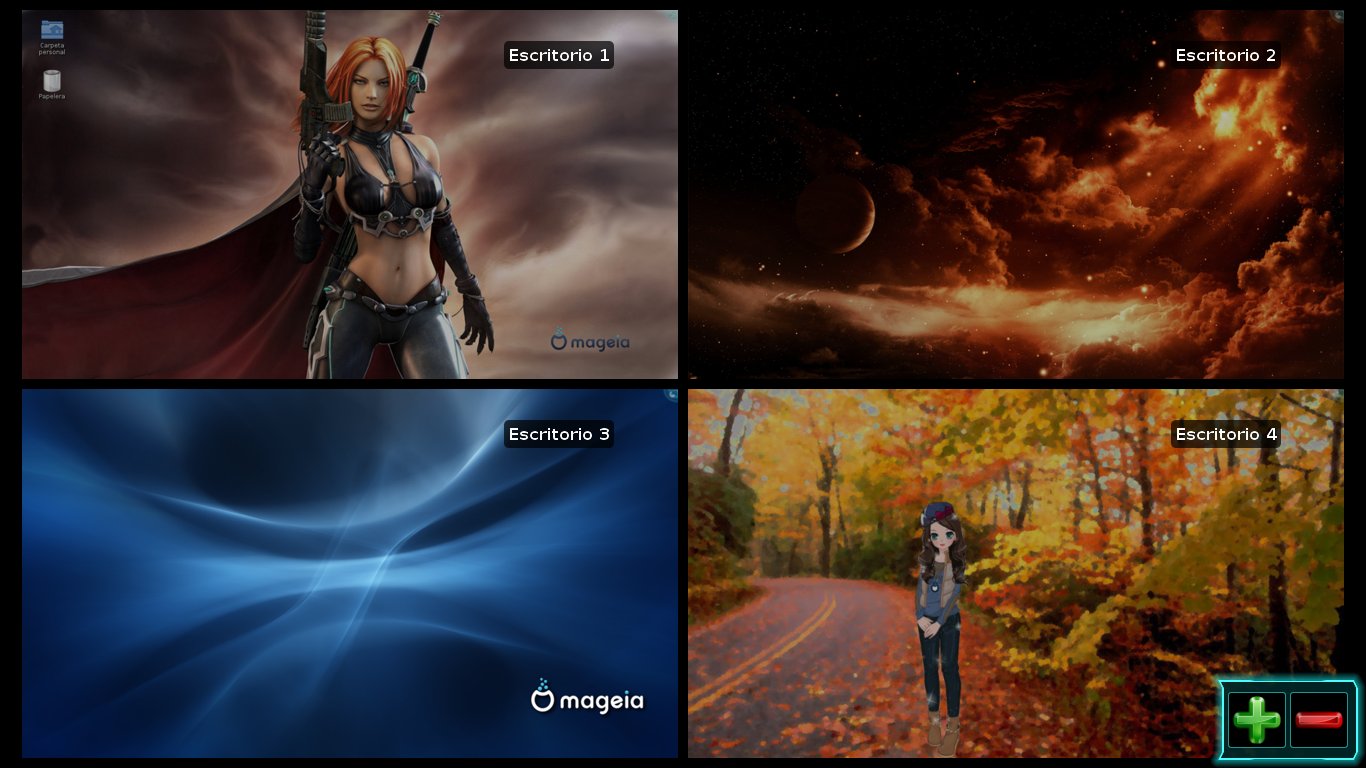
4. Effects can be enabled so that the work environment becomes a lot more attractive. (That's a shot of the KWIN desktop cube rotating --with four different wallpapers and the SimpleWelcome menu visible in one of the sides).
5. Oh, yes! iBUS installs easily and runs flawlessly with Libre Office if you need to type Chinese, Japanese, etc. Sweet! それはよかった!
6. The KDE text-to-speech service Jovie is running at last.
Therefore, although I'm not very sure about the direction that Mandriva took, I cannot say that I am utterly displeased with the release. Hydrogen works for me, but Mandriva has gone back to being a distribution with a difficulty level of "intermediate". I don't think I would have kept it if it had been like this when I downloaded Mandriva in 2009...after all, enabling the wi-fi is not a task that someone who knows nothing about Linux can do easily. I would have probably tested the fourth distro I had and by now I'd be a Linux Mint user.
To explain the paradox, I have to go back in time, a retrospective trip of my dealings with Mandriva. In 2009, I chose Mandriva and installed it to my Asus Eee PC 900 after downloading four distributions at random. All I knew about Linux back then was that there were many versions (I didn't even know what the word "distro" meant!) and that some were more difficult to use than others. Somewhere I read that Mandriva was labeled an "intermediate" distribution.
I first ran Debian and panicked because it had a text mode installer.
 Then I tried Kubuntu, but it wouldn't activate the wi-fi of the netbook. So I ran the Mandriva One 2009 Live CD and, after trying the desktop and, seeing that I could use the wi-fi, I installed it. The process was a little different from what I had seen in my multiple Windows installs, but I succeeded and Mandriva made me forget about the Redmond OS.
The label "intermediate" was fairly accurate, I'd say. My learning curve was pronounced: I had to turn off the computer manually and I made many mistakes out of ignorance. However, before 2009 ended, Mandriva 2010 "Adelie" was released and Mandriva's usability experience changed dramatically: the computer would turn off as expected, hibernation responded, and even function keys worked. Mandriva 2010.1 and 2010.2 made usability better as they added stability to the distribution. Mandriva became a truly easy-to-use distro for a person who had never used Linux before.
I have been testing the so awaited Mandriva 2011 "Hydrogen" for a couple of days now. From the betas, I learned that developers were making a bold move; they introduced the ROSA panel, which I must confess is not my cup of tea at all. To me, it looks like a gigantic cell phone environment, not like the desktop of a PC. Yet, I understand that they want to somehow "simplify" the user experience.
That's where the paradox lies. You install Mandriva 2011 (a rather simple process) and get to the ROSA SimpleWelcome. It's so convenient that even someone who lacks mouse control can navigate it. However, there are several situations that make a newbie run away in panic:
1. Wi-fi is not enabled by default (the same problem that I had with the new kernel and Mageia).
2. Flash is not installed in your browser, so no Youtube viewing until you learn to walk the Mandriva ropes.
3. No codecs for .MP4 or .flv videos.
Even if Clementine plays .MP3s (which is nice because Amarok refused to do it), those three points represent major contradictions when thinking that Hydrogen is aiming at convincing new users that Mandriva is as "easy" to use as Unity or a cell phone.
Despite all that, in my particular case, there are some considerations that made me keep Mandriva 2011 and stand the ROSA panel:
1. I don't like the SimpleWelcome thing although everyone else to whom I have showed it loved it. However, I must admit that the time line tab is convenient and functional.
2. I like the fact that you get a prompt to start a program without having to navigate the ROSA applications tab.
 3. If you add the pager widget, you get the four workspaces back. That's great because, once you have enjoyed this kind of computing, a single "desktop" feels over-restrictive.
4. Effects can be enabled so that the work environment becomes
 a lot more attractive. (That's a shot of the KWIN desktop cube rotating --with four different wallpapers and the SimpleWelcome menu visible in one of the sides).
5. Oh, yes! iBUS installs easily and runs flawlessly with Libre Office if you need to type Chinese, Japanese, etc. Sweet! それはよかった!
6. The KDE text-to-speech service Jovie is running at last.
Therefore, although I'm not very sure about the direction that Mandriva took, I cannot say that I am utterly displeased with the release. Hydrogen works for me, but Mandriva has gone back to being a distribution with a difficulty level of "intermediate". I don't think I would have kept it if it had been like this when I downloaded Mandriva in 2009...after all, enabling the wi-fi is not a task that someone who knows nothing about Linux can do easily. I would have probably tested the fourth distro I had and by now I'd be a Linux Mint user.
domingo, 28 de agosto de 2011
Mandriva 2011 is here!
 As promised, and right on time, Mandriva 2011 has been released. Its codename is "Hydrogen".
Mandriva now only supports KDE officially. For me, that's OK as I prefer to use KDE, but the other changes make me a little anxious. There is a revised installer, the RPM5 thing and, of course, the ROSA UI that is certainly beautiful but has both supporters and detractors. I guess I'd have to be counted in the latter group, but one never knows.
So, I'm right now donwloading and getting ready for testing. If someone with limited knowledge like me can handle the installation and the test drive, then the Mandriva team achieved their purpose.
miércoles, 27 de abril de 2011
Mageia Beta 2: Japanese IME is back!
Today I installed the Beta 2 of Mageia interested in running one simple test: Japanese IME support with Libre Office.
Since I could not solve the issue myself with the approach I used in Mandriva 2010.1 (Open Office), I posted a cry for help in the Mageia forum. I got prompt, friendly, and helpful answers, for which I feel most thankful.
When I was installing the OS, I noticed that Mageia adds options I had never seen in Mandriva:
Do you want multi language support? (Definitely let's make it a YES!) I choose Japanese, Thai, and Korean.
Later on, when choosing the keyboard: Which input method editor do you prefer? None/iBus/Scim/Scim-bridge? (In the forum they recommended iBus, so...) I selected iBus.
And that was it. When I got into my desktop, I could see a nice icon sitting on the lower bar, indicating the presence of iBus. I added Anthy for the Japanese IME and a Thai and Korean IMEs, too.
Then, I fired Libre Office.
Anthy was working but, instead of Japanese characters, I got boxes...
No problem, all I had to do was to go to Libre Office menu, options, and select Umeplus as the font for Japanese text and...
マジイア、やっぱり日本語ができるよ。すごい!
Therefore, for my particular purposes, in the Mageia 1/ Mandriva 2011 challenge, Cauldron (Mageia 1) is definitely on the lead.
Since I could not solve the issue myself with the approach I used in Mandriva 2010.1 (Open Office), I posted a cry for help in the Mageia forum. I got prompt, friendly, and helpful answers, for which I feel most thankful.
When I was installing the OS, I noticed that Mageia adds options I had never seen in Mandriva:
Do you want multi language support? (Definitely let's make it a YES!) I choose Japanese, Thai, and Korean.
Later on, when choosing the keyboard: Which input method editor do you prefer? None/iBus/Scim/Scim-bridge? (In the forum they recommended iBus, so...) I selected iBus.
And that was it. When I got into my desktop, I could see a nice icon sitting on the lower bar, indicating the presence of iBus. I added Anthy for the Japanese IME and a Thai and Korean IMEs, too.
Then, I fired Libre Office.
Anthy was working but, instead of Japanese characters, I got boxes...
No problem, all I had to do was to go to Libre Office menu, options, and select Umeplus as the font for Japanese text and...

マジイア、やっぱり日本語ができるよ。すごい!
Therefore, for my particular purposes, in the Mageia 1/ Mandriva 2011 challenge, Cauldron (Mageia 1) is definitely on the lead.
Suscribirse a:
Entradas (Atom)
-
 A few days ago, thanks to one student, I realized that something funny was happening with my Linux netbook. He said that it was weird that I...
 -
 That's right. My desktop, which runs Windows, is infected and I blame Linux. As it normally happens in these cases, this new infection ...