Mostrando entradas con la etiqueta powerpack. Mostrar todas las entradas

viernes, 21 de diciembre de 2012

Migration stories 3: Good Bye, Mandriva 2010.2!

MIGRATION STORIES, part 3

While my wife's migration was very successful, mine was not a smooth process.  But I know that is bound to happen when you change OSs.  

A.  Mandriva 2011
The day was yesterday.  I've been using Mandriva 2010.2 (Xmas) as the main OS of my desktop.  However, now that I finally reconciled with the Rosa SimpleWelcome, stack folders and rocket launcher, I decided that I wanted to try Mandriva 2011 as the replacement.  To this end, I looked for my Mandriva 2011 DVDs.  The Mandriva 2011 Desktop Live DVD has given my some performance issues in the past, so I settled for the PowerPack edition.

Inspired by my recent success with Mageia 2, I decided that I was not going to format my /home partition.

But this time the change did not go as smoothly as I had expected; I got a message indicating that one installation transaction was not complete.  I continued with the process anyway and, after installing the new distro, I saw that Mandriva 2011 would boot in a sluggish way.  I assumed that it was because of the indexing of all the files I had accumulated in two years, but I knew something had gone wrong.  First, for indexing, the user has to activate Nepomuk once the desktop loads and I hadn't gotten to my desktop yet.  Second, once the log in was complete, there was a bad problem with the graphical server: I had no visible desktop.  It seems that my previous user configuration (Kwin effects) and the new one were overlapping, so the Rocket bar was a real mess.

I gave it another try wiping everything this time.  That solved the problem of the misbehaving graphical server.  I tested sound, video, and the printer; everything seemed fine.  That was until I tried to activate the desktop effects: Mandriva 2011 would not refresh the desktop, so it was basically impossible to work.  I checked the graphical server and found out that, despite the proprietary drivers for my video card were installed, the card was not working correctly.  So, that was my option: Mandriva 2011 was fully operational without desktop effects...which I happen to be very fond of.

I tried the whole thing again using the Mandriva 2012 TP "Bernie Lomax".  Of course, I  know that using such a system as one's production OS is far from advisable, but I wanted to see it running on real hardware.  It ran beautifully, but the problem with the effects persisted.

B.  Mageia 2
Since Mandriva 2011 was not working with me, I placed a Mageia 2 installation DVD on the tray and began the installation.  As usual, this distro did everything it was meant to and in a matter of 45 minutes Mandriva 2011 had been replaced by Mageia 2.


I tested the effects.  They were working, but not to their full power.  For example, when one manually rotates the cube, it gets stuck. Grrr.
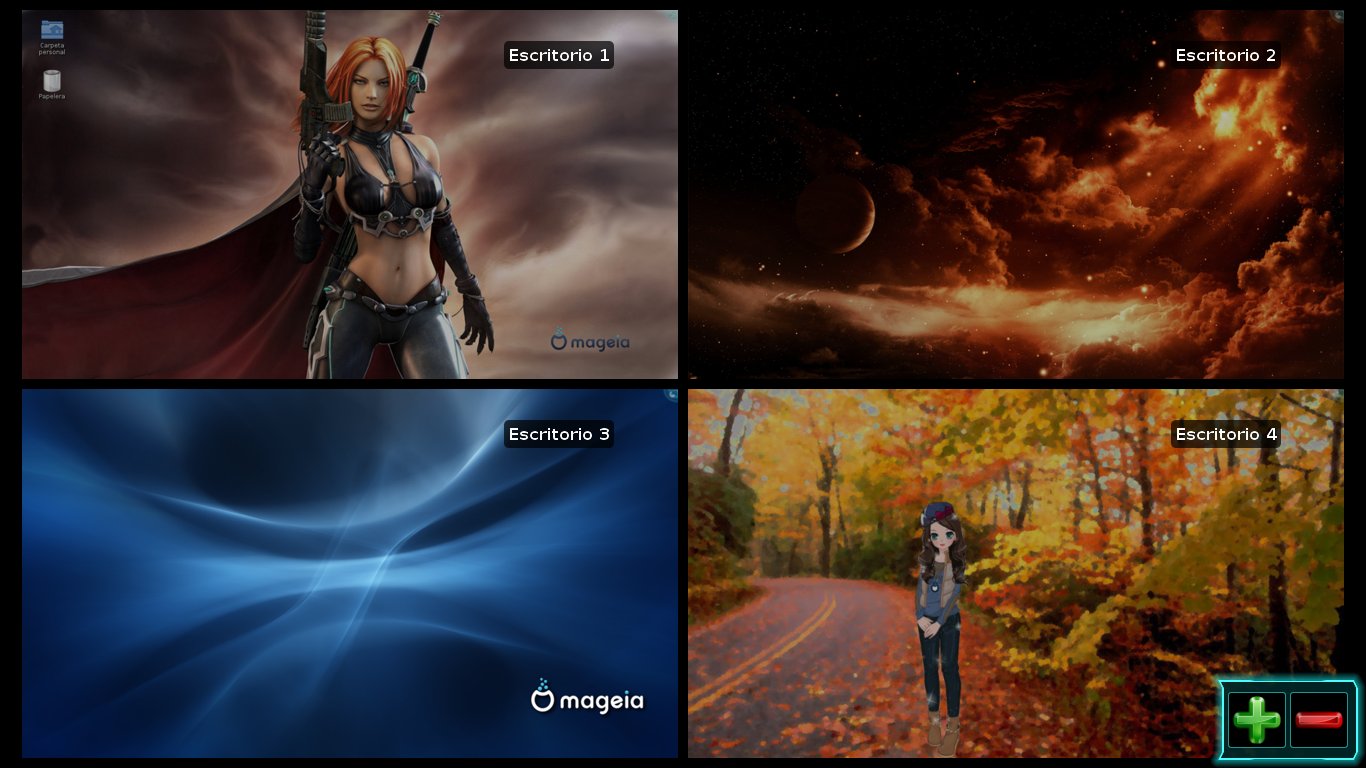
 But some effects looked better than no effects, I concluded.  However, I discovered one unexpected problem: the multifunctional printer.  My Epson Stylus TX200 was recognized as a printer, but not as a scanner.

Mandriva 2011 had no problems seeing it and configuring.  Mageia, on the other hand, lacked the drivers for scanning with it.  So, I had to go online to hunt for the appropriate drivers from the manufacturer's page.  That is not a great deal, but it reminded me of my Windows times.

Finally, I got the scanner working and looked at my new Mageia 2 desktop.  I still felt some nostalgia for the gone-too-soon Mandriva 2011 system...


And then I installed Mandriva 2011 back using another partition.  You see, that's the beauty of Linux: you can work with multiple systems if you feel like it.

So, right now I'm using the following OSs:
Desktop: Mageia 2, Mandriva 2011PowerPack, Pardus 2011
Laptop: PCLinuxOS, Mageia 2, Mandriva 2011 Desktop
Netbook: Mandriva 2010.2, Mepis 11, Mageia 2, Mandriva 2011 Desktop, and Pardus 2011.

I'm still waiting to see Mageia 3 and the new iterations of Mandriva and Pardus.  I just gave Rosa Desktop Fresh a run and I must say that it is very good, by the way.

miércoles, 16 de noviembre de 2011

Mandriva 2011 PowerPack: A quick image tour

As I promised, I bought the PowerPack version of Mandriva to test it. I installed it to a virtual machine because my main goal is not to check for performance, but to see what Mandriva 2011 PowerPack offers that you do not get in Mandriva Desktop 2011. Eventually, I'll install it to my testing laptop but, for the time being, a virtual machine will do.


The installation process is basically the same that one finds in previous Powerpack versions. However, this time, the DVD waits a bit before it boots. That gives newbies some time to read the instructions on the screen, which is good.

The installation process also has a main difference: this PowerPack version offers you more customization of the computer instead of simply bloating it up with all kinds of software. So, you get to choose whether or not to install games, multimedia programs, documentation, or if you want to install your own packages. It also gives you desktop options: KDE, Gnome 2.32, or LXDE. Why not Gnome 3? Well, I suppose that since KDE comes with the ROSA SimplyWelcome as default, they chose to avoid some duplicity.

For the summary, if you define a country, you can also choose to install IMEs to type Chinese, Korean, Japanese, etc. I chose iBUS. After the selection, the installer downloaded the necessary packages. This is convenient, but it is also offered in the free Mandriva Desktop 2011 version. You create your account and choose your avatar (I chose the cat) and then you are ready to let the system reboot. I liked the fact that the old booting screen is back...Well, sort of: they combined the Mandriva 2010 and 2011 booting screens! After a while, you are finally taken to your Mandriva 2011 PowerPack desktop:


I really liked the wallpaper because of its colors and because it brings memories of previous PowerPack versions.I fired up the SimpleWelcome and noticed two things: At the top of the screen, my cat avatar was replaced by an image of some pebbles, the avatar of the Guest account. No matter if I changed the image using KDE controls or Mandriva Control Center, the pebbles didn't go away. However, if I logged out, I coud see the image of the cat.

The other thing I noticed is that there were lots of programs that were not offered in the free version, although you can get them from the repositories anyway. The main problem that a newbie could face is probably getting to configure drivers correctly, which is one of the additional values that PowerPack offers.

Here are the images of the application categories:


Firefox version is 8.0.
Then, it ocurred to me to delete the Guest account and... voila!, my cat avatar finally appeared at the top.


I think that the PowerPack version is a good option for newbies who are not interested in spending some time learning how to configure video (yes, Flash is working out of the box) and that want games, more software, or additional value (support) out of the box for a fraction of the price they would have paid for Windows. I got the discount, so Mandriva 2011 PowerPack cost me $47.20 instead of $59. Was it worth it? Well, for me, it was a satisfactory purchase.

So was the access to the PCLinuxOS PASS.

To be honest, I cannot regret having used little amounts of money to support Linux projects. After all, Windows cost me a lot more and, if I add up all the money I wasted paying technicians to destroy my data and put Windows back, I can say that I have a good reason not to complain.

My only regret is not being able to make a small contribution to Mageia.

Maybe some day...

martes, 15 de noviembre de 2011

Mandriva 2011 PowerPack just arrived!


Right on time, Mandriva released its 2011 PowerPack version.
With the announcement, they ratify that Mandriva will be now releasing one version per year, not two versions, as they had been doing.

What does Mandriva PowerPack version offer? Well, the distro promises all drivers, the smart desktop technology, the Fluendo DVD player, and three months of free Web support, among other features.

PowerPack is a commecial version; you must pay $59 to download it. Is it worth it? Many Mandriva users always asked the same question before because of the existence of Mandriva One, a version that made installation and use of Mandriva very easy up to version 2010.2. However, it was discontinued.

I am a 2010.1 PowerPack user. Do I want to change to 2011 PowerPack? Honestly, I am not sure about that. One thing I know: I am very curious to see what Mandriva has to offer in this new commercial version, so I'll buy it an post later about it.

jueves, 20 de octubre de 2011

Mandriva 2011 PowerPack is in the oven

With the advent of Mandriva 2011, Mandriva versions were reduced to only one. Previously, you could select among Free, ONE, and PowerPack. I was introduced to the world of Linux by the ONE version (back in 2009), but I paid for the PowerPack 2009 and 2010.

Surprisingly, I got today an email from Mandriva S.A. in which they wanted me to fill up a survey regarding PowerPack. It said that this paid version will be available in November and included questions about my Linux expertise *hehe*, the GUI I preferred, the main use I gave to Mandriva, and a wish list. Yay! I asked Text-to-speech to be included.

Truth be told, my home desktop is not running Mandriva 2011, but Mandriva 2010.2 PowerPack, Pardus 2011, and PCLinuxOS. I do think I will buy the new PowerPack if they release it.

domingo, 19 de diciembre de 2010

A Quick Glance at Mandriva 2010.2

YES, MANDRIVA 2010.2 IS HERE!

As I was updating my Mandriva Spring PowerPack, I noticed that it asked me whether or not I wanted to get version 2010.2 packages. I was a bit surprised because Mandriva promised to release that version (I ignore its code name) on the 22nd.

I decided to upgrade and discovered that the time for launching certain applications improved significantly (Gimp, for instance). The grub changed a bit, too. A new entry (alt-Windows) was added. When I booted, I saw that the grub says "Microsoft Windows" and not only "Windows". I also got Chromium for the collection of browsers that are included (Konqueror, Firefox, Opera).

Of course, there were some drawbacks. If you plan to install some applications, go ahead and do it BEFORE you upgrade because they can be left out. For example, I wanted to install Audacious but, after the upgrade, the dependencies were not selectable. The game Supertuxkart was another loss. The graphics are all messed up.

However, if you install Audacious, add the PLF repositories BEFORE YOU UPGRADE, or install any other software (from those programs I like, that is), there is no problem... except for Supertuxkart. I guess I'll have to entertain myself with Frozen Bubble instead.

Aside from that, my untrained eyes haven't seen anything else so far. Yet, I'm happy with the new responsiveness of the KDE environment, which was rather sluggish with Spring.

UPDATE: My netbook, which runs Mandriva ONE, reports in the control center that it is now Mandriva 2010.2. That's great because that is going to give the chance to evaluate its performance.

sábado, 31 de julio de 2010

Mandriva Powerpack: Upgrade or Fresh Install?

I recently bought the PowerPack of Mandriva 2010 Spring for my home desktop, which boots both with Windows XP and Mandriva 2010 (also Powerpack).

I placed the DVD on the tray and it prompted me for either an upgrade or an install. I chose "upgrade" and the process was going fine until I got an error message about a repository that was not available...then the upgrade went very slowly and got stuck.

So I started over and chose "install" this time. The process went on fast and I restarted the computer. The new Mandriva Spring Powerpack was working perfectly.
I noticed that Avidemux, the video editor was included, which made me very happy because I had problems to install it with Mandriva 2010.

On the other hand, I had a bad surprise when I turned on my printer-scanner (an Epson Stylus TX 200). The printer was enabled without problems, and it even had a new beautiful black icon. However, the scanner utility just refused to read the hardware.

After reading a bit, I learned that, apparently, there was a bug that prevented xscan from finding the scanner. Thus, I decided to roll-back to Mandriva 2010 and I got this combined 2010/2010.1 user interface. Interestingly, the scanner worked. I had to tweak the bar because the device notifier and other elements overlapped.

After thinking, I put back the Mandriva 2010.1 DVD on the tray and started the installation again. This time, I chose "upgrade" one more time. The process started off kind of slowly, but picked up speed and finished without any error messages. When I booted up the system, the computer came up with the beautiful Spring interface and it read the scanner perfectly.

What happened? Well, I have my hypotheses:

1. The internet connection has not been very stable lately because of multiple power surges. Maybe there was one during the first upgrade and that caused the failure to retrieve the repository.

2. I used a DVD unit that has been malfunctioning. As a matter of fact, Windows says it's already dead, but Linux let me use it almost normally.

3. My Mandriva 2010 desktop had many different software packages. Maybe that made the system unstable for upgrading.

Whatever the reason was, the computer is working perfectly now. It was a fraction of the price you pay for Windows and a fraction of the time you use for its installation, too. And I learned a lot by trying and solving the problems.

That's a good thing with Linux. You abandon passivity (my antivirus cannot get rid of this virus...My computer runs slowly... I have to format the HD periodically to be able to use the computer...Oh, well...)

It was definitely worth it.

My First 12 Days with Mageia 10: How to enable repos with dnf5

Well, 12 days have passed since I migrated all of my desktop, laptop, and portable work system to Mageia 10. I have not used the work system...