Mostrando entradas con la etiqueta Mageia 3. Mostrar todas las entradas

sábado, 7 de septiembre de 2013

Games! Steam in Mageia 3

Although I'm not a gamer, I decided to check Steam on Mageia 3.  I installed the Steam client and open an account when the distro was released, but the software would crash whenever I attempted to see the description of a game.  As it was a beta client, I never thought about using it until today.

After an update of the software, I discovered today that Steam did not crash any longer, so I decided to carry out a gaming experiment: I wanted to purchase one of the Linux games to see the playability factor on my desktop computer.

I found a cheap game that seemed fun: "Snuggle Truck," a little side scroller in which you drive a truck as fast as you can to a zoo, trying not to drop any animals as you go.  The game was $5, so I chose it.

The game in the Steam library (on Mageia 3 x64)
The buying process was simple and fast.  The installation of the game was automatic.  What was left was playing it.

The game started fine, cartoonish music playing an all.  I liked the graphic quality and the responsiveness of the game.  Driving the truck was fun, too.  I am not a good player, but that is not the point. 

These are some screen shots of my poor performance in the game's tutorial:

I must say that the experiment was successful; I'm happy with the service (and the game, of course!).  My daughter will love playing "SnuggleTruck".

Steam, count me on your list of Linux customers.

jueves, 25 de julio de 2013

How to install LibreOffice 4.1.0 in Mageia 3


Let us assume that you are a newbie running Mageia 3 (like me, I guess). You know that Linux distributions have differences; for example, while Debian uses packages named .deb, Mageia requires packages known as .rpm.

You also know that Linux distros have a different release schedule. If you check Mageia's here, you will have to wait February 2014 to get a new version of the distribution with a new LibreOffice if they do not update the package later this year.  But you want Libre Office to run in your Mageia 3 system right now, so you go to the download section of LibreOffice and, if everything goes right, you will see the packages that you need for your distro and language.  You can confirm if you are getting the right RPM packages because you know how to read (something you learned as a child and have been practicing ever since).  So you download the main installer, the language translation, and the built-in help in your local language.

So, you download the files... now what?

Installation of LibreOffice in Mageia 3

You need: The installation files, your root password, and self confidence.

Once you have the file, you right-click on it and select "extract here, auto detect subfolder". Then you get inside the newly created folder and go inside a sub folder called RPMS.

WARNING:
the following step is not for the faint of heart as it requires use of the TERMINAL!!

Yes, the above is sarcasm. I've read too much about how complicated and inconvenient it is to use the terminal...well, not in this case. I could do it and, believe me, I have no training in programming.

Once inside the folder RPMS, go to the window menu and click on "tools". Select "open terminal" to deal with the friendly black screen.
1. Type su
The terminal returns: password:
2. Type your root password (you have it, don't you?)
The terminal returns: [root@localhost RPMS]#
3. Type urpmi *.rpm and relax while the computer does its own thing. You will read many messages, but do not be afraid.  Let the computer handle the installation.  Once it's over, you will see the same prompt ([root@localhost RPMS]#)
4. Now, close the terminal (Boy, that didn't hurt, did it?)

Perform the same operation with the language file: right-click on it and select "extract here, auto detect subfolder". Then you get inside the newly created folder and go inside the sub folder called RPMS.  Once inside this folder, go to the window menu and click on "tools". Select "open terminal" to deal with the charming black screen. YES, AGAIN! But you are not afraid, are you?

1. Type su
The terminal returns: password:
2. Type your root password
The terminal returns: [root@localhost RPMS]#
3. Type urpmi *.rpm and wait for the computer to finish its thing. When it's over, you will see the same prompt ([root@localhost RPMS]#)
4. Now, close the terminal (Boy, that was enlightening, wasn't it?)


Then do exactly the same for the help file.

After this, your OFFICE menu in Mageia will display icons for LibreOffice under the section MORE.

By the way, having both LibreOffice 4.0.2 and LibreOffice 4.1.0 does not imply that the two office suites fight like cats and dogs within your computer, in case you are wondering. UPDATE (Jul-27-2013): Today, the update to LibreOffice 4.0.4.2 hit the repos.  When you update LibreOffice, your system will only call LibreOffice 4.1 regardless of which version you choose.  That is OK, (unless you want to type in Japanese).

My only complaint about LibreOffice 4.1.0 so far is that I haven't been able to use iBus (the input method editor) to enter text in Japanese. That's a big concern for me. I hope to find a solution soon. In the meantime, I'll keep the previous version for that purpose... or Abiword.

(For those readers that might thinking about having experienced Déjà Vu --or Déjà Lu ;P --, let me clarify that this is a slightly modified re-post of an entry I wrote before.  It was for Mandriva 2010.2 when the first version of LibreOffice was released.  The original is here.)

domingo, 21 de julio de 2013

My Revised Wish List

In February, I wrote a small list of the releases that I wanted.  It was sort of a wish list of Linux distros.

The first three items have been granted:  Mageia 3 is powering most of the computers at home (I upgraded the Mageia 2 partition on Eimi's desktop PC today), Pardus Anka was released as Pisi GNU/Linux Beta Sueño (which also has a partition on my laptop), and I am typing this entry using OpenMandriva LX beta on my desktop PC, now with sound and the ability to access my other HD partitions.

That means that I'm only missing Mepis and Elive from that original list.

My birthday is pretty close.  Then time seems to fast forward and, in a blink, it will be Christmas and 2013 will have ended.

Allow me to daydream and revise my wish list.  This time, I'll organize it in software and hardware.

A.  Software
  1. Mepis. This distro always surprises me with its stability.
  2. Elive. I really want to see this distro in action.  It will give me the opportunity to start learning how to use Enlightenment.
  3. Voice command running on Linux.  C'mon!  Windows 8.1 Blue is trumpeting this feature as an innovation, when the Linux netbook that I bought in 2009 could do it.  So can my wife's ancient Asus Eee PC 901.   Granted, Mageia 3 now runs Jovie and Kmouth like a champ, but I miss the voice command.  I have tried PerlBox Voice to no avail, so I dream on. 
B.  Hardware

  1. The elusive Vivaldi tablet.  I'm waiting for this one eagerly.
  2. A new laptop with Linux preinstalled.  I am studying my options here.  (Interestingly, now I have options.  Times change, oh you would not believe how times change, Ballmer!)  I have seen that I can get Suse and Ubuntu machines from Dell and HP.  However, given that Megatotoro had a wonderful experience with ZaReason, I might go for one of their excellent offerings.
  3. A Firefox OS phone.  I am one of those rare individuals who have refused to own a mobile phone in this era.  I don't  like them.  Nevertheless, the carrier that starts selling a Firefox OS phone here will get me as a costumer.  I guess I am one of those rare individuals that does care about the OS of the phone, too, and with Mozilla being attacked by protecting individuals instead of advertising companies, I root for Firefox.

So that's my wish list ;-)

UPDATE: Tuxmachines.org reports that there is progress regarding the Vivaldi tablet.   Great!!!

miércoles, 3 de julio de 2013

My new installs: Pisi, Mageia 3, and OpenMandriva

Taking full advantage of some bouts of insomnia, I made some progress on my handling of GRUB2 (thank you Megatotoro!).  I also installed Pisi 1.0 Beta v3 to my laptop, upgraded my netbook from Mageia 2 to Mageia 3 (i586), and finally achived to install OpenMandriva LX (alpha?beta?) to my desktop.  Here's a summary of what I have seen so far:

Pisi 1.0 beta v-3 (Sueño) on laptop
For a beta, this new-comer distro is behaving like a champ.  BEsides those problems reported by Megatotoro here, the only issues I have experienced are the failure to launch of VLC and audacious.  Other than that, this beta has been reliable, fast, and stable.

Mageia 3 DVDi586 on netbook
The installation went perfect but, oddly, the firmware for the wireless was not included and I ended up without Wi-fi.  The problem got solved by manually installing the packages.  This was a bit problematic because I forgot that one should not choose to add repos during the install and, therefore, Mageia 3 failed to get software sources.  After a while, I simply added mirrors from MCC and the wi-fi was recognized.  Although the touchpad is a bit crazy, the display problems that I encountered in Mageia 2 (screen edge cube effect) was gone.  Oh, and I also got a perfectly functional iBus Japanese IME!

OpenMandriva LX Alpha (beta?)
This one was a bit tricky to install.  After having failed several times, I read that there were some workarounds.  I followed them and OpenMandriva was soon on one partition of my desktop PC.

There are some issues that I have been trying to fix, such as:
  1. No repos (fixed!)
  2. No access to my other partitions or to USB drives.
  3. Partial sound.   After following the instructions to enable sound, I could not listen to the audio on a video (MP4) I have in /home.  Since I cannot mount a USB drive, I cannot test with other types of video files.  YouTube videos, however, do play after installing the flash package.
  4. No effects
I was hoping that updating the distro would help but, after many errors, the Control Center told me that the distro could not presently be updated.

Being an alpha, the issues are understandable.  On the good side, it is responsive (boots really fast as compared to Mandriva 2011), looks nice (especially if you like the ROSA stuff), and has been working without crashing so far.

I'll keep working with these distros to see how they behave.

domingo, 23 de junio de 2013

Random thoughts

Well, thanks to Megatotoro's review of Pisi Linux here (and his output problem), I have been fooling around with my "From-PC-to-TV" output lately.  I finally discovered how to have two different monitors on KDE.  I'll write about it soon.

I need some time to install Pisi myself.  Maybe next weekend.  And I need to learn how to install the newer versions of Firefox on Mageia 3, 64 bits.

The PCLinuxOS update went good.  I only encountered a minor sound problem because my previous sound configuration was invalid in the new KDE 4.10.4.  Yet, it was a matter of changing the position of devices in the hierarchy.  Oh, and the new login screen looks great!  No wonder PCLinuxOS is now ranked #3 on DistroWatch's chart.

Speaking of the chart, OpenMandriva has climbed positions in DistroWatch.com quite rapidly: from #200 it has gone up to #8.


I hope DistroWatch soon includes Pisi, too.

Wheee!  I am still waiting for the new Elive Release...and the Vivaldi tablet...and the Firefox tablet.

And the Jetpack 2 game for Linux.

jueves, 23 de mayo de 2013

On Mageia 3 install (not Live DVD)

This is the fastest fully-blown install that I have performed.  I used the Mageia 3 x86_64 install DVD and, in 1:30 minutes, my system was up and running.  This might seem excessive, but the time includes what I used for my personal configurations, printer, scanner, tweaks for multimedia playback, and favorite programs.

What I liked the most was that iBus works perfectly with a Spanish locale and the Japanese IMe anthy.  So, I guess the poor performance of iBus that I  I reported here has to do with the Live install.  Hey, I even checked that the packages needed were on place in the Live install but, even when they were there, iBus would not obey.

iBus package installation, Mageia 3 x86-64 DVD (on VM)


I suspect that Mageia 3 will be a real pleasure to use.

Kudos to the developers!

miércoles, 22 de mayo de 2013

Mageia 3, the WONT FIX scim bug, and iBus

Mageia 3 has been released and, so far, the distro is getting very positive reviews.  Well, given the fact that I have been using Mageia since version 1, I believe that the team behind the distro truly deserves words congratulating their efforts.  As a Mageia user, I must say that I am very pleased with the OS and thankful for the work that has been done.

However, I received yesterday an email that, like a cloud on a blue sky, announced that not everything is rosy in the Linux world.

During my walk in Linux land, I have had the chance to read the complaints of users that get angry when developers refused to fix a bug they filed.  They vented their frustration and slashed to the right and left with sarcasm sharp as swords.  I read their sometimes long expositions and missed the spirit of their rants... until yesterday, when I received a reply from a developer concerning a bug that I filed.

First, allow me to present the context.  Three days ago, I described my experience trying to make Mageia 3 work with Japanese IMEs.  My first attempt was iBus, of course, although I knew it was not working properly in Mageia 2.  As it did not go well, I worked with SCIM and, after a battle, I made it work thanks to a package I "borrowed" from a PCLinuxOS repository.  Then, I filed the bug.

That's the point where my new story starts.  The reply came, brandishing a WONT FIX status that made me uneasy.  However, the comment from the developer bit me with angering poison; it read:

"We are promoting ibus for years. So there we do not include all scim packages in live ISOs."

The "live ISOs" part was bad enough because I obviously gathered the packages from the full list of repositories, not just the Live Core and Live Nonfree ones.  Hey, I can presume that, if you enable the Core Release repo, you should have access to the same packages that a Mageia 3 full DVD install gets, right?

The real sting was on the former part, though.  I can understand the efforts to promote iBus, but I tried that IME first to no avail.

Allow me to show you my case.  After installing iBus, anthy, and all required dependencies, you log out and back in to get iBus working. This is what you get:


iBus is active, showing only "English keyboard"


You right click and go to preferences to add extra languages


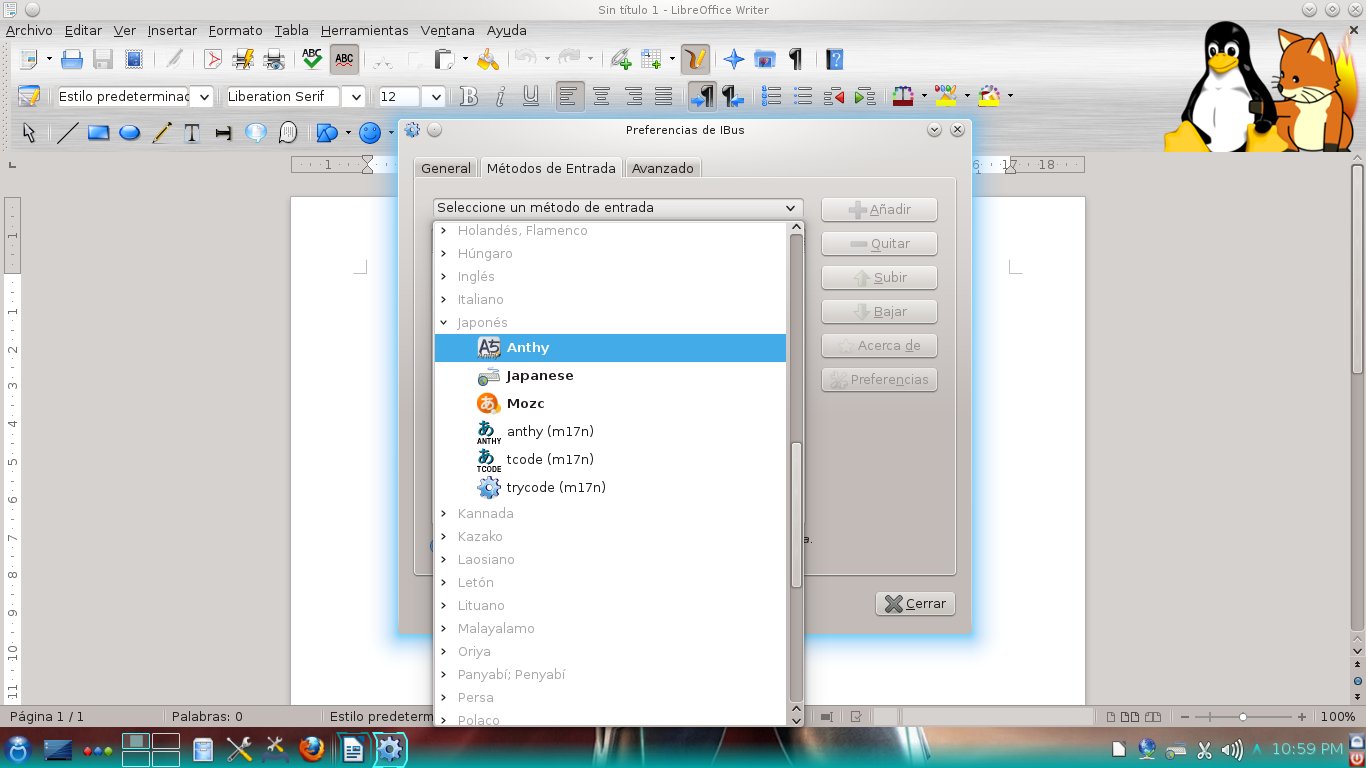
You scroll down and locate Anthy by expanding "Japanese"
After adding it, Anthy should be working.  But you click on the iBus applet and...back to square 1: English keyboard only. You can repeat that as many times as you like, using all languages that you desire.


Regardless of what you do, iBus simply refuses to "remember" any additional language you choose.  Not a very usable IME, right?

In Mageia 2, iBus would work, but would mess up with the Spanish keyboard map, ruining your chance to type accents correctly.  In Mageia 3, the said IME is simply dysfunctional and the developer won't add the scim-anthy package that is missing in SCIM so that Japanese input works...because the idea is to promote iBus, an IME that is now in a worse state than it was in Mageia 2.

I must confess that, for a moment, I got really angry.  I finally grasped the spirit of the hurt users who got the infamous WONT FIX tag for the bugs they filed.

But then my anger ebbed when I tried to see the position of the developer.  iBus is, in all accounts, a great tool.  SCIM is a good oldie, but it is somewhat difficult to get working.  Developers have the right to work on what they choose, especially when they squash bugs voluntarily and without any monetary compensation.

So, instead using this as an excuse to release all the tension that has accumulated lately (these last two weeks have not been a ball, really), I decided not to show how fluent I am in sarcasm when rabid. Ken Starks said that "rants are best served cold".  He is right.

For my part, I waited until my wrath, the propeller that efficiently takes me to the Land of a Thousand-and-One Regrets, ceased to spin.  Then I filed another bug.  This time, for iBus.

I truly hope they get to fix the problem.

UPDATE (May 23, 0:23)
I recently changed my desktop install from Mageia 3 Live to Mageia 3 DVD.  It turns out that iBus works now like a charm.  I guess the bug only affects Live installs. 

domingo, 19 de mayo de 2013

Mageia 3: Here's what I gained and what I lost

Mageia 3 was released today and I downloaded the Live DVD version to replace my Mageia 2 Desktop install without further consideration.  Normally, I test the betas and the RC of a distro carefully in a virtual machine.  This time, sadly, I had no time to do that.

In my old Windows days, I would simply install the new release on top of the old one.  If something went wrong, I used the "bear-and-grin philosophy.  With Linux, I have been extra careful before updating the OS, but I guess that this was the time to test whether or not I could leap blindfolded into a new Mageia OS.  So, here is the summary of my adventure:
Mageia 3, here I go!!!

First impressions

I moved from a 32-bit architecture to the x86-64 architecture that the Live DVD includes.  To make my life easier, I wiped out the root partition and left the home partition intact.

The DVD booted without a problem and, after asking me the regular questions (language to use, if I accepted the license, where to install), the process completed in about 16 minutes.  I was prompted to add my root and user password and to reboot.  Again, I chose to use GRUB and not GRUB2 because I am not confident with the latter quite yet.

The system booted picking up my other OSs without a problem.  Then, Mageia 3 enabled the network and started downloading the common repositories.  After this process, I saw my desktop.  Although my wallpapers had been replaced by a solid black color, I simply located my favorite pictures and put them back on.  My personal settings had been preserved (effects, configurations, icons, etc), so I was quite relieved.

With KDE 4.10.2, the system became noticeably faster.  I tried to pinpoint the changes, but they were not so easy to spot for my untrained eye.  However, I gradually noticed that menu translations were more consistent, that the "home" tag had been replaced by "START" under "PLACES", that all my other partitions were listed under "DEVICES" and that the "space available" mini bar that appeared below a connected USB device was gone and only the big bar at the foot of the Dolphin window stayed.  I guess the duplicity was purged.  The notification system seemed to have received a cleaning, too.

I also noticed some new software entries in the general menu.  I decided to explore those later because I wanted to reinstall my favorite programs.  Thus, I fired up MGG (oh, new graphics that match the start screen) and enabled some other repositories (backports, tainted).

Mageia 3 played MP3s out-the-box.  Amarok impressed me with its performance this time!  However, Mageia 3 got stuck on some .mp4, .flv, and .mpeg video files.  I installed VLC (which took care of the video problems), audacious, and audacity.  So far, Mageia 3 was performing as a great substitute for my Mageia 2 install.  I saw myself as a version of Mario, the game character, jumping up and falling on top of mushrooms that could not stop me.  But then...

Watch out, Mario!  Here's the boss!

I installed Wine, the x86-64 version, that is.  Some of my programs were not working...

What do you do then?

I mean, it's not that those Windows-based programs are absolutely required.  However, they are convenient to have around.

So, I uninstalled the 64-bit version of Wine and got the 32-bit one instead.  Problem solved, let's go on!

That was too easy...

Here's the REAL boss!

I must have an IME to type in Japanese.  In Mageia 2, I gave up iBus because it messes up the Spanish tildes (accents) in LibreOffice.  That was not a big deal because I had always used SCIM anyway.

In Mageia 3, iBus refused to display the Anthy Japanese IME regardless of what I did. It also changed my keyboard configuration from Spanish to English and, on top of that, the tildes in LibreOffice were a mess, as expected.
"I'm going to be your opponent, Mario"

"OK, iBus is not an option," I thought. "Fine, let's install SCIM and forget about this problem".

And I installed SCIM only to find out that, after doing all I know to enable it, the IME simply refused to work properly.  Again, Anthy was not showing...

There I was, with a great system that did everything I needed, except accepting Japanese input.

I was a little discouraged, but open MCC and, after a while, discovered that a package was missing: scim-anthy!  Obviously, without it, I could never make SCIM work with Anthy.

I Googled "scim-anthy rpm x64" and landed on RPM pBone.net, where they were hosting a scim-anthy package built for PCLinuxOS.  I downloaded it and, in a desperate move, I installed it to Mageia 3.  MCC simply asked me to install Kasumi along.  I accepted and MCC retrieved Kasumi from the Mageia repositories to do its thing.  The computer did not blow up.

Not a confident Mario any longer, I opened LibreOffice and...Anthy was there!
よかったね!本当に、よかった!PCLOS、たすけてくれて、ありがとうな!

With SCIM working, I filed a bug and, more at ease, finished adding up the remaining software that I need to work comfortably with my new Mageia 3 Desktop install.

Overall Balance

I got a good scare with the IME, but it's working now.  Aside from that, everything seems to be performing right on cue.  KDE is responding faster, Jovie and its text-to-voice service is working in multiple languages, and I haven't seen any major problem, like a crash or something.

I guess the leap of faith was worth it.


UPDATE (May 21, 7:33PM)

I also updated my laptop from Mageia 2 to Mageia 3.  As with the desktop install, everything worked fine.  However, despite I use the fix I described here to get Mageia 2 pick up the WPA2 wifi of the university, Mageia 3  simply refused to work with it for two hours.  Then, the problem solved by itself (?!).  I hope the rainstorm had something to do with it.
 

domingo, 10 de marzo de 2013

Mageia 3 Beta 3, A Quick Test Drive

I tested the Beta 3 of Mageia 3 today.  To summarize my experience, I can say that it looks solid, reliable, and promising.

First, I tried the Live version in my laptop.  After booting, the distro let me use KDE 4.10.  The first thing I noticed was the smoothness of the effects.  Even the cylinder and the sphere work now: 


I had absolutely no problem with sound, USB drives, or, more importantly, the wi-fi.  Mageia 3 B3 picked up everything out of the box in Live mode.


Then I installed the distro to a Virtual Machine.  I saw nothing new in the installation process, but after the install, I saw some new artwork in the Mageia Control Center.


Once the repositories were updated, I gave Mageia 3 B3 my Japanese IME test: I installed iBus, Anthy, and Japanese fonts.  To my relief, the IME worked flawlessly with LibreOffice 4:


Finally, I opened some YouTube videos and MP3s and there was nothing to report there, either.

I really liked the progress that the Mageia team has made. Kudos to them!

lunes, 10 de septiembre de 2012

Mageia 3 alpha 1 is now available

Yes, I know this version is for tests and not for reviews.
Well, that's OK because I just want to see if Mageia 3, at this early state, shows some changes and to test how it works.

Very briefly, the installation process is pretty much the same that you get for Mageia install versions (very similar to Mandriva PowerPack).  Therefore, one must install the distro to be able to see it in action because this image is not a live medium.

Once completed, I expected to see GRUB 2, but it seems Mageia 3 still boots with the GRUB I am accustomed to using.

I used the Mageia control center to add new media and retrieve software form the repositories.  Basically, I wanted to download Anthy and Japanese fonts to test if iBus works.  iBus was included during the installation process.

Mageia Control Center adding repos

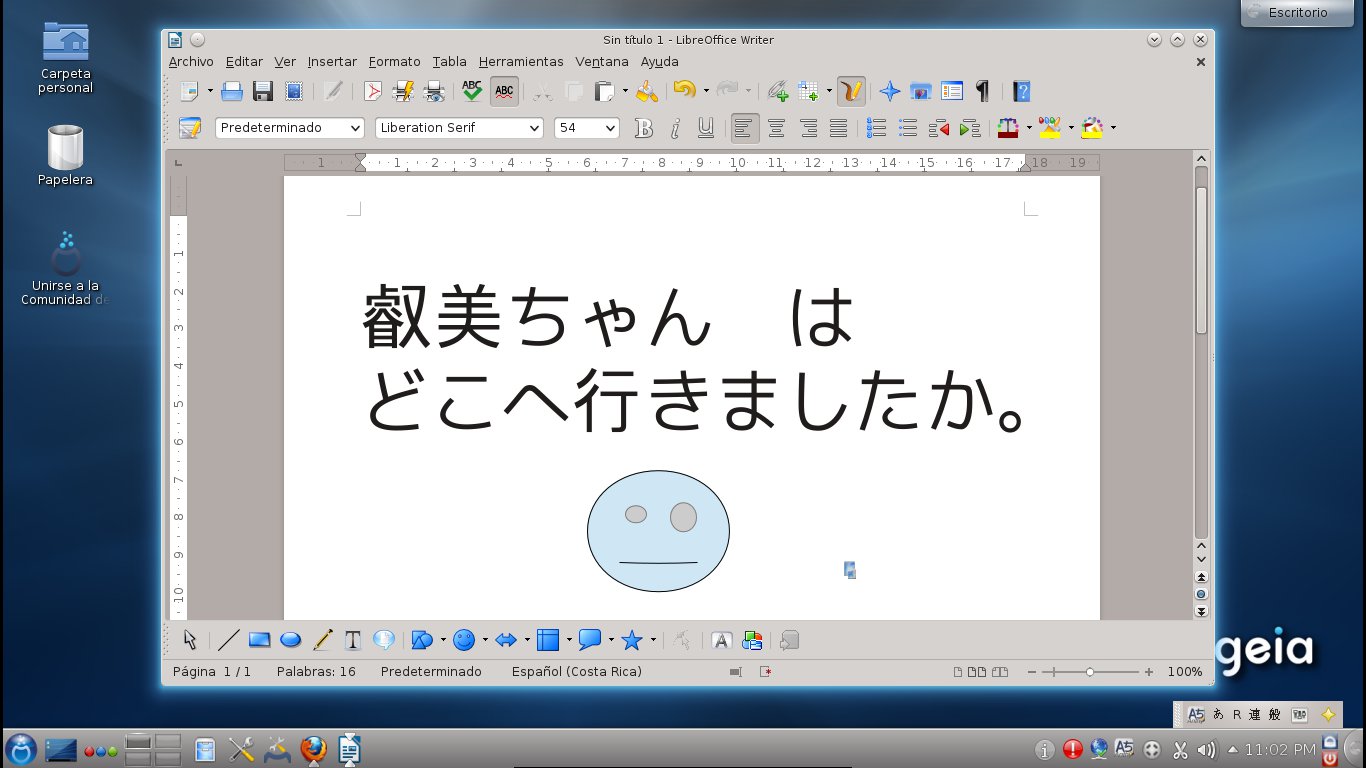
I am very happy to say that iBus works perfectly with LibreOffice and Anthy, so I can type in Japanese without any problems:

Unlike my test of Mageia 2 betas, there were no database errors this time.


Although the desktop effects were not activated (this is not a big surprise because I tested the distro on a virtual machine), I noticed that alerts or error messages are now highlighted and they are displayed on the top side of the window.  The reason: Mageia 3 includes KDE 4.9.0!


I think Mageia 3 looks promising. 

My First 12 Days with Mageia 10: How to enable repos with dnf5

Well, 12 days have passed since I migrated all of my desktop, laptop, and portable work system to Mageia 10. I have not used the work system...