Mostrando entradas con la etiqueta konsole. Mostrar todas las entradas

lunes, 20 de julio de 2026

My First 12 Days with Mageia 10: How to enable repos with dnf5

Well, 12 days have passed since I migrated all of my desktop, laptop, and portable work system to Mageia 10.

I have not used the work system for real work up to this point (as I am on vacations), but the tests have been successful so far. I have everything ready to start.

However, I ran into an interesting situation: using dnf to update packages. Sometimes, I prefer to launch Konsole and use the command dnf update the system as it is generally faster.

Of course, in previous Mageia releases, one had to enable the repos before with these commands as root:

 dnf config-manager --set-enabled mageia-x86_64-nonfree updates-x86_64-nonfree

 dnf config-manager --set-enabled mageia-x86_64-tainted updates-x86_64-tainted

 dnf config-manager --set-enabled mageia-i586 updates-i586

But now Mageia 10 is using dnf5, so the syntax has changed (as the documentation details): 

 dnf config-manager setopt mageia-x86_64-nonfree.enabled=1 updates-x86_64-nonfree.enabled=1

  dnf config-manager setopt mageia-x86_64-tainted.enabled=1 updates-x86_64-tainted.enabled=1

The first problem was that the dnf plugins are not installed, so the command config-manager is not operational. One has to type this before to install the dnf plugins to be able to use config-manager:

                dnf5 install 'dnf5-command(config-manager)'

Once installed, the two commands to enable the nonfree and tainted repos work.

Enabling the i586 repos was a trickier process. I tried this with no success:

   dnf config-manager setopt mageia-i586.enabled=1 updates-i586.enabled=1

After reading the Mageia 10 release notes carefully, I found out what the problem was:

        32 Bit Support 

We increase hardware requirements for 32bit systems, you will require a CPU with SSE2 features. You will find that extension for the packages and the part for architecture in the name of the ISO images have changed from i586 to i686.

So, to add the repos correctly, one has to write:

   dnf config-manager setopt mageia-i686.enabled=1 updates-i686.enabled=1

   dnf config-manager setopt mageia-i686-tainted.enabled=1 updates-i686-tainted.enabled=1

   dnf config-manager setopt mageia-i686-nonfree.enabled=1 updates-i686-nonfree.enabled=1

One can verify that the repos are enabled with:

  dnf repolist

To run the updates, one types:

  dnf update

With those steps, one can update the packages with the terminal and dnf.


miércoles, 29 de mayo de 2013

Recent Experiments with Konsole--What a Linux Beginner Can Do

Many people are afraid of the command line interface (CLI) in Linux.  However, once one learns several commands (and after having installed the right software), one can do certain things that most Windows users believe impossible.

1. Steganography (cat, unzip)

Thanks to this post by ambition here, I learned something I really wanted to do: hide a file inside a picture.  I knew this was possible, but I never managed to learn how to perform the feat in Windows.

I discovered that it is truly easy in Linux.  All you need is the command cat to join the files and the command unzip to retrieve the hidden file.

To begin with, you must have an image file (I used *.jpg, *.jpeg, *.png and the three work nicely) and your secret archive as a zipped file.

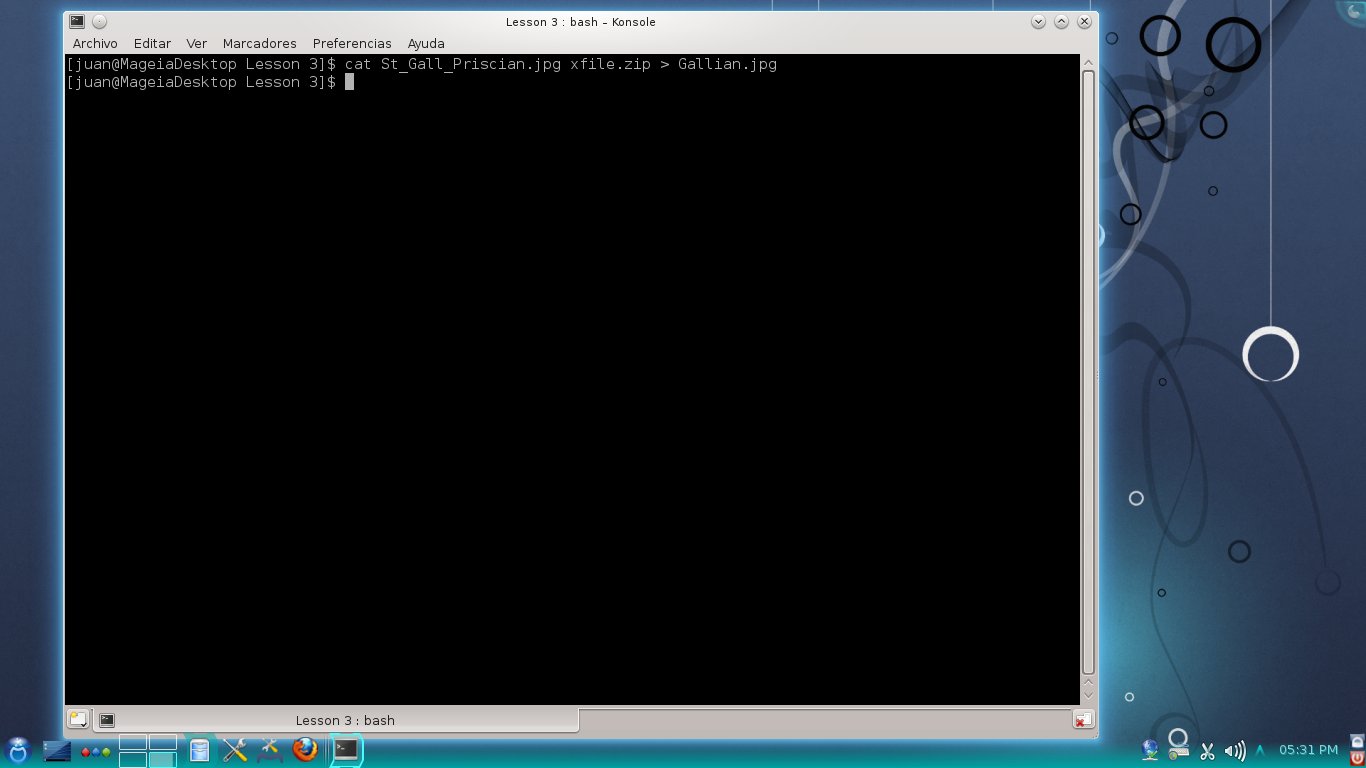
You use the command:

cat name_of_pic.jpg name_of_secret_file.zip > new_image_name.jpg

That's it!  The new picture containing the secret file is created. 

To get your hidden file back, simply use the command unzip:

unzip new_image_name.jpg


It is amazing how easy this is in Linux.

2. Playing Music (SoX) 

Enock Seth post's here and Megatotoro's quick induction were all I
needed to see konsole playing audio files.  Since Mageia 3 includes SoX, I did not have to install it.

Basically, once you are in the directory containing the audio file, you use the command play and the name of the file:

play beowulfsarrival.mp3

and your file will start playing.  To stop it, you must press CTRL + c once and twice to quit the program.


The ASCII rendition looks great, doesn't it?


3. Browsing the Web (Lynx)

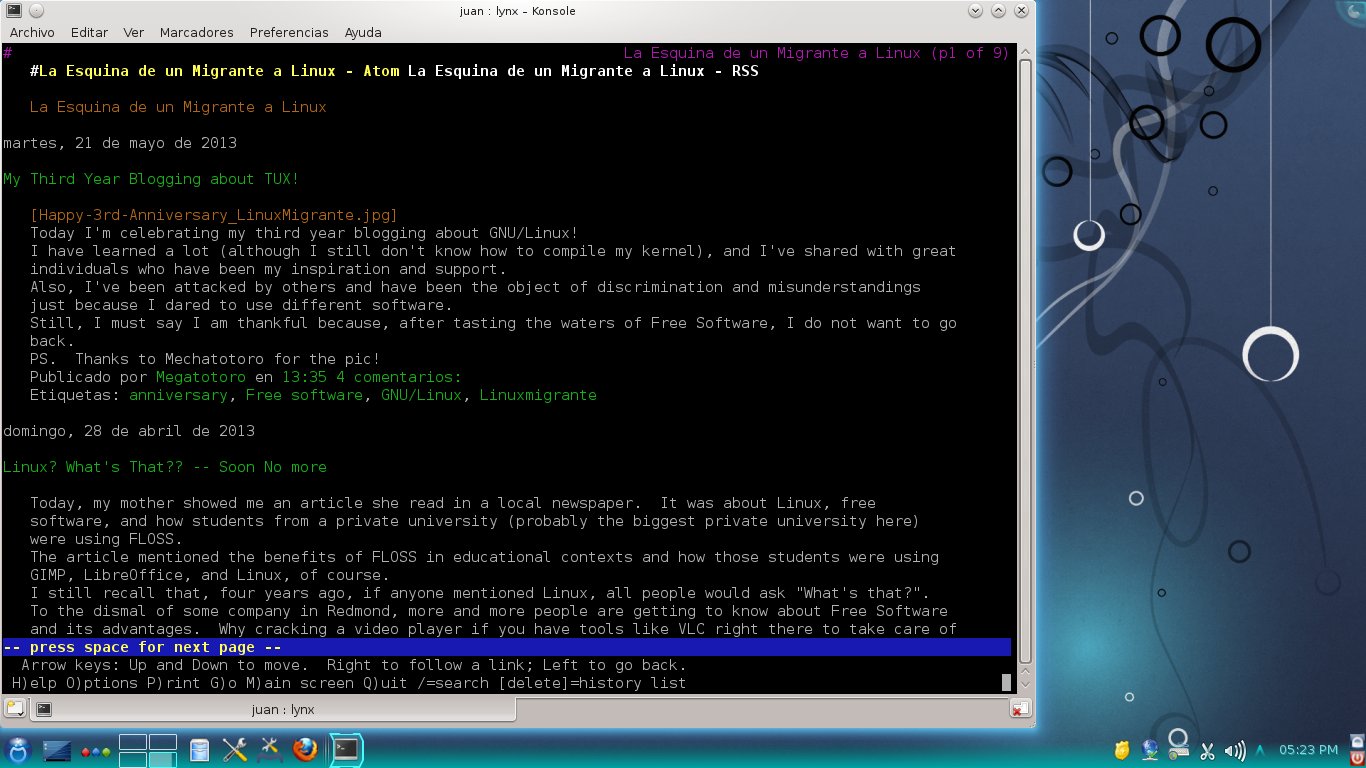
I'm taking my first steps here.  It is good to be able to browse the Web from konsole.
Lynx displaying Megatotoro's blog


(More information on Lynx here)

With these tools, I practically can do all I need for a class if my GUI crashes... Of course, my poor Windows-only students might feel that the computer is possessed or something ;-)

My First 12 Days with Mageia 10: How to enable repos with dnf5

Well, 12 days have passed since I migrated all of my desktop, laptop, and portable work system to Mageia 10. I have not used the work system...