martes, 28 de abril de 2015

Time for gratitude-- BIG THANKS, MAGEIA DEVELOPERS!

I believe that one of the greatest strengths of Linux is its community.  Unfortunately, most of the times, the hard work of the developers that have the technical ability to put a distro together goes unnoticed in the excitement of the final product.

Users become particularly vocal when things do not work as expected: we rant and, in our frustration, we sometimes fail to recognize all the hard work and commitment of those who make things happen.

Only two days ago, I discovered that the release candidate of Mageia 5 was available and tested it.  I saw that a key feature for me, Japanese IME via iBus, was not working.

I reported the bug without much hope, to be honest.

Almost immediately, I began receiving emails with updates of the progress that Mageia developers were making.  They were busy, buzzing with activity trying to rectify the problem.

Today, I am happy to report that Japanese IME is working again in Mageia 5 RC.

Although I could not manage to make Anthy work, Mozc works perfectly: it lets you type in hiragana and katakana, and gives you suggestions of conversion to kanji, as Anthy did.

Therefore, I want to express my deepest gratitude to those who took their valuable time to tackle this issue.  I don't know the names of all of you who got involved, but one thing I know... You all ROCK!

Japanese IME: iBus + Mozc (Mageia 5 RC)

domingo, 26 de abril de 2015

Mageia 5 RC is Out: A Quick Test Drive

Mageia 5 RC is truly out.  After downloading the Install 64 bit ISO, I ran it first on a VM and this is what I found:

Mageia 5 RC on a Virtual Machine

Splash screen.  I like the new artwork
The new splash screen follows a consistent color pattern with that blue-white that we have seen since Mageia 1.  The installer itself is familiar as its visual characteristics and most of its functionality is inherited from the installer I found in Mandriva PowerPack 2009, if I recall correctly.

Language selection screen

The Mageia team seems truly commited to the ideal of keeping the installation process as consistent as possible.

So, you first select the interface language and then accept a license.  Then you get to choose the time zone, time, location, etc.


The partitioning process follows and then you wait until all packages have been installed to the HD.

Like I said, nothing confusing there if you have done it before.


KDE in Mageia 5 RC.  iBus refuses to work!
You then add users, etc.

The installation was smooth and relatively quick.

Since this first install was a VM one, I experienced no problem with the Wifi connection, but could not activate the effects.

The downside was that, differently from previous releases, this RC does not seem to accept IME, be it by iBus or SCIM.  This is truly sad for people who need their Linux system to type in languages such as Japanese.

UPDATE: iBus is now working for Japanese input with Mozc instead of Anthy.  See here.
This KDE version allows multiple wallpapers
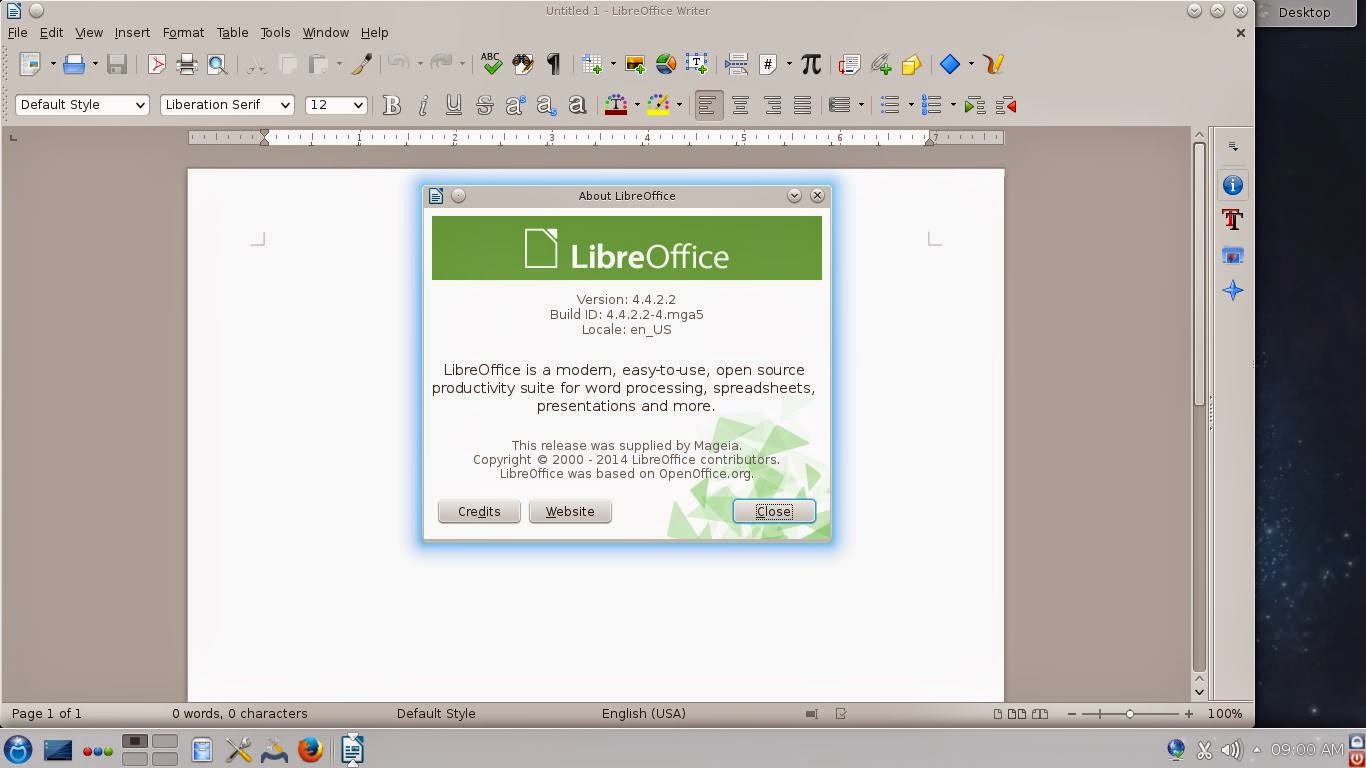
LibreOffice was upgraded

The general experience was that of working with the same system I have (Mageia 4).  No crashes, no weird slow-downs, no problems with multiple wallpapers, as Megatotoro reports here Plasma 5 is showing... aside from the missing IME, I felt like at home.

Mageia 5 RC on real hardware

To install Mageia, I had to use the partitions I have destined for Moondrake (since I could never fix the Control Center to install new packages, I sadly could not do much with Moondrake).

The network applet was missing!
After installing, I observed some bizarre results.  First, the KDE desktop booted with all my favorite effects enabled, but without any panel.  It was not a big deal; I added the lower panel manually.

Then I saw that the network applet was gone from the panel, but both the wired and wireless connections were functional.
Another odd visual aspect was that, when I switched the application launcher to Kickoff, I saw one cute penguin icon...just like the ones in Moondrake.  
That made me understand that the oddities were caused because of my own hand: I did not format the home partition! 

I then played some music and YouTube videos, saw the beautiful screensaver, tested the screen lock... In my humble opinion, if you enjoyed Mageia 4, there is no reason why you will dislike Mageia 5.  As I said, for non-technical users like me, the experience is fully consistent.  I guess the Mageia team did most of the changes under the hood, where the tweaking stays invisible to my untrained eyes.

The system was responsive and solid.  Everything was working as it should... except, again, iBus... So, momentarily, no Japanese input :-(

I hope they correct that before the official release.

sábado, 25 de abril de 2015

Another Surprise: Mageia 5 RC is available!

I don't know why DistroWatch seemed to have missed it, but Mageia 5 RC is available for download.

Great, I was becoming nervous because of the long silence since Beta 3, released on Feb 14.

This is another surprise that should go under the "GOOD" list I wrote yesterday.


KTorrent working already! :-)  Wait... the torrent looks dead.  What's going on? :-(

Mmm.  At least the direct download is working...

UPDATE:  I installed Mageia 5 RC. To read about it, click here.

Weekend Surprises...The Bad, the Good, and the Beautiful

This weekend started with a flavor of that old Western entitled "The Good, The Bad, and the Ugly": I have been sick, work is piling up as a result, and one listens to all sorts of bad news everywhere.

I think that I will try to be positive here. So, instead of going to the dark side of life, I am going to move into the silver lining of the dark cloud.

Let's begin, then.

The BAD

Megatotoro reports that one of the aesthetic features that attracted me to Linux, the chance to have different wallpapers on the virtual desktops, is not working in Plasma 5 because of a bug.

I know that some will dismiss the issue as an exaggeration or a waste of computing resources to favor eye-candy.

Well, they can think that way.  However, for people like me, the change of desktop wallpaper provides a relief from mental strain when working for a long time on a writing project.

I hope they fix the bug... I really do.  I mean, KDE has been my desktop of choice since I migrated to Linux.  While I am sure I can adapt to other DEs, I am fond of KDE.  I will miss the feature, for sure.

The GOOD

After a rather long wait that was making me nervous and silence in both the Mageia and OpenMandriva camps*, OpenMandriva announced the new alpha release, code named "Einsteinium."

* UPDATE-- It seems that the news on Mageia 5 RC missed DistroWatch, whose last report on the Mageia front was the release of Beta 3 on Feb 14, 2015. I just learned that Mageia 5 RC is available for download!

I downloaded the ISO and tried to run it in my ZaReason Strata laptop, but it would not boot.

Curiously enough, it worked perfectly in a VM.

The live session went off normally (with the usual license, language, time options) until, BOOM!, the desktop loaded in less than 3 seconds.  The reason?  They seemed to have put the KDE + Homerun/SimpleWelcome debate at rest by using LXqt instead...

LXQt, the default desktop in OpenMandriva 3

 No Firefox this time, friends.  All hail Qupzilla!
Qupzilla, the default browser
I couldn't play YouTube videos... I guess it's a flash problem.  Fine, this is an alpha release, after all.

I didn't see LibreOffice, but Calligra.
Since I did not install the alpha, I could not try Calamares, the new installer.  

In their release announcement, the team says that they are "mixing the ingredients together."  I myself have mixed feelings about OpenMandriva right now, but I consider it is good to have a release.

The BEAUTIFUL

Some weeks ago, DistroWatch announced a newcomer into the Linux landscape: BellaOS, another Ubuntu derivative... or should I say a Linux Mint/Xubuntu derivative, as the creators state it on their website?

I tried out the distro out of curiosity.  It was a pleasant surprise because the distro lives up to its name (Bella means "beautiful" both in Italian and Spanish).
Desktop of BellaOS: pretty and functional

For a lightweight, the main desktop looks pretty and does not require a lot of training to be used.  It is a customized version of XFCE with a deck at the bottom.

BellaOS picks up my wifi out of the box under the live session and has no sound problems.  Even when having Firefox and Banshee working, the footprint is small:


BellaOS lets you have different wallpapers on the workspaces!
The system sees my other Linux partitions, too.

I guess that BellaOS and OpenMandriva will keep company to AntiX on my netbook...

domingo, 12 de abril de 2015

Discrepancies between Jogging Apps in Firefox OS and Android

Last year, I decided to try to focus a bit more on my health and picked up jogging.

I've always liked jogging: one needs practically no equipment and it's good to lower your stress.  You know, you leave the crawlaggars behind ;-)

Run, Born, run!  It's behind you!
I said "no equipment" because many people run today with their smartphones.

I must confess that, at first, I did not like the idea of taking a phone out when I am jogging.  However, I like to listen to music while on the street.  Moreover, there are apps that can actually motivate you to keep going.  For Android, my favorite is RunKeeper.  For Firefox OS, Run-Bike-Hike is my app of choice.

Today, I decided to compare the measuring accuracy of both apps, so I took the Firefox OS and the Android phones for a 2 km walk.  I discovered that, despite activating the apps at the same time, they show different readings of the distance and pace.


This is what Run-Bike-Hike gave me on Firefox OS:
On the other hand, RunKeeper says that I walked a bit less with a slower pace:

The moral of the story is that one should never take the readings of an app too seriously.  Technology can also make mistakes.

lunes, 16 de marzo de 2015

Let Users Bear the Burden of Updates: MS Latest Windows 10 Idea

I read this article today.  Apparently, Windows 10 users will be able to choose if they want to grab updates from PCs over a private network or, more disturbingly, from the Internet.

To be honest, I don't know why the author thinks users will love this P2P "feature".  All he worries about is the --very real-- potential risk of hackers getting new toys to play with.  However, I think he missed a very significant point, one that affects clients directly.

With this P2P updating idea, Microsoft can put the burden of the downloads away from its own servers (where it should be located) and re-locate it on the machines of its customers.

This means that the customer's PC will become slower as it will serve the updates to another client.  And who pays for the upload?  If my machine is uploading, it is using the internet connection that I pay for.  In other words, I am not only letting Microsoft use my machine to relieve the burden on its servers, but also letting this abusive company use my internet connection for free.


"Yes, Microsoft, come use my resources with no benefit for me and, while you're at it, please charge me a yearly (maybe monthly) subscription to use my own computer!  I will love that!"

What kind of a deal is that?  Why should Windows users be happy about it?

The only thing I am happy about is that I DO NOT USE WINDOWS, so that this abusive company cannot reap me off so shamelessly!

miércoles, 4 de marzo de 2015

The Red Fish, a Story of Success

When I first tried out PicarOS, there was a link to a site called "Poisson Rouge".

Given the fact that PicarOS is a Linux distro that specializes on children, it was no surprise that the site had content for children.  What I did not expect was that the crazy flash games on the site were so attractive to young children.

The activities in Poisson Rouge.  Children love to discover what they do.
I mean, the activities are simple and repetitive.  Yet, young children love them.  And best of all, everything was free; Poisson Rouge subsisted selling merchandise.

One day, however, I visited the site and got a sad announcement.  Poisson Rouge enjoyed a heavy traffic, but costs were too high and the site was on the verge of closing.

I remember the pain piercing my heart like an arrow.  As an adult, and mostly as a parent, I appreciated the artistic and educational value of the activities in Poisson Rouge.  It had become part of the fun time my then two-year old daughter had been experiencing with the computer, but all the songs, dancing images, and discoveries that brought laughter to my girl were about to be gone forever.  I really felt bad. I am not exaggerating.

But how do you save a site that is condemned already? 

On March 3, 2014, I clicked on the link again, expecting a dreadful 404 error.  To my relief, the page loaded.

There was something new.

It was a message informing users of an idea to save the site.  Poisson Rouge had a chance to survive as long as enough users were willing to pay a yearly registration fee.

Yes, I know many people may think that it was the proof of absolute stupidity.  Why paying for something that was free before?  After all, similar content should be available somewhere in the vast Web, right?  Who would be dumb enough to pay?

Well, call me stupid then.

What's more, call me stupid twice: I just renewed my annual membership yesterday.

My daughter, and many children, I'm sure, are happy that the site is alive.

------------------------------------------------------------------------------------------------------

Does this contradict my beliefs regarding free software?  I don't know.

I am a weird kind of person.  I paid for the Mandriva Powerpack. And I did that several times.

I have paid for games in Desura, Steam, and The Humble Bundle.

I have also donated to other Linux distros and projects. I even donated to be able to install a beta of Elive.

Heck, I will pay for Elive when it's finally ready.

Yet, I cannot pay a subscription to MS Office or Windows.  Why?

Because I don't believe in those products.

Microsoft lost my trust long ago.


sábado, 21 de febrero de 2015

My Four-Year-Old Daughter Rejected Windows 10

Eimi, my four year old daughter, has interacted with Linux-powered computers since she was born.  I still remember those nights in which I would pace up and down in my office, holding her and rocking her on my arms while the Linux desktop played music.

Then, Eimi grew and started enjoying her own room and, rather precociously, discovered how to use desktops and laptops. I will never forget her first encounter with PicarOS, the Linux distro for children!

Well, it turns out that the failing HD on her desktop finally went dead.  I took the machine to my favorite repair center to have the drive replaced.  In the meantime, I let Eimi use my desktop with OpenMandriva.

The technician called some days later, so I went to pick the machine up.

SURPRISE! 

He had installed Windows to it.  And, to make matters worse, Windows 8.1, I thought.

I did not protest because they did not charge me for the favor (very weird), so I took the computer home.  On the way, I was trying to decide if I should keep Windows 8.1 or not.  It turned out it was Windows 10 TP.

I went democratic about the issue of keeping this OS.  So I asked my wife and she said NO.  She gave up on Windows when she bought her first laptop, a Toshiba satellite pre-installed with Vista.  Now she owns a Dell that came pre-installed with Ubuntu and became a Mageia dual boot.

Then I asked Eimi if she wanted to use her computer with Windows.  Her answer was memorable and I have it recorded on video:  "Gross.  I don't want a computer with Windows Yuck.  Gross!"

That settled the fate of the Redmond OS, which was wiped out and replaced by PicarOS Diego 2014 to the delight of my daughter.  That Linux distro for children simply keeps getting better and better.

After that, I installed Mageia 4 to dual-boot.  Yes, she regularly uses those two distros despite some people still claim that Linux is too difficult for adult users.  Go figure!

One thing is sure: I will never forget Eimi's happily yelling "My computer is back!" when she saw she could dual boot PicarOS and Mageia.


domingo, 1 de febrero de 2015

I Messed Up GRUB2... What a Happy Mistake!

Yesterday, I was using my daughter's desktop computer, which is a Mageia 4/PicarOS dual-boot, when I noticed something that has happended before: after running an update of packages, Mageia changes GRUB2 and erases the entry to boot PicarOS.

I am not very GRUB2 literate.  Last time that it happened, I solved the problem with GRUB Customizer, but it wouldn't help this time.

I tried the Mageia GRUB tool in the Control Center to no avail.

Then I installed the KDE package that lets one configure GRUB2... and that's when I messed up: trying to recover the PicarOS boot entry, I seemed to have installed a useless boot entry on the MBR and the computer, logically, could neither boot PicarOS nor Mageia.

I looked for the Mageia 4 install DVD to run the rescue tool but, since I could not find it, I ran the rescue tools from the Mageia 3 install DVD instead.  It did not work; GRUB2 could not be rescued.

Then I ran a Mageia 3 Live DVD and booted the machine to re-install GRUB2 with Mageia Control Center.  No luck, either, but I found the Mageia 4 install DVD.

Given my little knowledge of GRUB2, my only option at that point was to reinstall the system.  The thing was that I did not want to spend a couple of hours re-configuring the computer.

I ran the installation wizard and it asked me if I wanted a clean install or an upgrade.  I suddenly felt inspired and decided to take a risk.  Normally, I go for a clean install, but I selected UPGRADE instead.

The process lasted less than 5 minutes and Mageia came back to life with a resurrected GRUB2 entry for PicarOS.

But here's the best part. Prior to all this, the computer's Mageia OS had a problem that I had not been able to solve: as ffmpeg could not be updated with the tainted packages, it could not play certain videos for my daughter.

After coming back to life, Mageia told me that no repos were configured. I checked and, sure enough, the install wizard had erased all the repos.  I added them and BINGO!  the missing ffmpeg tainted package was found.

Now my daughter can see her videos again.

Some mistakes bring about happy results after all.


jueves, 29 de enero de 2015

From Opera to... Vivaldi!

Yes, the name is familiar.  Vivaldi was that KDE tablet that never saw the light of day, but now Vivaldi is the name of a beautiful browser that runs on Linux.

When I say "beautiful,"  I refer to the transitions and interesting functions that identify this Chromium-based browser as a different species.

According to the story embedded in the technical preview, part of the team that developed Opera decided that they wanted to create a browser for their friends, one that puts the user first and, following this music, they created Vivaldi:

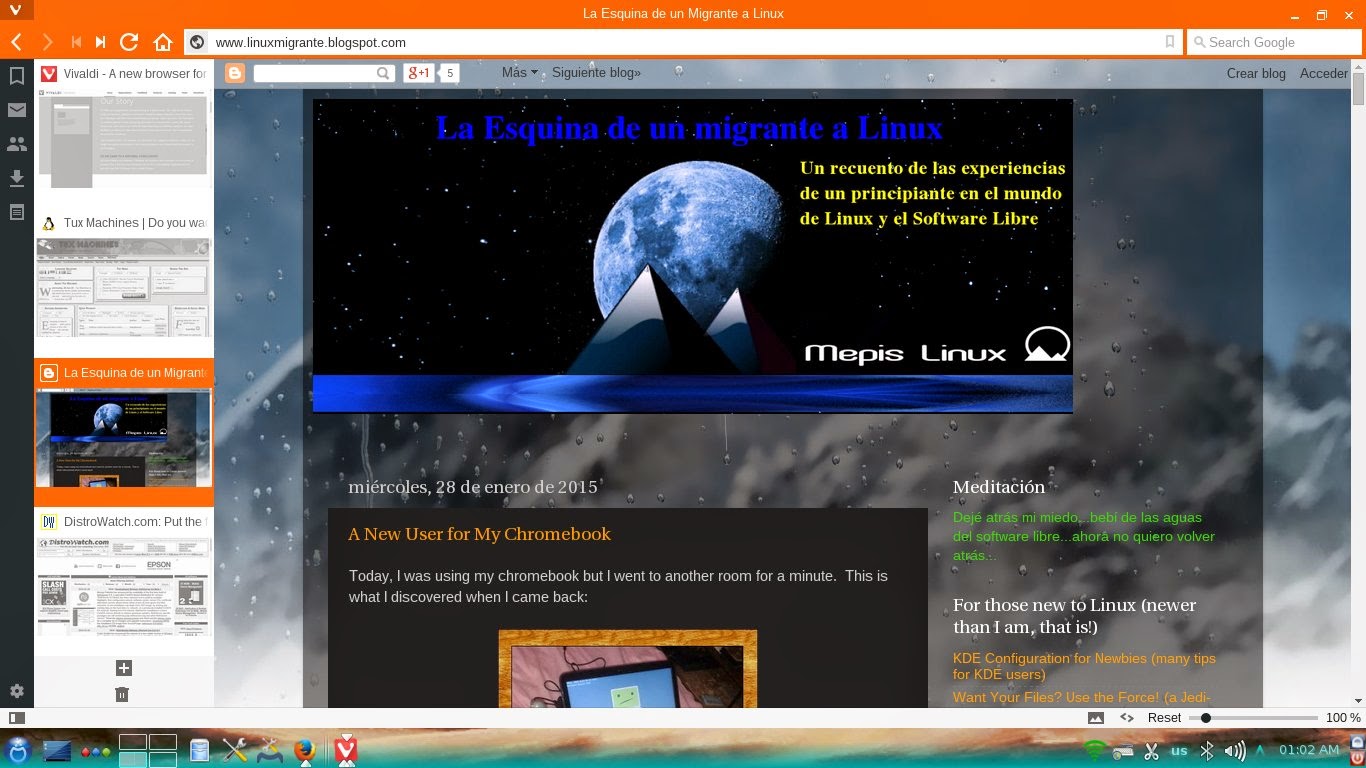
Vivaldi TP running on Mageia
After giving it a run, I can say that Vivaldi is like listening to "The Four Seasons": This browser is packed with the dreams, hopes , and expectations of a developer team that want to give the world a powerful net surfing tool with a human side.

The browser offers an emphasis on aesthetics, interesting options for customization, note-taking space, a welcoming community, and it promises future mail functionality and add-ons. 

Tabs relocated on the left side, title bar changes color depending on page loaded


I have to admit that I found it somewhat slow but, in general, I had a pleasant experience using the technical preview of Vidaldi.  Now I want to hear the symphony once it is finished. ;)

martes, 13 de enero de 2015

Firefox says Hello! on PCLinuxOS and OpenMandriva

The new update to Firefox 35 is available on PCLinuxOS and OpenMandriva.

I have been expecting this update because it includes Hello, the new video-call feature from Mozilla.

For those of us who don't use Facebook, SpyMe, er, Skype, or are not satisfied with Google Hangouts, Firefox Hello stands as an interesting option to communicate using video.

Oh, and it says that you do not even need to use Firefox... Only sharing the link is enough. I have to try that.

The new MS Spartan browser, with its so-much-acclaimed-as-modern technologies (that basically bind you to MS cloud), should learn something.

My First 12 Days with Mageia 10: How to enable repos with dnf5

Well, 12 days have passed since I migrated all of my desktop, laptop, and portable work system to Mageia 10. I have not used the work system...