viernes, 20 de mayo de 2011

Happy Birthday, Esquina de un Migrante!

Megatototoro's blog, La Esquina de un migrante a Linux is celebrating its first anniversary tomorrow.

This blog has brought unforgettable stories, such as "Planning to migrate to Linux? Beware!!!", or curious images, such as the GNU/Linux & BSD Zoo.

I, for one, have profited from the accounts and experiences recorded there. I learned Linux tweaks and about viruses from Megatotoro's blog. And I have had a lot of fun reading his humorous stories, too.

Congratulations and keep up the good work! May this Linux Corner remain among us for a long time!

jueves, 19 de mayo de 2011

Zenwalk 7: Shall We DANCE?

Five days ago, I wrote about my epic fail trying to install Zenwalk 7 to my netbook, a system already running several Linux distros. I described the process as a dance that started calmly and gradually changed into a non-stop frenzy that ended with me messing up the whole system. I was not prepared to face the install but, as I promised, after doing some reading, and supported by the help of readers both in Tuxmachines and Linux Today, I am ready to give it another go. Zenwalk 7, shall we dance?

Upfront, let me clarify that my netbook was a quad-boot (Mandriva 2010.2, Pardus 2011, Mepis 11, Mageia 1 RC1) the second time I attempted to take Zenwalk for a dance again. I know that that quantity might seem excessive given the fact that one can use virtual machines. However, because of the modest configuration of a virtual machine, I consider that they are ideal for testing, but you cannot enjoy the full potential of the Linux distro unless you install it. Why installing so many distros? To maximize writing productivity. Sam Dean might be right about writers and dual monitors, but I have discovered that, when I write, changing not only the workspace, but also the entire OS, gives me a mental relief and the possibility of keeping my projects in "different typewriters".

Of course, that quantity of distros became part of my headache last time. The other part was that was not prepared to carry out a text installation. The good news is that, thanks to the support of readers and their insightful comments, I was better equipped this time.

The Dance

As in the Japanese film "Shall we DANSU?", I was a Sugiyama determined to learn the Zenwalk steps. Like him, my initial performance was deplorable. However, practice makes perfect. Therefore, I was not discouraged and analyzed what I did wrong.

First, the installation problems I was having occurred due to my lack of familiarity with the process. For example, the partitioning tool gives you all the information you need if you go to the appropriate tab. Once you are satisfied with your settings, all you have to do is hit "write" to apply the changes.

Then, the bootloader LILO: I tried first following the suggestion of keeping LILO in the boot sector of the partition, not the MBR. However, it did not work because I couldn't boot it to finish the post-configuration process and the info in lilo.config did no good, either.

I suspected that the problem was caused because of the partition soup that I had. Mageia was located in sda 9, but GRUB showed that it booted from sda8, which was my Zenwalk root partition. So, I tried a more Spartan approach: I deleted all OSs except Mandriva and reorganized the partitions. After that, I reinstalled Pardus, Mepis, and Mageia (I got the RC1, yay!). Now that all the systems were sitting on the correct chairs, the dance with Zenwalk could proceed.

I reinstalled Zenwalk without a glitch (reading and preparing DOES make a difference, right?). This time, however, I changed the location of LILO and put it in the MBR. Of course, that sent my other OSs to the Zen garden again, but I did not mind because I wanted to finish the Zenwalk installation. When Zenwalk was up and running, I grabbed the Mandriva PowerPack DVD and used the utility to restore GRUB. In doing so, I lost Zenwalk, but I mounted its partition and following the process here and opened lilo.config.

My only problem was now to boot Zenwalk. I tried several solutions I found online, but none of them made GRUB stand up and invite Zenwalk to the dancing floor. So, I resorted to Mandriva Control Center. I opened the boot manager and tried to add the entry manually. Again, I was not sure of what I was doing, but I had to give it a try. I added a new Linux entry cutting and pasting info for tag, append, and image from lilo.config. Then, I clicked "advanced" and changed network profile to "default" and copy/pasted the info for initrd.

I rebooted and, when I saw the entry for Zenwalk, I selected it without hope. However, GRUB, full of valor, stood up and walked decisively to the partition where Zenwalk was sitting. Using a trope, I could almost hear in disbelief GRUB say "Shall we DANSU?"

So, now I'm the proud owner of a penta-boot netbook that has Zenwalk 7 as one of its five operating systems.

Dave Spiegel was right when he said that I could have used a distro that does it all for me, but then I wouldn't have learned anything. And Zuru was also right: this was great fun and the sense of accomplishment is irreplaceable!

domingo, 15 de mayo de 2011

The mystery of the missing wi-fi in Mageia/Mandriva

I've been avoiding kernel 2-6.38.4 and 2-6.38.6-1 in Mandriva because last time I found them in an update and installed them, my netbook lost its wi-fi capabilities. Yes, it would not pick any signal or start wireless connections at all. It would tell me that I needed some b43 files from a web site and the installation was beyond my understanding.

Well, I decided that I wanted to install Mageia 1 in my netbook. I will spare you the story of my mistake of installing beta1 and my consequential sadness because iBus would not work. However, when I corrected my mistake and installed beta2, my happiness upon seeing iBus working flawessly quickly faded away because I discovered that the dreadful kernel 2-6.38.4 was what Mageia uses and, therefore, my wi-fi was gone!

In a sudden revelation, I read the error message and saw that it was indicating the path were the missing files were supposed to be and were not: /lib/firmware/b43

I mounted the Pardus partition and looked for that directory. Pardus had both the b43 and the b34legacy directories, so I copied them to my Mageia home folder.

There was one problem left: How to copy the directory in Mageia's root appropriate folder? The answer is easy, with konsole, of course!

After typying su and inputting my password, I used the following command:
cp -r /home/myname/b43 /lib/firmware/

and PRESTO! in less than one second, the 39 files were copied. Then I did the same and copied the b43legacy folder.

After that, I ran Mageia Control Center, Network config, add a new connection. I selected Wireless and wlan_o. When the system asked me for the file, I located the directory /lib/firmware/b43 and selected the ucode5.fw file.

It worked. Now, I'm posting this entry using the wi-fi in Mageia beta2.

I just don't understand why is it that some people are afraid of the command line. It's so powerful and useful.

Once again, BIG THANKS PARDUS!!!

sábado, 14 de mayo de 2011

Zenwalk 7, it didn't go well...


Yesterday, I downloaded the Live CD of Zenwalk 7 and I must confess that I liked it a lot. Not only did it have full support for Japanese IME via iBus, but also its Xfce desktop was simple enough for a beginner like me. So, I decided to download the standard CD to install it to my now triple-boot netbook (Mandriva 2010.2, Pardus 2011, Mepis 11). And then my dance in the Zen garden began. Little did I know that the predictable, calm Waltz at the beginning of the installation was to morph into a rabid, passionate dance for survival!

After seeing many installations Cds and DVDs before, I expected nothing out of the ordinary when I booted with the Zenwalk 7 CD. Maybe I was not too concerned about the interaction, but there was something different that I had not determined until the process was well advanced: all installation directions were provided in text. Yes, that's right: no GUI for Zenwalk! I checked the info in Distrowatch.com and it's clearly indicated that the installation process is text mode. So, inadvertently, I was attempting my first text mode installation.

I cannot say that the process is complicated or confusing because the different screens provide clear information of each step. However, when I got to the touchy operation of partitioning, the dance switched from a calm Waltz into a furious tango: I had absolutely no idea of what I was doing. The partitioning tool located all the partitions in my HD and was telling me that it was going to install in one of them and use the Mandriva swap partition for Zenwalk. Regardless of what I tried to do, the system would just proceed, so I buckled up for a bumpy ride.

And then, LILO! I have never used that for booting but suspected that I was not going to be able to boot Zenwalk without it, so I chose simple install (now I was sure the ride was going to be bumpy!).

The process came to a dead end with the creation of the root and user accounts. The text superimposed, so I could barely read what the system wanted me to input. Basically, I got to a screen that demanded a login and a password and everything I typed was incorrect. Therefore, I rebooted the computer without the CD and, SURPRISE! No GRUB, GREET LILO!

Lilo? I must say I saw more of a "Stitch" because the little mischievous booter only showed an entry there: Zenwalk. All the rest of my operating systems were gone... I presume they took a stroll in a Zen garden somewhere :-P

And, of course, the Zenwalk system was inoperative. A great place to be. From here, the dance became something more like those energetic folk dances in tribes, where a Shaman swirls, twists, and jumps with body contortions that resemble an act of desperation.

Luckily, the Mandriva 2011 PowerPack DVD has a rescue application that restores your GRUB. That was enough to take Mandriva, Pardus and Mepis out of their Zen meditation. But there were some side effects. When I booted Mandriva, it did, but painfully slowly. I switched to verbose mode and saw that some partitions were apparently renamed or something, so Mandriva had problems mounting them.

When I finally got in, I rebooted to see if Mandriva would pick up some speed this time and, pretty fast, I got into my very first Kernel Panic!

The solution? Well, I reinstalled the system leaving the /home partition there, and in a matter of 25 minutes, Mandriva was back to normal. Pardus and Mepis are healthy, too.

--------

I cannot blame Zenwalk 7 at all for this mishap. I understand that it was entirely my fault because I was not prepared to carry out this kind of installation. Zenwalk is a well-built, functional Linux system. That its installation is presently beyond my limited knowledge should not be taken as a negative point at all.

I'm sure that some reading will clarify my questions. When I do that, I'll take Zenwalk 7 again for a dance. Hopefully, I will perform better then.

domingo, 8 de mayo de 2011

No Linux support? An offer I can refuse

In this post, Penguin Pete argued that Linux users are too soft and hence they don't get paid attention to. Well, he is partially right: most of us are outraged by the MS EULA stipulating that we must waive some personal freedoms, like the right to buy a computer as separate from Windows. In general, despite we are fed up with the "we don't support Linux" mantra that companies chant to brush us off, we don't do much about it...especially if we are Linux beginners.

However, there are instances in which we can show companies that, if they want to do business with us, they MUST offer us QUALITY SERVICE which, in my opinion, does not include refusal of support.

I had such opportunity two days ago. You see, because of the new grounds established by a Free Trade Agreement, my ISP (a cable TV company that formerly had to operate in conjunction with the government telecommunications agency) is now trying to get users to change their contracts, so that they essentially dump the government agency. I, therefore, received this call from a representative of the cable company. The guy on the phone went on with his speech, a talk full of rhetoric designed to trick gullible customers. The keynote was "we do this in the behalf of our clients. We charge you the same, but you have to pay only one bill: ours!"

Now, as I pay my bills online, paying one or two bills does not represent any benefit to me if it's the same amount anyway. There is a major consideration for switching, nevertheless. This issue is support: The government agency sent a technician to help my mother once. Given the fact that this unsuspecting techie did not chicken away when he saw that my mother uses Pardus GNU/Linux and solved the problem to the best of his abilities, I decided to ask a question to the overly friendly representative on the phone to assess the real service that they were offering me.

"Excuse me. Before I change my contract, I need to know something. Do you support Linux?" (With an inaudible crack, I could hear the script falling apart)
"Er...uh...Yes, of course. Is that an anti-virus?"

Since he had no idea of what I was talking about, I explained to him that I do not use Windows, but a different OS.

"Let me talk to my supervisor, please". I waited ten seconds and he came back with the rhetoric-covered half-truth I was expecting.

"My supervisor indicated to me that, yes, you can keep any operating system that you like."
"Sure, I already know that but, unfortunately, that's not what I asked you. I want to know if you support Linux. That is, when a client calls you because of any problem, you follow a script to troubleshoot. The script is Windows-based and, therefore, no good for me. I need to know whether or not you will help me if I ever have a problem with your service."


Panic's in the air...or in the line. "I'll transfer the call the my supervisor." (Touché!)

Some more waiting and I get the supervisor, another extra-kind employee. I laid the question on him plainly:

"Listen, they are offering me a change of contract. However, I am concerned about the support you can give me. So, do you support Linux?"
"I'm sorry, we don't..." His answer came with utmost desolation.
"I see. Then my contract stays as it is. Good day."

--------------------------------------

And that was it. Boy, it's so good to know they are recording calls for quality, hahaha!

Above all, from this interaction, the cable company must learn a rule of competition:

Concerning support, you must make your Linux clients an offer they can't refuse before expecting them to drop an agency that supports them.

(Special thanks to Penguin Pete for the lesson)

miércoles, 4 de mayo de 2011

Some of the faces behind the distros

When I first migrated to Linux, I bought a nice set of stickers and one of them depicted many smiling penguins. As a heading, you could read "The friendly face of Linux". Today, as I saw anticaptalista's encouraging comment in Megatotoro's blog, it suddenly struck me that there is an element that I have been enjoying since the moment of my migration, something subtle, but powerful. You see, as an ex-Windows user, although I could identify Bill Gates' face (and even Ballmer's), I never received any tangible support from Microsoft. Windows was merely a business.

Linux, on the other hand, has represented an unmatched opportunity to learn and grow because of the intense human interaction of its vibrating communities. For example, as soon as I joined Mandriva's community forum, I was received as a human being, not as a number. The same happened when I posted my first question in Mageia's blog: the prompt reply giving me direction was refreshing. And I cannot describe the feeling I experienced yesterday when I opened my email to find a follow-up message from a Mageia developer taking care of the bug I reported.

There are people behind Linux who get in contact with you in a way that I never saw during my decade as a Windows user. And these people listen to you. What's more, sometimes they RELY ON YOU!
As a tribute to them, I tried to track some of the pictures of the people behind those Penguin OSs that made my work with computers a more enjoyable experience. So, here they are. These are some of the faces behind Linux:


  1. Linux Mint's Clement Lefebvre & child (Thanks for your great distro!)
  2. The always active Texstar (Billy Reynolds), from PCLinuxOS (noticed the cool Mandriva cap?)
  3. Eugeni Dodonov, now the face of Mandriva, the distro that made me dump Windows
  4. Anne Nicolas, former Mandriva representative, now Mageia's face.
  5. Ozan Çağlayan, (GO, Pardus!)
  6. Warren Woodford, the famous Mepis Guy. (Kudos to you for Mepis 11)
  7. Sabayon's Fabio Erculiani. (Grazie!)

miércoles, 27 de abril de 2011

Mageia Beta 2: Japanese IME is back!

Today I installed the Beta 2 of Mageia interested in running one simple test: Japanese IME support with Libre Office.

Since I could not solve the issue myself with the approach I used in Mandriva 2010.1 (Open Office), I posted a cry for help in the Mageia forum. I got prompt, friendly, and helpful answers, for which I feel most thankful.

When I was installing the OS, I noticed that Mageia adds options I had never seen in Mandriva:

Do you want multi language support? (Definitely let's make it a YES!) I choose Japanese, Thai, and Korean.

Later on, when choosing the keyboard: Which input method editor do you prefer? None/iBus/Scim/Scim-bridge? (In the forum they recommended iBus, so...) I selected iBus.

And that was it. When I got into my desktop, I could see a nice icon sitting on the lower bar, indicating the presence of iBus. I added Anthy for the Japanese IME and a Thai and Korean IMEs, too.

Then, I fired Libre Office.
Anthy was working but, instead of Japanese characters, I got boxes...
No problem, all I had to do was to go to Libre Office menu, options, and select Umeplus as the font for Japanese text and...

マジイア、やっぱり日本語ができるよ。すごい!


Therefore, for my particular purposes, in the Mageia 1/ Mandriva 2011 challenge, Cauldron (Mageia 1) is definitely on the lead.

viernes, 22 de abril de 2011

I'm considering not to renew your contract, Windows

For this Easter (or Holy Week, as we call it in my country), I had planned to perform a task that requires some time: reinstalling Windows XP.

I dragged myself very close to starting. However, to be honest, when I saw the installing CD, I anticipated the fun that awaited me and became very lazy. After all, to complete the operation, I have to find the drivers, the programs, make back ups, customize the OS...

I, somehow, envisioned Windows XP as an employee working on a contract basis. Mr. XP's contract is becoming due, so he steps into my office to discuss contract renewal. From the filing cabinet, I take his performance record and analyze it.

Tasks accomplished in the last four months: None. I don't need Windows to browse the Web, to chat, to modify images, to work with videos... In my company, Windows XP is unnecessary to operate the scanner, use Skype, or to download pictures from my wife's camera. Its "excellent" MS Office suite has been replaced by Open Office and Libre Office completely (even to the point for me to wonder why I didn't use Open Office before). To make matters worse for him, I did give XP a significant task twice and it failed both times: to connect me to the internet. Last time, XP didn't even boot the computer!

Skills: According to this post, Windows XP has several skills that make him an essential employee. Let's see...
  1. Installing software in a simple way. Yes, that's true...provided that YOU already have the software. Otherwise, you have to browse the Web for a while and download a good many of trash looking for the program you need. Oh, and then, if you don't want to pay, you have to look some more to get a crack/code/loader with the imminent risk of getting your valuable employee infected by the computer equivalent of Ebola because that simplicity to install is exploited by malware.
  2. Speed. For crying out loud! Hasn't this person EVER used Windows? I suppose that if you never install anything, it will always be fast. But the truth is that point 1 contradicts point 2 and we all know it: the more programs you install, the more you mess up with Windows registry and the OS becomes slow...sometimes PAINFULLY so. And let's not forget that you have to wait until it loads the anti-virus, anti-zombie, anti-spyware, firewall and who knows what else...Yes, this employee doesn't work unless you cover him with a large workplace risk insurance policy.
  3. Excellent program portfolio. The ones that are ACTUALLY INCLUDED with the OS, that is? Give me a break. Now, if you are talking about the programs that you can get, then how excellent they are depends on two variables, identity and custom. The former variable determines whether or not you need Autocad or Photoshop, for instance. Simple users who enjoy retouching pictures don't need Photoshop; I've seen them do their work with MS Paint (poor them!). I wonder what they could do with a program like Paint, but that actually works, like Kolourpaint...Let's not talk about MS Moviemaker...it gets frustrating. On the other hand, the latter variable, custom, acts as a barrier preventing you to use other programs that can help you achieve the same objectives, but following a different process (Photoshop vs The GIMP). Such recalcitrance makes you call your usual tool "excellent" because you already know how to use it, not because it is actually the BEST there is (or that there will be).
I completely agree with the author in one point: Windows XP can be repaired quickly. However, that can be seen as a problem and not as an advantage. Windows XP is a worker that takes too many sick leaves, which, for any company, becomes EXPENSIVE. My two Linux employees (Mandriva and Pardus) have been working diligently since they came last December. No interruption whatsoever, except for a hardware problem last week. In the same period, XP has been on sick leave twice. And I seldom ask him anything!

In addition to his ability to get sick quickly, XP has another flaw: it tends to sleep on the job, especially when we need multitasking. Oh, but he is very good at playing games! In my case, the games I like to play (DOS-based ones) were discontinued thanks to XP. World of Warcraft means nothing to me. I admit that the Tomb Raider saga caught my eye, but...is playing that game a justification for all I have to do to get XP back on his feet?

An employee that I only need because he is good at playing?

Furthermore, there is a powerful antagonist that wants XP out. It's Microsoft, which has decided not to cover XP against certain diseases and marginalized him regarding the new browser they released. This company wants XP's reputation to taint as much as possible so that they can ask me to replace him with the brother of that Vista punk that came looking for a job four years ago. So, do I need an employee that is even betrayed by the firm he represents?

Mr. XP... I'm seriously considering not to renew your contract...

martes, 19 de abril de 2011

Some screenshots of Mandriva 2011 Beta 2

Ms. Susan Linton described her impressions on the second beta release of Mandriva 2011 here. There are some additional comments here. Can you guess what the common denominator is? :-P
In my case, I don't like the Rosa launcher, either. I'm also a bit sad because the netdrake seems to be gone, along with the desktop cube effect.
However, I'd like to focus this entry on the new features:

There are new cool account icons:


You can choose yours and then, when you log in, it becomes larger. That looks neat


Later, you get a standard KDE splash screen. By the way, I did not see the screen to choose KDE, GNOME or OTHER during the installation...


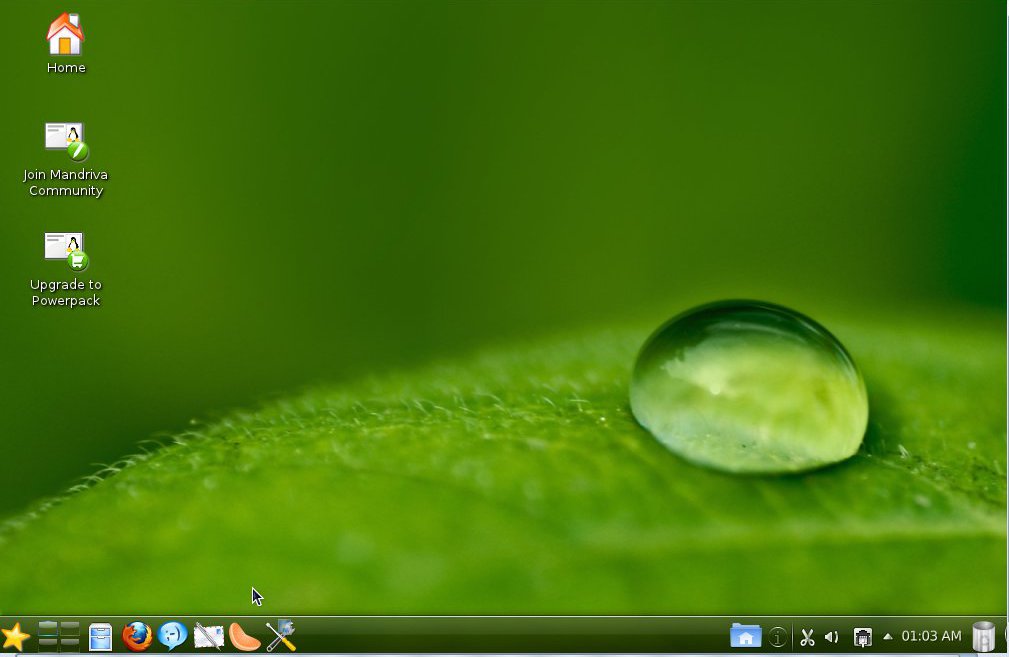
And this is why. Welcome to the new... desktop (?!). The trash bin is now located on the lower panel and there is a HOME icon there which gives you preview of your files. The lock/shut down buttons are gone from the lower panel. Besides noticing that the window with the ads is gone (yes, the one that opens the first time you boot Mandriva), I also saw that the icon of the launcher looked funny (not Mandriva's style):


You click on it and you get this screen, which made me wonder what Mandriva developers were doing:


So, I clicked on applications and got this:


With that, the truth slapped me: they are trying to emulate a smartphone UI (Ubuntu's Unity madness!). Well, it's a bet for the future of Linux, but I want a desktop, not that UI...


I tried to get the Kwin desktop cube back and got an error message instead :-(


I must admit that the tree structure in Dolphin is a lot clearer now:


But don't panic! There's hope for us, all users who don't want to a re-creation of a smartphone interface as the main UI of a PC. It's possible to get the standard KDE launcher without a lot of trouble. You can even get a Mandriva icon and the pager. Ah, and there's the Oxygen theme, too...If I only got the cube back! (Maybe one can enable Compiz effects later if Kwin is out of the question)


I can get used to the new lower panel (especially because it's completely flexible, so you can adapt it to suit your needs or preferences). I decided to make it look more like the Mandriva that attracted me to Linux:


I cannot but think that, although I am in no way a power user, I cannot do my work without multiple desktops and the convenient cube animation any longer. I believe Linux innovated computing with that concept and Microsoft will probably try to copy it for Windows 8. So, why hiding them to mimic a cellphone?

Netdrake is still operational, but the system network is fired up by the KDE network tool.
Oh, there's one last observation. I couldn't run my Japanese IME test because Mandriva Control Center wouldn't let me add new programs. That had to do with the repos and the move to RPM5, I presume?

sábado, 16 de abril de 2011

Testing Japanese IME in Mageia 1 Beta1 (with Libre Office!)

UPDATE:
After filing a bug report, the Mageia team fixed the problem in Mageia 1 Beta 2 Cauldron. Now Anthy works perfectly fine with SCIM. You also get the option of using iBus for Japanese IME, which is a lot simpler. Read about it here.

So, here I am, typing this entry from Mageia 1 Beta1.
Since I haven't encountered any problems so far, I decided to live dangerously and pushed my luck: how about testing the Japanese IME with SCIM? That works flawlessly in Mandriva with Open Office, but I haven't managed to make it work in Libre Office in this OS.

Given the fact that Mageia ships with Libre Office, I thought it would be a nice experiment to see if I can follow in Mageia the same process to activate Japanese input in Mandriva and type both in kana and kanji.

For those of you who might be interested, I described the procedure to follow in Mandriva 2010 here. However, Mandriva 2010.1 created some problems (that I could circumvent and described here).

So, I downloaded all the packages that are available in the Mageia repositories (I noticed that there was no SCIM-ANTHY, so I predicted problems).

Then, after using the SU command and inputting my password, I tried to add the required lines in the i18n file by using gedit, but the program wouldn't run:

[root@localhost sysconfig]# gedit
**
GLib-GIO:ERROR:gdbusconnection.c:2279:initable_init: assertion failed: (connection->initialization_error == NULL)
Abortado
[root@localhost sysconfig]#

Thus, I tried Kwrite, which has never worked for me in Mandriva for this particular purpose and I got another bash problem:

[root@localhost sysconfig]# kwrite
kwrite(4738): Session bus not found
To circumvent this problem try the following command (with Linux and bash)
export $(dbus-launch)

KCrash: Application 'kwrite' crashing...
KCrash: Attempting to start /usr/lib/kde4/libexec/drkonqi from kdeinit
sock_file=/root/.kde4/socket-localhost/kdeinit4__0
Warning: connect() failed: : No existe el fichero o el directorio
KCrash: Attempting to start /usr/lib/kde4/libexec/drkonqi directly
drkonqi(4739): Session bus not found
To circumvent this problem try the following command (with Linux and bash)
export $(dbus-launch)

[root@localhost sysconfig]#

Discouraged, I was about to give up, but decided to read the information that the terminal was giving me... and I saw that it was giving me the solution!

To circumvent this problem try the following command (with Linux and bash)
export $(dbus-launch)

So I typed
export $(dbus-launch) kwrite

and this was what I got:

[root@localhost sysconfig]#

I typed krwite and this is what happened:

Connecting to deprecated signal QDBusConnectionInterface::serviceOwnerChanged(QString,QString,QString)
kbuildsycoca4 running...
kbuildsycoca4(4901)/kdecore (services) KServicePrivate::init: The desktop entry file "/usr/share/applications/kde4/trash.desktop" has Type= "Link" instead of "Application" or "Service"

kbuildsycoca4(4901) KBuildServiceFactory::createEntry: Invalid Service : "/usr/share/applications/kde4/trash.desktop"

After which, kwrite launched and I could append the lines to the i18n file.

Then I proceeded and removed the Libre Office kde integration package and, after restarting the session...

やった!マジェイアは にほんごをかくことができますよ!


The problem:

Anthy is not working, so I'm using Canna...which is fine, but I cannot get Canna to change kana into kanji (this feature works in Mandriva/Open Office).

Oh, well, but I achieved something, didn't I?

jueves, 14 de abril de 2011

When formatting a flash drive doesn't erase a virus


USB viruses are very common and one of the solutions that Windows users resort to when facing one of those bothersome thingies is formatting.
Yes, the complete destruction of data on the device should be enough to get rid of any virus, right? After all, nothing can survive a nuclear bomb...except cockroaches, scorpions, and who knows what else.

Yesterday, a proud user of Windows 7 came to my office with an infected USB drive and, since he knew that Linux is more efficient to deal with those infections than Windows is, he used Mandriva to erase the virus and all the folders it created. However, when he tried to copy his files back into the drive, he got several error messages.

I took his pen drive and checked: some files were still masked and Mandriva would not let me erase them, so I opened Mandriva Control Center and formatted the drive as a FAT32 Windows partition. Yet, files still refused to be copied into this rebellious device, that was apparently clean, or should have been, as it had undergone a formatting operation.


THE VIRUS SURVIVED A FORMATTING OPERATION!

I suspected that the virus might have been hiding somewhere else. After all, there are computer viruses that allocate themselves in the boot sector, so you only waste your time formatting the HD to eliminate them.

I opened Mandriva Control Center again and reformatted the pen drive, but this time I did as a Linux EXT3 partition. When I finished,I could see a nice folder named "lost+found", which I tried to delete manually. I had no luck; the folder was locked.


THE TERMINAL: THE TRUE POWER OF LINUX!

I opened the terminal, typed SU, entered my root password and executed the command

rd --ignore-fail-on-non-empty lost+found

With that powerful spell, the folder was gone!


RESTORING THE WINDOWS PARTITION


After that, I reformatted the drive again as a Windows FAT32 partition and we got no problems copying information to it.


It's good to have the Linux terminal to handle viruses that resist GUI removal...

My First 12 Days with Mageia 10: How to enable repos with dnf5

Well, 12 days have passed since I migrated all of my desktop, laptop, and portable work system to Mageia 10. I have not used the work system...