A blog to compile what I have learned (and what I am learning) about Mandriva (and GNU/Linux in general) since 2009, when I migrated.
Current distros I'm using: OpenMandriva Lx ROME 5.0, Mageia 9, MX 19, Manjaro 23.1, and Elive 3.
Yesterday, I shared how to get SCIM to behave correctly to handle Japanese typying in PCLinuxOS 2013.02. Thanks to that discovery, I learned the way to enable SCIM when using Firefox in Mandriva 2011/Mageia 2.
First of all, let me say that while iBus does the same and can be installed fairly easy in both Mandriva 2011 and Mageia 2, the problem is that it ruins the keyboard accents in Spanish for those people who work in that language with LibreOffice. Therefore, SCIM is a better option.
I am running Firefox 19.0 at the moment, but this trick works with previous versions of the browser and future ones, too (Aurora and Nightly).
To activate Japanese IME (SCIM) in Mandriva 2011 or Mageia 2, the following packages are needed:
1. Japanese fonts (Use MCC to get them)
2. Scim (and all of its dependencies)
3. Canna (and its dependencies)
4. Anthy (and its dependencies)
5. UIM (make sure that the bridging packages are included)
Once all the packages are installed,open the terminal Konsole and use SU to log in as root with your password.
Then go to /etc/sysconfig by using
cd..
cd..
cd etc
cd sysconfig
once there, activate Kwrite by typying
export $ (dbus-launch)
kwrite
The idea is to modify a file called i18n.
When Kwrite is functional, using the open icon, and locate the file i18n to open it. Once it is
displayed, append the following lines to the end of the file and save it.
Close the terminal and then go to usr/share/X11/xdm
Once there, open Konsole and type su and the system will ask you for your root password. Enter it and then type
export $ (dbus-launch)
then type kwrite (to start Kwrite and edit a file)
Once Kwrite appears, open the file Xsession with it. You have to append the following lines before the line that starts with exec
Save and log out and back in to your session. That's the end of the show. From now on, your browser will accept Japanese input for searches, or searches in other languages (Korean, Thai, etc) as long as you have the fonts for those languages installed.
The good thing about this method is that it also enabled SCIM for LibreOffice 4 (which is not in the official repositories of Mandriva/Mageia yet).
I've been trying to get the latest release of PCLOS to accept Japanese input. First, I made the changes that I explained here. Basically, you have to download the required packages and add these lines to the file i18n:
GTK_IM_MODULE=scim
QT_IM_MODULE=scim
XIM_PROGRAM="scim -d"
XMODIFIERS=@im=SCIM
I did that using the command
export $ (dbus-launch)
to edit the files with Konsole, as I had also explained here once.
I also installed Abiword (as it helped me once to test SCIM) and removed the LibreOffice KDE integration package, which has prevented me to fire up SCIM both in Mandriva and Mageia. Then I followed the detailed directions for PCLOS here.
However, after trying this process in PCLinuxOS 2013.02, all I achieved was to freeze the desktop when attempting to launch any application.
Today I found the culprit and fixed the problem. In /usr/share/X11/xdm
you have to open the file Xsession, to which you will append the following lines before the line that starts with exec
export XMODIFIERS=@im=xim
export GTK_IM_MODULE=scim-bridge
export QT_IM_MODULE=xim
export XIM_PROGRAM="scim -d"
The problem was that the first line must read xim at the end, not SCIM, as I had detailed before.
By the way, remember that PCLOS shows the IME on demand. You have to press CTRL + space to work with it. 日本語がきっと書けますよ!
Oh, and the best part of this method is that Japanese IME also works with Firefox.
I wonder if this can be applied to Mageia/Mandriva to enable Japanese in Firefox...
できればいいなあ。
For those people who use Mageia 2 and like to test other OSs or need to keep another OS for work purposes, installing Virtualbox from the Mageia repositories might lead them to a disappointment. The distro seems to only support Virtualbox OSE (as it is the only package in the repos), which does not allow one to enable USB support. Therefore, you end up with a Virtual Machine that cannot read your flash drive.
To solve this pesky problem, you must understand that the situation springs from having installed a Virtualbox version that does not do what you need or want. You must, then uninstall it and grab the Virtualbox PUEL version package from the Oracle site here.
For Mageia 2, you need to use version 4.1.24 (it is the version that matches the kernel in the Mageia 2 repos), so scroll and clic on the link "older builds".
Download the Mandriva 2011 rpm package (VirtualBox-4.1-4.1.24_82872_mdv2011.0-1.i586.rpm) and do not forget to download the extension pack as well.
Then, click on it to install it. You are going to get a warning about an invalid signature; just ignore it and proceed. If there are some dependencies needed, the package manager will get them for you. Make sure you also install the dkms-virtualbox package from the repos.
Once the dkms package is installed, you can fire up Virtualbox and create a virtual machine. You will notice that USB support is still disabled. To change this situation, you must do this:
1. Open MCC and go to System and Manage Users. Find your user and add it to the vboxsr and vboxusers groups.
2. Install the extension pack you downloaded. To do this, log out and back in and click on the file. It will be installed automatically for you after you accept the license for public use evaluation.
Then, after you start your virtual machine, insert the USB stick and check its corresponding box in devices-> USB (You might need to mount the USB on the host system before it is displayed in the Virtual machine).
One week ago, I described my encounter with PicarOS, a charming spin of GALPon MiniNO targeted to children. I talked about how beautiful I had found it and how to walk the ropes of getting it installed as a dual boot with Mageia 2.
In the course of a the week, something interesting happened. Several adults who saw the OS got grazy about it. Megatotoro reports that even a school principal told him that she wanted PicarOS on all the lab computers of the school under her direction.
Default desktop in PicarOS 2012 (GALPon MiniNo)
Well, when I installed PicarOS to the desktop and laptop computers of my 2-year old daughter, I said that I had great expectations. I meant that my daughter was not home when I performed the installs. Therefore, I had not seen her reaction to the OS, and this is, understandably, paramount to speak about the success of PicarOS. After all, the point of the distro is not getting adults excited (which it certainly did), but children.
My wife and daughter came back from their trip and the latter started narrating --with her growing Spanish vocabulary-- all of her adventures, while the former looked for her laptop to show me the pictures she had taken. It was a nice illustrated conversation: my daughter Eimi told me about her visit to the park with the dinosaurs and her mother filled in the gaps when I did not understand the narration.
But then, it was time to turn off mommy's laptop and Eimi, upset, started crying.
It was the perfect time to see the PicarOS laptop in action. As my daughter cried, I took out her machine and turned it on with discretion. Eimi continued showing her frustration until a distictively childish music announced that PicarOS was about to launch. Upon hearing the start music, Eimi turned to the screen and became quiet. The OS greeted her with its icons and colors and my daughter ran toward the computer. She sat in front of the screen in a state of awe, leaving her frustration tears behind.
We then began using the computer. I simply cannot express the look in Eimi's face; it was as if, for the first time, she had encounter a computer that understood her. She loved everything: the sounds, the colors, the icons, the software, the fact that the computer talks in the language she is trying to master...
Since then, Eimi regularly asks me to sit with her to explore the wonderful new world she has thanks to PicarOS. We are having great fun discovering, singing, and playing together. Today, for instance, we had a 1 hour 30 minute session of Poison Rouge in which, among other activities, she sang "Frere Jacques" and "Ten Green Bottles". To my surprise, she is picking up number in English quite fast, too.
This proves that PicarOS passed the test: it is a Linux distro that children can use to learn and enjoy. My child, for one, loves it.
Yes, I'm making backups. No, my hard drive did not suffer any strange virus infection; those times are over thanks to Linux.
No, I did not mess up with the system, either.
I simply figured it's time to back up my blog, something that, by the way, I've never done.
Everything that I have learned from Linux is written in this blog. I will be in a serious pinch if I were to lose all these 200 entries and the insightful comments of generous readers who shared their knowledge with me.
I followed the process described in this fun article here and got a 2,5MB xml file, which I compressed in a beautiful tarball (473KB)and uploaded to Google drive and sent myself by email, just in case.
Of course, I do not get to keep the pictures, but still...
The wait for Pardus Anka has been long...and my expectations are high, especially when I saw Pardus Tubitak without PiSi.
At least, seeing the comeback of Elive has made the wait a lot more interesting. I tried the second Alpha and all I have to say is that it is the best alpha I've ever seen in my life.
And Mandriva, or OpenMandriva, or MoonDrake (or any other name that they end up calling it) is also on my list of awaited releases. Yes, I know many people think that the Mandriva ship has sunk. The fact is, OpenMandriva.org is buzzing with mail list activity underneath the Web site posts.
I am sure I will not be disappointed. Even if the releases take long and are not what I had imagined, I cannot be worse off than those poor users who are going to be cheated by Microsoft's Surface Pro and its amazing 64GB23GB of storage! I loved picturing the blank stare of consumers as they are told that they "will be able to free up additional storage space by 'creating a backup bootable USB and deleting the recovery partition'" or that they can always extend the storage by buying additional hardware. Nice! That way maybe they can get to the promised 64GB :D
Can you imagine if Microsoft sold you a four-wheel drive car?
I guess Surface Pro is going to make the 128GB iPad shine at its price tab of $1000.
My 2 year old daughter is very fond of computers. Therefore, I have been searching for options to make her desktop environment more appealing for her. After all, anyone can use Linux these days. And there are options for children, too.
I tried Qimo and Doudou. Unfortunately, despite their beauty and functionality, they are not what I was looking for. I wanted a OS that supports Spanish flawlessly.
Anyway, I saw a video about KidBox, a full-screen Urugayan browser that supposedly takes children to a safe environment online, where they can play and learn. The idea sounded interesting, so I visited their website only to be slapped on the face with this discouraging message:
"LINUX.
We are working on a version of Kidbox for your platform.
We will inform you when it becomes available!
* Currently available for Microsoft Windows"
Well, so much for KidBox...
Then, my brother Megatotoro called me in a frenzy, urging me to watch a video in YouTube about a Linux distro that he desperately wanted and could not download, so he wanted me to get it for him. Without understandig his sense of urgency, I looked for the video.
That's when my jaw dropped.
It was PicarOS 2012, a spin of GALPon MiniNo especially tweaked to produce a child-friendly OS. As I saw the video, I got more and more impressed by the interface and the software collection. This is the video about PicarOS, uploaded by Introlinux:
However, I could not download the .ISO, either. Apparently, the torrent and the magnet were not working. But Introlinux was very kind and provided a direct link. When the download finished, I burned the DVD and, literally drooling, tried PicarOS.
Everything I saw in the video was there but, more than that, absolutely everything was working out of the box!
The following day, I gave a copy of the DVD to my brother (read his review here) and my mother called me, asking me for another one.
"My daughter will appreciate this OS," I thought. Therefore, I decided to install it to her desktop computer, which runs Mageia 2. Installation of Picaros as a dual-boot with Mageia 2
Introlinux also gave me the installation instructions, so the process was not difficult. What was painful was the discovery that Mageia could see PicarOS at boot.
So, it took me a day of trial-and-error frustration to configure the Mageia grub correctly, but I eventually achieved it. Basically, one has to go to /boot/grub with Dolphin and, once there, open a Konsole. Then you have to type
SU (and your superuser password when the system requires it)
export $(dbus-launch)
kwrite
When the GUI of Kwrite appears, you use its menu to open the file menu.lst and add the following:
Edited: That's because I had PicarOS installed on the first partition (sda1). You must edit the GRUB entry depending on the partition that you installed the system to. For example, I installed it in a partition sda13 on my laptop. The entry was like this:
Then you save it and close everything. When you reboot, you see that the new entry is in GRUB.
I booted PicarOS and, sure enough, got everything in place.
Default desktop in PicarOS 2012 (GALPon MiniNo)
I then added some things to make the browser look as the one my daughter is accostumed to seeing:
Firefox running the Scribblies Brite 6 theme
After this, I installed PicarOS to the laptop that my daughter Eimi received from her grandmother for Christmas. It is a Lenovo 3000 N100. I chose the "basic-automatic" installation and the process was absolutely painless: PicarOS picked up the Wifi and configured everything without any input of mine. It can even display the VGA video to a TV screen.
These days, in which companies see our children as marketing targets for consumerism, it is refreshing to see how Linux gives us options for our children to learn in a free environment. And PicarOS is certainly a great choice for people in Spanish speaking countries.
I just want to see Eimi using her new computers...
SOME NOTES:
The name of the OS is a pun (The Spanish word "pícaros" means, in a positive sense, "rogues").
Despite being targeted to children, as Introlinux accurately asserts, "because of its packages, PicarOS can perfectly be the desktop of choice of any home user". To illustrate, I was surprised to see the GIMP and LibreOffice in the software collection...and then I saw Blender. I hope my daughter can teach me how to use that program one day ;-)
The desktop environment of Picaros is LXDE, which makes the OS lighter than other distros for children.
Finally, I posted this from PicarOS and, while I worked, I did not experience any crash or performance problem. It can actually be the desktop of choice of a home user!
Yesterday, I bought this handy organizer and decided to put inside my CD and DVD collection taking advantage of some free time I had [Yes, it's nice to have free time once in a while ;-)].
I knew the task was not going to be finished until I actually opened The Chest. You see, The Chest is an old Canon Pixma iP1000 printer box that has been sitting in my office for seven years. I packed old notebooks, CDs, and DVDs inside and closed it with duct tape. Time erased from my memory whatever was inside of it, for the last occasion in which I opened it was perhaps five years ago.
So, I cut it open, expecting to find more old notebooks than CDs or DVDs. However, the contents of the box were only two notebooks and lots of removable media.
I was surprised; I did not remember having so many CDs and DVDs inside The Chest and gradually examined the lot. That's when The Chest turned itself into a Time Capsule!
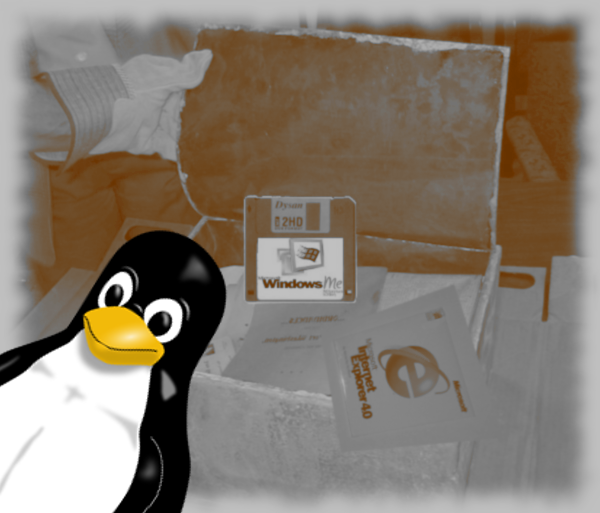
There were some movies that I forgot I had. But the most interesting thing was that the bulk of the media was made up by backups of documents and programs...many of which I, one day, regarded as absolutely indispensable for my computer activities: there was, for instance, and old installer of AVG antivirus 6, Blaze (a powerhouse all-in-one media player), and my installation media for Windows 98 (Wow!), ME(Awww!), and Vista (yuck!). I even had the Windows ME start floppy and one of those promotional CDs that you got even inside cereal boxes with a copy of the "brand new" Internet Explorer 3.
Seeing all that made me think. There was a time in which IE was the only browser I used and trusted. In 2007, Firefox changed the landscape. There was also a time in which my computer using experience was dominated by anxiety and fear, so I made all sorts of backups (my Master's thesis was erased by the hideous virus Sircam and that taught me a lesson). In addition, crashes were so problematic and common that I could not live without installation CDs.
Last time I experienced a crash was... boy, I don't remember. I haven't made a document DVD backup in more than two years. On Dec 21, 2012, when I migrated my desktop from Mandriva 2010.2 to Mageia 2, I used the same /home partition and haven't had any problem. Yet, there I was, holding backups from 2008, 2003, and 2001, the silent witnesses of a past computer experience that I am not familiar with any longer.
Truly, the old times are not necessarily "the good old times".
"The world has not ended, so... now be Elive!"
This is a catchy phrase in the release announcement for those of us who, after seeing one of the most beautiful Linux distros go dormant, are now excited at the release of a new alpha of Elive.
This is not a review, only a quick image-test run. Even so, one can see that the excitment is justified.
How does Elive behave in a VM?
The booting process is both fast and intuitive. The first screens that you see let you choose your language and keyboard.
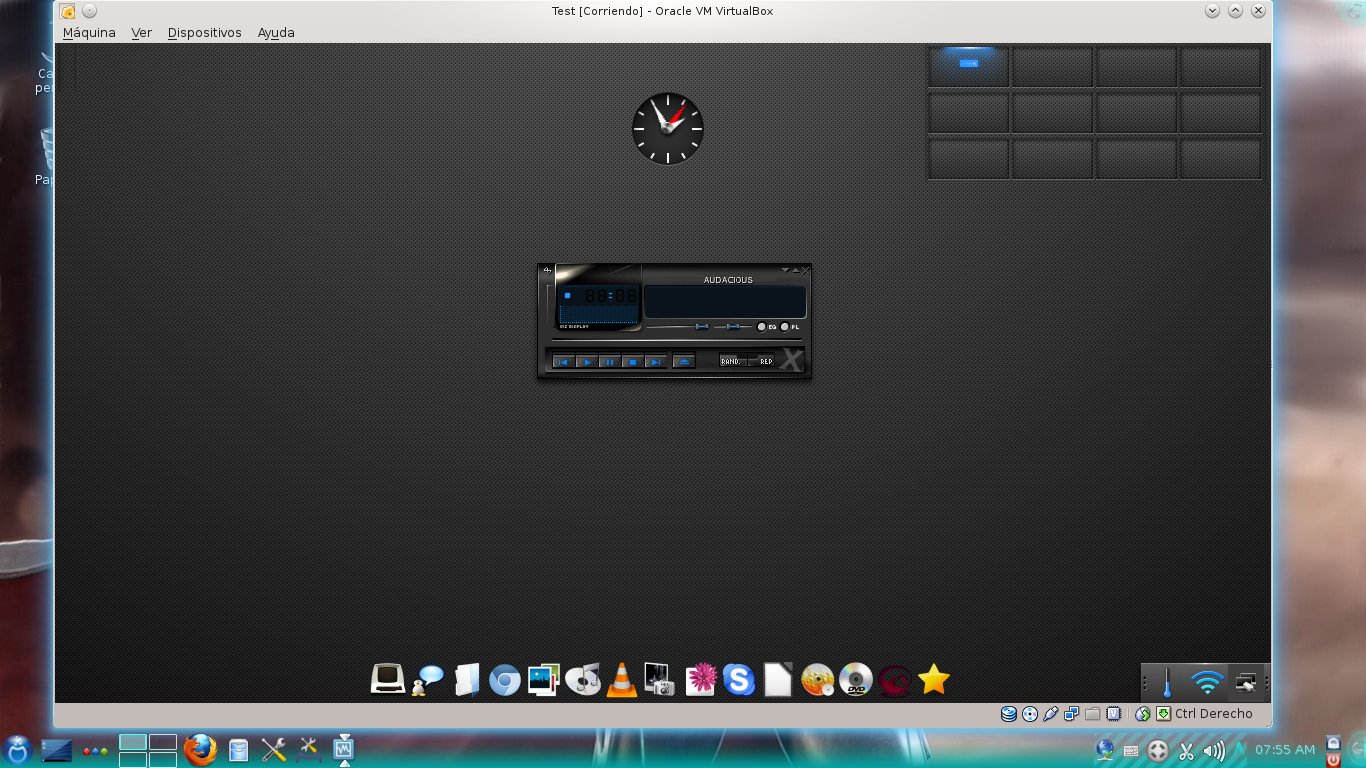
Then, you are asked if you want to have a mobile interface (I went for desktop), the size of the text and the behavior of the effects. After answering, you see the default desktop:
You can access the menu by left-clicking on any point of the desktop.
The network was not enabled by default, but one can set it easily in two clicks:
Then you see the indicator that the network is up.
You can close it and you can still browse the Web, which you do with Chromium, not Firefox :-(
You can watch YouTube videos out of the box:
Concerning software, it was gratifying to see GIMP, LibreOffice, and Audacious!
You can customize the pager to have less desktops (I normally work with only four) and add different wallpapers on each desktop.
The system was responsive and beautiful.
Then I tried the mobile interface. I must say that it was responsive but, as I am not a fan of those things, I did not find it appealing.
For an alpha, this is a great-looking and promising release. We have to see the final version which, judging from this, will be amazing.
Reading www.tuxmachines.org, I found this article that describes a new feature in LibreOffice 4: the possibility to decorate LibreOffice by using Firefox personas.
Yes, I know that some LibreOffice users might find this feature trivial or silly. I, for one, appreciate the idea and the effort of the developers Kendy and Oliver. The way I see it, anything that contributes to make my computer (and the applications I run) feel my own, the more productive I become.
To use an analogy, a coworker told me that she once worked in an office in which it was forbidden to personalize the working environment. Thus, family pictures, computer wallpapers, and even personal mugs were all out of bounds. She described her time there as "nightmarish". I understand what she meant.
Eager to try the new feature, I downloaded the LibreOffice 4 pre-release and, following the process I described here, installed it in Mageia 2. Although I was expecting the previous and new versions of the office suite to engage into a ferocious dogfight, they decided to coexist peacefully. I even got separate menu entries for both versions.
Then, I started playing with the personas. It seems that light colors work better than dark ones. So far, my favorite look for my LibreOffice install is the persona called "Tux Foxkeh Metal".
The only problem I detected is that I cannot use SCIM for Japanese input
in LO version 4 because of the lack of the libreoffice-gnome-integration
package, I suppose. However, as SCIM works perfectly with the previous
version, I do not worry.